.webp)
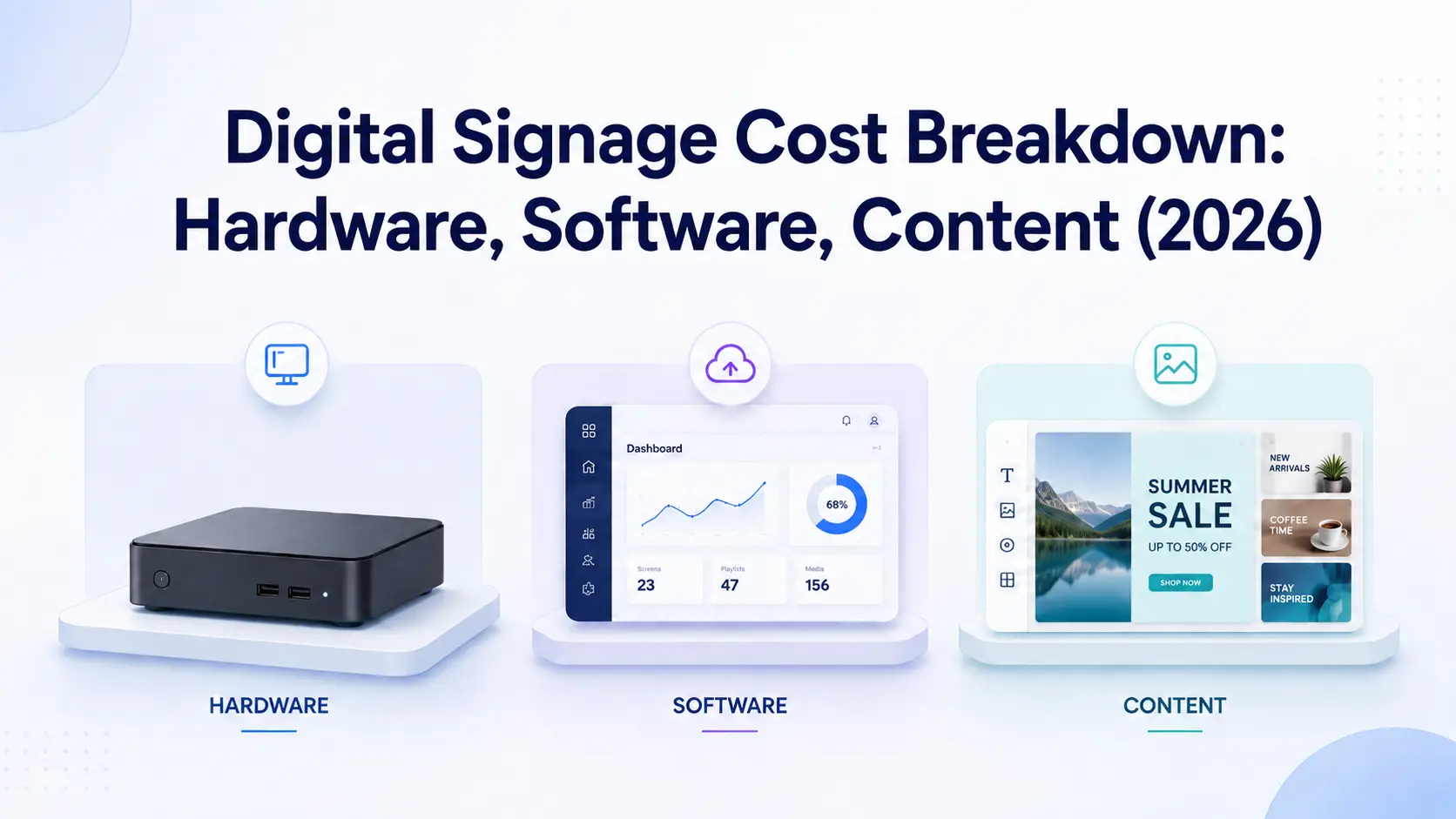
Digital signage pricing confuses buyers because most vendors quote one number and hide the rest. The real cost of a screen comes from three buckets: the hardware that runs the display, the software subscription that manages it, and the content that fills it. Get one bucket wrong and a "cheap" setup turns expensive fast. This breakdown shows 2026 prices for each part, what a single screen and a 10-screen rollout actually cost in year one and after, and where the hidden fees live (installation, replacement, and content design). It also covers how cost shifts by industry, from restaurant menu boards to school campuses. Kitcast software starts at $7 per screen per month and runs on hardware many teams already own, so we use real numbers throughout instead of vague ranges.
What goes into the cost of digital signage?
Every digital signage deployment is built from five line items. Three are core (a player, software, and content), and two are situational (the display itself and installation). Here is how they price out in 2026.
Cost componentTypical 2026 rangeBillingMedia player (hardware)$0 (web or built-in TV) to $400 per screenOne-timeDisplay or commercial TV$200 to $1,200 per screen (or reuse existing)One-timeSoftware or CMS$7 to $40 per screen per monthSubscriptionContent$0 (templates) to $5,000+ per campaignVariesInstallation$0 (self-install) to $500 per screenOne-time
The pattern most buyers miss is the split between one-time and recurring spend. Hardware, displays, and installation are paid once. Software and content are ongoing. Over a three-year window, the subscription and content usually outweigh the upfront hardware, which is why the cheapest player rarely produces the cheapest system.
A practical single-screen example: an Apple TV 4K player at $199, a 50-inch display you already own at $0, self-install at $0, and Kitcast Starter at $84 per year. Year one lands near $213, and every year after is $84. This is the math that separates a smart rollout from an overspent one. For a 7-platform comparison focused on small business needs, see our digital signage for small business roundup.
How much does digital signage hardware cost?
Digital signage hardware is the media player that drives each screen, and it is where buyers either save the most or overspend the most. You have four realistic options in 2026.
A web or built-in TV player costs $0. Kitcast runs in a browser and on Samsung Tizen and LG webOS smart TVs, so a recent commercial display needs no separate box. A consumer streaming stick like the Amazon Fire TV Stick 4K Max costs about $60 and suits a single lobby or reception screen. An Apple TV 4K costs $199 (64GB) to $249 (128GB with Ethernet) – pricing checked July 2026 and is the most popular choice for reliable, always-on signage. A commercial-grade BrightSign player such as the HD224 runs roughly $300 to $500 and is built for 24/7 duty cycles and harsh environments. A Mac mini starts at $599 for content-heavy or interactive setups.
The display is separate. Reusing an existing TV keeps hardware near zero, while a new 43-inch to 55-inch commercial panel adds $400 to $1,200 per screen. Add $30 to $150 for a mount, cables, and surge protection.
The hidden cost is reliability. A $60 consumer stick can fail under continuous use and need replacing yearly, while a commercial player lasts years. Total cost of ownership, not sticker price, is the number that matters. Kitcast runs on all of these platforms, so you can match the player to the room. For a side-by-side spec and price comparison, see our guide to digital signage hardware compared.
How much does digital signage software cost?
Digital signage software, also called a digital signage CMS, is the platform you use to design content, schedule it, and manage every screen from one dashboard. It is billed per screen per month and is the recurring core of your budget.
Market pricing in 2026 ranges from free entry tiers to more than $40 per screen per month on legacy enterprise platforms. Kitcast sits at the value end of that range: Starter is $7 per screen per month and Pro is $10 per screen per month. Pro adds SSO, SCIM provisioning, and an audit log, which competing platforms often reserve for custom enterprise tiers that cost several times more. Annual billing lowers the effective monthly rate, and there is a free trial before you commit.
What a modern CMS includes matters as much as the price. A capable platform covers a drag-and-drop editor, a template library, scheduling and playlists, multi-location and role-based management, offline playback so screens keep running when the network drops, and remote monitoring. Kitcast bundles all of this and ships 500+ ready-made templates, which directly lowers your content cost (more on that next).
Watch for the old on-premise model, where you buy a perpetual license per player for hundreds or thousands of dollars plus a maintenance contract and your own server. Cloud subscriptions replaced that for most teams because the predictable per-screen fee is easier to budget and scale. To see what a full platform covers and where pricing fits, review our overview of digital signage software. The most common software budget is $11–20 per screen per month, according to digital signage statistics from the State of Digital Signage 2026.
Digital signage software pricing by vendor (verified July 2026)
| Vendor | Entry price (annual billing) | Free tier | Notes |
|---|---|---|---|
| Kitcast | $7/screen/mo (Pro $10) | No – 14-day trial | Pro includes SSO, SCIM, API, audit log |
| Yodeck | $8/screen/mo | Yes – 1 screen forever | Advanced scheduling from $12; free RPi player on annual |
| OptiSigns | $9/screen/mo | Yes – 3 screens (25MB file limit, on-screen branding) | POS menu sync requires Pro Plus $13.50; Enterprise $45, min 25 screens |
| Rise Vision | ~$10–11/screen/mo (quote-based) | No | Education-first product |
| NoviSign | $18/screen/mo | No | Business Plus $26 |
| ScreenCloud | $20/screen/mo + VAT | No | Enterprise comms focus |
Prices verified on vendor pricing pages in July 2026 and change over time – confirm current rates before buying.
For context on what businesses actually spend: the most common software budget is $11–20 per screen per month – 56% of 515 surveyed operators fall in that band, according to digital signage statistics from the State of Digital Signage 2026 report. Meaningfully, 76.5% of operators don’t measure ROI at all – so budget for the outcome you’ll track, not just the subscription.
What does digital signage content cost?
Content is the most variable line in any digital signage budget and the one teams underestimate most. The screen and software are fixed costs. Content is ongoing, because a display only earns its keep when what is on it stays fresh.
You have three paths. Do-it-yourself with built-in templates is effectively free beyond your software subscription. Kitcast includes 500+ templates for menu boards, welcome screens, dashboards, alerts, and announcements, so a non-designer can publish in minutes. The middle path adds a stock media subscription at $10 to $50 per month, or a freelance designer at $50 to $150 per hour for custom layouts. The top path is an agency or managed-content service, which runs $500 to $5,000+ per campaign or as a monthly retainer for fully produced video and motion graphics.
Content quality is not vanity spend, it is what drives return. Digital signage consultant Jordan Feil's industry research reports 24-38% sales lifts for featured products, an 83% brand recall rate (compared with about 40% for print), and roughly 400% more views than static signage. A template-built menu board that you update weekly will outperform an expensive video you never refresh.
The fastest way to control content cost is to keep production in-house with templates and reuse assets across screens and locations. Restaurants are the clearest example, where a single menu layout is duplicated across sites and updated centrally. See how that works with digital menu board software. For the advertising-as-revenue angle — selling mall screen time at a CPM — see our shopping mall advertising guide.
How much does digital signage cost by industry?
Digital signage cost shifts by industry because screen counts, content cadence, and compliance needs differ. The hardware and software prices stay the same per screen, but the total scales with how many screens you run and how often content changes. For market-side trends shaping rates — AI content, programmatic DOOH, retail media — see our digital signage trends 2026 report.
Restaurants and cafes spend most on content, since menu boards change with pricing, dayparts, and promotions. The win is replacing printed menus, so the system often pays back fast. Education and schools run high screen counts across hallways and campuses, which makes per-screen software price the deciding factor. Kitcast offers EDU pricing and native Apple TV support, and you can see the segment detail under digital signage for education. Corporate communications budgets favor enterprise features (SSO, SCIM, audit logs, MDM), so the value is in getting those at the Pro tier rather than a costly enterprise plan.
Healthcare prioritizes reliability and offline playback for waiting rooms and clinical areas, where downtime is unacceptable, so commercial-grade players are worth the premium. Churches and houses of worship usually run a handful of screens with volunteer-built content, which makes free templates and low per-screen pricing the priority. Gyms and fitness studios sit in the middle, mixing class schedules, promotions, and motivational content that benefits from frequent template updates. Retail spans the full range, from a single window screen to chain-wide rollouts, where central management keeps labor cost down. For a dedicated walkthrough of waiting room digital signage — software, content, install — see our 2026 guide. Our gym digital signage page shows what those template-first setups look like on the gym floor. We break down layouts, content ideas, and compliance considerations for clinical settings on our healthcare digital signage page.
The common thread: pick software priced per screen with no feature paywalls, reuse hardware where you can, and let content cadence (not the platform) set your spend.
How can you reduce digital signage costs?
You can cut digital signage cost without cutting quality by attacking the three buckets in order. Most savings come from decisions made before you buy.
Start with hardware. Reuse the displays and players you already own, and use the web player or a smart TV operating system to skip the media-player purchase entirely. When you do buy, match the player to the duty cycle so you are not replacing failed consumer sticks every year. Next, control software cost by choosing cloud over on-premise, billing annually, and picking a platform that includes enterprise features in its standard plans instead of charging for SSO, API, and audit logs as add-ons. Kitcast includes those in Pro at $10 per screen per month for this reason.
Then tackle content, the most controllable line. Build in-house with templates, reuse a single layout across many screens, and schedule once so updates roll out everywhere automatically. This is where the original "save money on signage" advice still holds: the screens themselves replace recurring print, design, and distribution costs that never end with static media.
Finally, start small and scale. Deploy a handful of screens, prove the return, then expand on the same per-screen rate, with no seat minimums or hardware bundles you do not need. Offline playback and central management also lower ongoing labor, because you are not sending staff to each location to fix a frozen screen. Together these moves typically halve a first quote without touching what viewers actually see.
Frequently Asked Questions
How much does digital signage cost per screen?
A single screen costs about $200 to $700 in year one, including a media player ($60 to $400) and software, then $84 to $120 per year for software after that. Reusing an existing display and self-installing keeps the first-year figure at the low end.
How much does digital signage software cost?
Digital signage software is billed per screen per month and ranges from free entry tiers to over $40 per screen across the market. Kitcast is $7 per screen per month on Starter and $10 on Pro, with Pro adding SSO, SCIM, and an audit log. For a vendor-by-vendor breakdown of best free digital signage software options and when paid pays off, see our guide.
What hardware do I need for digital signage and how much is it?
You need a media player and a display. Player options include a free web or smart-TV player, a Fire TV Stick 4K Max at about $60, an Apple TV 4K at $199 to $249, a BrightSign player at $300 to $500, or a Mac mini from $599. A new commercial display adds $400 to $1,200. For a focused head-to-head between the two cheapest options, see our apple tv vs fire tv comparison.
Is digital signage cheaper than printed signage?
Over time, yes. Digital signage removes the recurring cost of printing, designing, and distributing static materials. After the upfront hardware and software, updates are free and instant, so the system usually pays back faster in high-change settings like restaurants and retail.
How much does digital signage content cost?
Content ranges from $0 using built-in templates to $50 to $150 per hour for a freelance designer, up to $500 to $5,000+ for an agency campaign. Kitcast includes 500+ templates, so most teams produce content in-house at no extra cost.
What is the cheapest way to set up digital signage?
Use a smart TV or the web player to skip the media player, reuse an existing display, build content from templates, and run Kitcast Starter at $7 per screen per month billed annually. That keeps a first screen well under $100 beyond the device you already own.
Does digital signage have hidden costs?
The common hidden costs are installation ($0 to $500 per screen), hardware replacement when consumer devices fail under 24/7 use, and content design if you outsource it. Choosing reliable hardware and template-based content removes most of them.
How much does a 10-screen digital signage rollout cost?
With Apple TV 4K players, expect about $1,290 in hardware once, plus Kitcast software at $840 per year on Starter or $1,200 on Pro. Reusing displays and building content in-house keeps year one near $2,100 to $2,500.
Do I need to buy new TVs for digital signage?
No. Most commercial and consumer TVs work with digital signage. Kitcast runs on Apple TV, Fire TV, Android, BrightSign, and on Samsung and LG smart TVs directly, so you can use screens you already own.
Is there free digital signage software?
Some platforms offer limited free tiers, but they usually cap screens, features, or support. Kitcast offers a 14-day free trial with full Pro features and no credit card, so you can test a complete platform before paying $7 to $10 per screen per month.
How much does digital signage software cost per screen?
Between $7 and $45 per screen per month across major platforms (July 2026): Kitcast from $7, Yodeck $8, OptiSigns $9, NoviSign $18, ScreenCloud $20+VAT. The most common operator budget is $11–20 per screen per month (survey, n=515).
What’s the cheapest way to start with digital signage?
A $35 Fire TV Stick on a TV you already own, plus entry-level software at $7–8/screen/month – under $50 to start, with free single-screen plans (Yodeck) as a $0 software option.
Conclusion
Digital signage cost is not one number, it is three: hardware you can often reuse, software at a predictable per-screen rate, and content you can build in-house. Plan all three together and a single screen starts near $200 in year one, while a 10-screen rollout stays close to $2,500. The platform you pick sets the recurring cost and decides whether enterprise features are included or sold back to you later.
Kitcast keeps that math simple. Software starts at $7 per screen per month, runs on the hardware you already own across nine platforms, and ships 500+ templates so content does not become a hidden line item. Disney, The New York Times, UPenn, McLaren, Delta Dental, and more than 10,000 teams run on it. See plans and build your own estimate on Kitcast pricing, or start a free trial and have your first screen live today.
Internal Communications Digital Signage: Strategy, Content Ideas & Examples (2026)
6 Best Digital Signage Software for Education in 2026 (Compared)