
Why Kitcast
Why teams choose Kitcast
over other digital signage platforms
Native Apple TV expertise, 9-platform flexibility, offline playback, and enterprise controls at Pro pricing — without the complexity of legacy signage tools.
Trusted by teams at


Why teams switch
Most signage software is built for screens. Kitcast is built for people.
Complex tools require dedicated staff, long training cycles, and daily babysitting. Teams spend more time managing the software than using it. Kitcast flips that equation.
"Digital signage shouldn't be difficult. I needed something simple, yet efficient — because wasted steps mean wasted money."
— Kitcast customer

Built for IT teams — and everyone else
IT gets MDM, SSO, SCIM, and zero-touch deployment. Non-technical staff get an interface so clear it needs no training. Both win from day one.

Enterprise-ready from $10
SSO, SCIM, API, audit logs, MDM — included at Pro tier. No Enterprise contract required.

Delegate in seconds
Add a team member, assign them specific screens — done. No IT ticket, no onboarding call.

Works even offline
Content is cached locally. Screens never go blank — even when the internet does.
The product
Designed for humans,
not only TV players
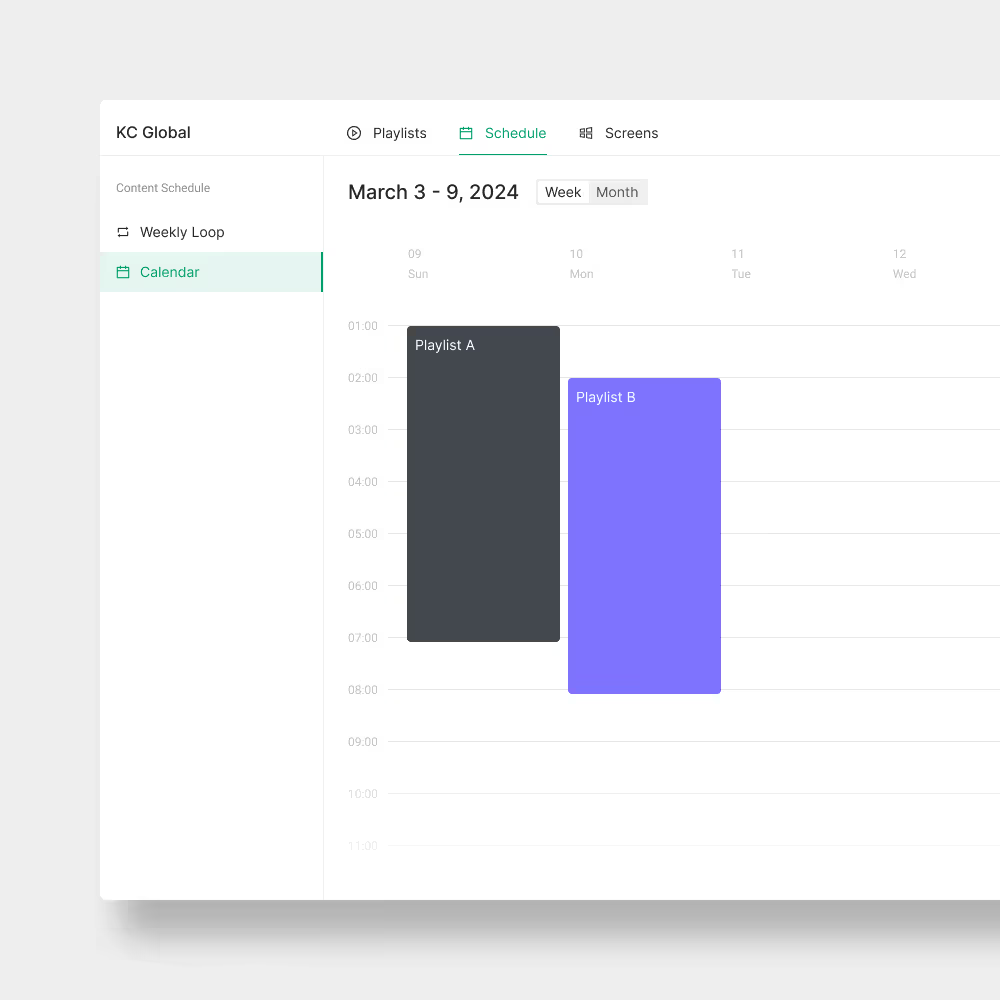
Kitcast turns digital signage from a routine into a fast, low-friction workflow — so your team can publish, schedule, and manage screens without the usual overhead.




Apple TV — since day one
The first digital signage app in the Apple TV App Store. Now on 9 platforms — same uncompromising standard.
Kitcast launched on October 30, 2015 — the same day Apple launched the Apple TV App Store. Built from a pre-release developer kit under NDA. 10+ years of native tvOS development means zero compromises: stability, MDM integration, and performance that browser-based apps can't match.
Oct 30, 2015
Launch day of Apple TV App Store — Kitcast was there
10+ years
Native tvOS development — no shortcuts, no browser wrappers
9 platforms
Apple TV · Android · Fire TV · BrightSign · Samsung · LG · macOS · iOS · ChromeOS
How we compare
Enterprise features at a fraction of the cost
| Kitcast | Yodeck | ScreenCloud | OptiSigns | |
|---|---|---|---|---|
| Starting price | $7/screen/mo | $8/screen/mo | $20+/screen/mo | $9/screen/mo |
| Native Apple TV app | ✓ Since 2015 | ✗ | ✗ | ✗ |
| SSO / SCIM / API | ✓ From $10/mo | Enterprise only | Enterprise only | Higher tiers |
| Offline playback | ✓ Full cache | ✓ | Limited | ✓ |
Who it's for
Built for teams like yours
From schools and healthcare to retail, enterprise IT, and multi-location operations — explore the workflows Kitcast fits best.


Also used by
What clients say
What customers say after switching
"Most signage solutions on the market are just way too complex to use and integrate. With Kitcast, our customers succeed in communicating with their audience in an efficient and appealing way."

Tobias Linder
CTO, Anykey
"The user interface is very well laid out, very well explained, and essentially easy to use. If I were to define Kitcast in three words I would use: simple, reliable, and elegant."
Chase Hentges
Creative Director
"There were several other products, but none of them had the right combination of features that I needed. And Kitcast did."
Johan Everstijn
Owner, Cider Press Cafe
Pricing
From $7 per screen per month
No long-term contracts. No setup fees. Cancel anytime. SSO, API, and SCIM included at Pro — not locked behind Enterprise.
FAQ
Common questions
What makes Kitcast different from other digital signage software?
Kitcast was the first digital signage app in the Apple TV App Store (October 2015) and remains the only native tvOS solution. Across all platforms it prioritizes simplicity and reliability — non-technical users manage screens from day one without training. Enterprise features like SSO, SCIM, API, and MDM are included at the Pro tier ($10/screen/month), not locked behind a separate Enterprise contract.
See how Kitcast compares to other digital signage software options →
Does Kitcast work without internet?
Yes. Content is cached locally on every device. Screens continue playing indefinitely without an internet connection. When connectivity returns, updates sync automatically.
What platforms does Kitcast support?
Kitcast supports 9 platforms: Apple TV, Android TV, Amazon Fire TV, BrightSign, LG webOS, Samsung Smart TV, macOS, iOS, and ChromeOS. You can manage all platforms from a single dashboard.
Is SSO and API included without an Enterprise plan?
Yes. SSO (SAML 2.0), SCIM provisioning, REST API, and audit logs are all included in Kitcast Pro at $10/screen/month. You do not need a separate Enterprise agreement to access these features.
How does MDM integration work for Apple TV?
Kitcast supports zero-touch deployment via Apple Device Enrollment Program (DEP) and works with Jamf Pro, Mosyle, and Kandji. IT teams can deploy Kitcast to dozens or hundreds of Apple TVs remotely without physical access to the devices.
What enterprise clients use Kitcast?
Disney, New York Times, University of Pennsylvania, McLaren, Delta Dental, Princeton, USC, and over 10,000 other organizations worldwide use Kitcast for their digital signage needs.
Is there a free trial?
Yes — 14 days, no credit card required. You get full access to all features during the trial. No automatic billing when it ends.