Best Rise Vision Alternative in 2026: Kitcast vs Rise Vision Comparison
⚡ TL;DR — Quick Verdict
The best Rise Vision alternative in 2026 is Kitcast. It starts at $7/screen/month (vs Rise Vision's $11+), includes a native Apple TV app built from the ground up on tvOS, supports emergency alerts and content override on all devices — not just Apple TV via Jamf — and delivers a significantly more polished content creation experience.
Rise Vision is a solid choice for K-12 schools that need pre-built CAP integrations with Singlewire or Alertus out of the box, WCAG A certified accessibility, or are already deployed and evaluating switching costs.
Comparison Highlights
- Price: Kitcast starts at $7/screen/mo vs Rise Vision at $11/screen/mo (EDU plans $10.50, Business $12). Kitcast is 35–45% cheaper depending on your plan.
- Apple TV: Kitcast has a native tvOS app — first in the Apple TV App Store from day one (October 2015). Rise Vision runs via browser-based player on Apple TV.
- Emergency alerts: Both support emergency content override. Kitcast's Override works on all supported devices (Apple TV, Android, Fire TV, BrightSign). Rise Vision's CAP-based alerts on Apple TV require Jamf Pro.
- Templates: Kitcast offers 500+ templates with native animations and AI content generation. Rise Vision offers 600+ templates, but users report limited repositioning — text boxes and images cannot be freely moved.
- SSO & governance: Included in Kitcast Pro ($10/mo). Rise Vision's SSO availability depends on plan tier.
- AI content: Kitcast generates text, images, and backgrounds via AI prompt. Rise Vision has no native AI content generation.
- Support: Both offer strong customer support. Rise Vision is known for a 99% satisfaction rating. Kitcast provides hands-on support at every pricing tier.
- Screen sharing: Rise Vision offers a built-in screen sharing feature for classroom instruction. Kitcast supports AirPlay screen sharing on Apple TV natively — no additional software needed for Apple-based classrooms.
Who Should Choose Kitcast
✅ Choose Kitcast if you…
- Are scaling beyond 10 screens and want pricing that stays predictable. At $7/screen/mo, 50 screens cost $350/mo vs Rise Vision's $550/mo.
- Need a native Apple TV app — not a browser-based player. Kitcast has been on tvOS since the App Store launched in 2015.
- Want emergency alerts and content override across all devices — Apple TV, Android TV, Fire TV, and BrightSign — without requiring Jamf Pro.
- Need SSO (SAML), SCIM, API, and audit logs without a sales conversation. All included in Kitcast Pro at $10/screen/mo.
- Want AI-powered content creation: generate text, images, and animated backgrounds from a prompt.
- Manage screens for universities, corporate campuses, hospitals, or retail — beyond pure K-12.
- Want a modern, polished interface where non-technical staff (marketing, HR, admins) can create and publish content without training.
🔵 Choose Rise Vision if you…
- Need pre-built CAP integrations with Singlewire Informacast, Alertus, or Rave Mobile Safety out of the box — no custom setup.
- Require WCAG A certified accessibility compliance (Rise Vision is certified; Kitcast is not yet).
- Prefer a platform with free onboarding training and a large established K-12 community.
- Already have Rise Vision deployed and the switching cost outweighs the benefits.
- Need Windows-based media player support (Rise Vision supports Windows; Kitcast does not yet).
Side-by-Side Comparison Table
Here's how the two platforms stack up across the criteria that matter most.
| Criteria |  |
Rise Vision |
|---|---|---|
| Starting price | $7/screen/mo | $11/screen/mo (EDU $10.50, Business $12) |
| EDU / non-profit price | From $7/screen/mo — EDU volume discounts available | $10.50/screen/mo (K-12/Non-profit) |
| Free trial | 14 days, no credit card | Yes |
| Free plan | No | No |
| Apple TV support | Native tvOS app — in App Store from day one (Oct 2015) | Browser-based player |
| Supported devices | Apple TV, Android, Fire TV, BrightSign, LG WebOS, Samsung, ChromeOS, macOS, iOS | Windows, Android, Chrome OS, Raspberry Pi, Apple TV (browser) |
| Emergency alerts / override | All devices — no Jamf required | CAP protocol on Apple TV (requires Jamf Pro) |
| Templates | 500+ with native animations | 600+ (Capterra: repositioning limited) |
| AI content generation | Yes — text, images, backgrounds | No |
| Screen sharing | No (signage focus) | Yes (classroom feature) |
| MDM integration | Jamf, Mosyle, Kandji — zero-touch | Jamf Pro |
| SSO (SAML) | Pro plan ($10/mo) | Varies by plan |
| API access | Pro plan ($10/mo) | Available (plan-dependent) |
| SCIM provisioning | Pro plan ($10/mo) | Not prominently featured |
| Audit log | Yes | Varies |
| Role-based access | All plans | Yes — unlimited users |
| WCAG compliance | Not WCAG certified | WCAG A certified |
| Offline playback | Full local caching | Yes |
| Proof-of-play reporting | Pro plan ($10/mo) | Available |
| Customer support | Hands-on at every tier | Free training, 99% satisfaction |
| EDU / non-profit discounts | Yes — significant | Yes — dedicated EDU pricing |
| Setup time | ~5 minutes | Varies by device |
| Content editor UX | Clean, modern, minimal | Functional; template repositioning limited |
Deep Dive: Feature-by-Feature Comparison
Pricing: Kitcast Is Still Cheaper
Rise Vision is priced more affordably than ScreenCloud or OptiSigns, which makes comparisons closer. But the gap still adds up. We've done the same exercise for OptiSigns — see the OptiSigns alternative comparison. Our ScreenCloud alternative page puts those price points side by side.
At 10 screens: $110/mo (Rise Vision) vs $70/mo (Kitcast) — $480/year difference.
At
50 screens: $550/mo vs $350/mo — $2,400/year difference.
At 100 screens:
$1,100/mo vs $700/mo — $4,800/year difference.
But there's a hidden cost. Rise Vision's CAP-based emergency alerts on Apple TV require Jamf Pro — approximately $7–9/device/year for EDU. On 100 Apple TV screens, that's $700–$900/year in additional infrastructure cost that doesn't appear in Rise Vision's pricing page. Factor that in and the total cost of ownership gap widens considerably.
For EDU: Rise Vision's K-12 plan at $10.50/screen/mo vs Kitcast's EDU-discounted pricing. Contact Kitcast directly for EDU rates — they consistently come in below Rise Vision for managed deployments.
Verdict: Kitcast wins on pricing at every scale.
Apple TV: Native App vs Browser Player
This is the most operationally significant difference for schools that have Apple TVs deployed.
Kitcast was the first digital signage app in the Apple TV App Store, launching on day one in October 2015, built from a pre-release Apple dev kit. The app is fully native on tvOS — it integrates directly with MDM tools (Jamf, Mosyle, Kandji), supports single-app mode, zero-touch provisioning, and handles AirPlay/signage switching seamlessly. Content is cached locally for uninterrupted offline playback.
Rise Vision's Apple TV player runs through a browser-based interface. It works, but it doesn't deliver the same native performance, MDM depth, or offline reliability of a purpose-built tvOS application.
Why this matters in schools: When a teacher needs to switch from AirPlay to digital signage and back, or when IT needs to deploy 200 Apple TVs across a district without touching each device, native integration matters. Kitcast's MDM workflows are built for exactly this.
Verdict: Kitcast wins for Apple TV environments, especially at district scale.
Emergency Alerts
Both platforms support emergency content override — the ability to push urgent messages to all screens instantly. This is table-stakes for K-12.
Kitcast's Override works across all supported devices: Apple TV, Android TV, Amazon Fire TV, BrightSign, and more. It doesn't require Jamf Pro or any specific MDM infrastructure — any authorized user can push an override from the dashboard immediately.
Rise Vision's emergency alert system integrates with CAP-based alerting systems (Singlewire Informacast, Alertus, Rave Mobile Safety) — popular in K-12 districts that already have these systems. For Apple TV specifically, enabling automatic alerts requires Jamf Pro configuration.
Which is better? Depends on your setup. If your district already has Singlewire or Alertus, Rise Vision's CAP integration is more automated. If you want cross-device alerts that work out of the box without additional infrastructure, Kitcast's Override is simpler.
Verdict: Tie — different approaches suited to different setups.
Content Creation & Templates
Rise Vision offers 600+ templates, which is slightly more than Kitcast's 500+. However, user reviews on Capterra flag a notable limitation: "editing premade templates is limited — text boxes and images cannot be repositioned" and "uploading slides can feel clunky due to refresh delays." These are recurring themes for teams that need polished, on-brand content at scale.
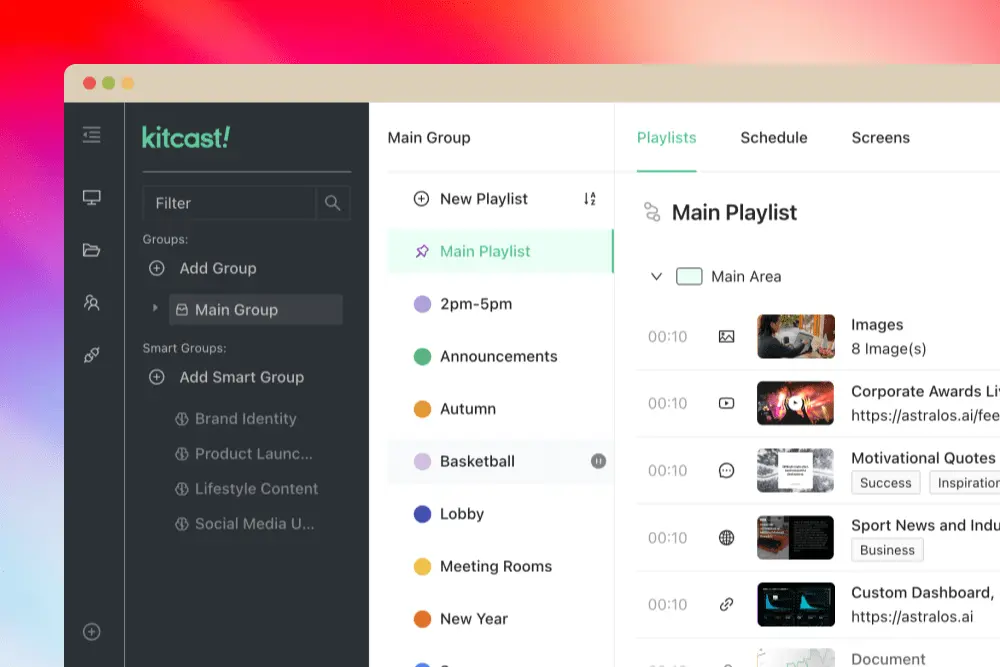
Kitcast's editor is built for speed and non-technical users. Smart Templates are natively animated on tvOS. More importantly, Kitcast includes AI content generation — staff can generate on-brand text, images, and animated backgrounds from a simple prompt, without design skills.
Rise Vision has no native AI content generation capability.
Verdict: Kitcast wins on UX polish and AI content. Rise Vision wins on raw template count.

Enterprise Governance
For schools and universities that have grown past basic signage — managing hundreds of screens across multiple campuses with IT oversight — governance features matter.
| Feature | Kitcast Plan | Rise Vision Plan |
|---|---|---|
| SSO (SAML) | Pro ($10/mo) | Varies by plan |
| API access | Pro ($10/mo) | Available (plan-dependent) |
| SCIM user provisioning | Pro ($10/mo) | Not prominently featured |
| Audit log | Pro ($10/mo) | Varies |
| Proof-of-play reporting | Pro ($10/mo) | Available |
| Monitoring & offline alerts | Pro ($10/mo) | Varies by plan |
| Role-based access | All plans | Yes — unlimited users |
| MDM (Jamf, Mosyle, Kandji) | Pro ($10/mo) | Jamf Pro |
| Zero-touch deployment | Pro ($10/mo) | Varies by plan |
| Emergency / CAP alerts | Yes | Yes (CAP integration) |
| WCAG compliance | Not WCAG certified | WCAG A certified |
| Screen sharing | No | Yes |
Kitcast Pro at $10/screen/month includes: SSO (SAML), SCIM user provisioning, REST API, role-based access control, audit log, proof-of-play reporting, and monitoring alerts. IT can evaluate and deploy the full security stack from day one of the trial.
Rise Vision supports role-based access and unlimited users at all tiers, but SSO and deeper identity management features are more limited or plan-dependent.
Verdict: Kitcast wins for enterprise-scale EDU governance.
Screen Sharing
Rise Vision includes a screen sharing feature that lets teachers share their laptop or tablet screen to classroom TVs — similar to AirPlay or Chromecast. This is genuinely useful in K-12 classroom environments and is a differentiator Rise Vision markets actively.
Kitcast is focused on digital signage — screen sharing is not a core feature. If your primary use case is classroom instruction with occasional signage, Rise Vision's bundled screen sharing adds value.
Verdict: Rise Vision wins if screen sharing is a requirement. Kitcast wins if signage is the primary use case.