Home › Digital Signage Software
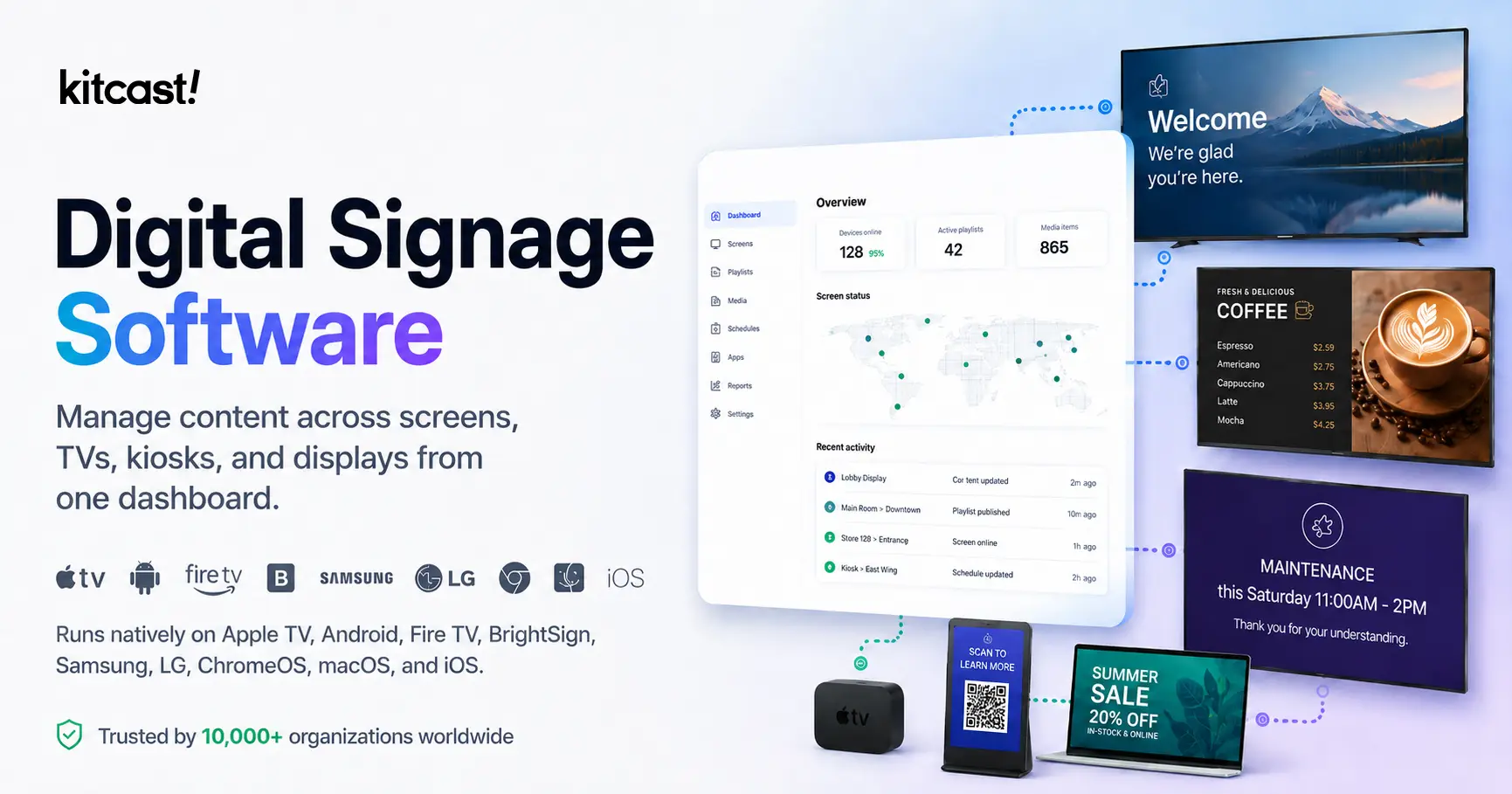
Cloud-based software to manage content across screens, TVs, kiosks, and displays from one dashboard. Runs natively on Apple TV, Android, Fire TV, BrightSign, Samsung, LG, ChromeOS, macOS, and iOS.
By Egor Belenkov, Founder & CEO at Kitcast · Updated April 2026 · 18 min read
Trusted by 10,000+ organizations worldwide
Digital signage software is a cloud-based CMS for physical screens. It lets you design, schedule, and push visual content — images, video, live data, web pages — to TVs, video walls, kiosks, and commercial displays from one web dashboard. Unlike USB sticks (no remote updates), screen mirroring (requires a laptop to stay awake), or browser tabs (crash on OS updates, blank on Wi-Fi drops), professional signage software operates autonomously: content plays on schedule, caches locally for offline playback, updates remotely, and scales from 1 screen to 1,000+ with role-based access and audit logs.
Who uses it: IT teams deploy and manage devices. Marketing teams design and schedule content. Operations managers display KPI dashboards. Facilities teams run wayfinding and lobby displays — from a single-screen coffee shop to a university with 200 displays across 15 buildings. Kitcast serves over 10,000 organizations across retail, education, healthcare, restaurants, corporate, manufacturing, hospitality, and government.
Kitcast is a cloud-based digital signage platform built for organizations that need multi-platform support from a single dashboard. It runs natively on nine operating systems — tvOS, Android, Fire OS, macOS, iOS, ChromeOS, Tizen, webOS, and via web browser — so teams with mixed hardware manage everything from one place.
Key differentiators: first native Apple TV signage app (October 2015), eight years of tvOS API depth, MDM zero-touch deployment via Jamf/Mosyle/Kandji, enterprise controls (SSO, SCIM, API, audit logs) at $10/screen/month where competitors charge $30–$45, and offline caching on every platform. Kitcast is strongest for Apple TV-first deployments, multi-platform environments, and enterprise teams that need governance without enterprise-only pricing. It is not the right fit for Raspberry Pi-only fleets or Windows-centric setups. Why teams choose Kitcast →
From unboxing to content on screen in four steps:
Download from the Apple TV App Store, Google Play, Amazon Appstore, or vendor portal for BrightSign, Samsung Tizen, and LG webOS. Or open a web browser player on any device with Chrome, Edge, or Firefox.
The app displays a short pairing code. Enter it in the web dashboard and the device registers. With MDM tools like Jamf Pro or Mosyle, this is fully automated via zero-touch deployment.
Use the drag-and-drop editor, choose from templates, upload media, or pull in live data feeds — weather, news, Google Slides, Power BI dashboards.
Set playlists to run at specific times (dayparting), assign content to screen groups by location, push updates remotely. Changes propagate within seconds. See how Kitcast works.
The cloud CMS is the web dashboard. The device app is native software — not a browser tab — with direct access to the operating system's APIs for hardware video decoding, offline caching, and push notifications.
Why native matters: A native tvOS app on Apple TV has access to eight years of Apple's tvOS API depth — hardware-accelerated video, system-level power management, background content syncing — that a web page in Safari cannot replicate. This is an architectural fact, not marketing.
Web dashboard for content creation, scheduling, and remote management. Access from any browser.
Runs on Apple TV, Android TV, Fire TV, BrightSign, and more. Direct OS API access — not a browser wrapper.
Content is cached locally. If Wi-Fi drops, the screen keeps running. Updates sync when connectivity returns.
Kitcast on Apple TV: App Store → install Kitcast → note pairing code → dashboard → enter code → choose template → publish. Approximately five minutes from unboxing. See Apple TV setup guide.
Four deployment models — cloud SaaS covers roughly 95% of new deployments in 2026.
| Type | Setup Cost | Ongoing Cost | IT Overhead | Best For |
|---|---|---|---|---|
| Cloud SaaS | Low | $7–$40/screen/mo | Minimal | ~95% of deployments |
| Self-hosted | High | Hosting only | High | Regulated / air-gapped |
| Open source | Free | Hosting only | Very high | Developers |
| Hybrid | Medium | Subscription + hosting | Medium | Large enterprise |
Cloud SaaS is the dominant model. Self-hosted platforms run on your own servers — full data control, but IT overhead. Open-source (Xibo, Screenly OSE) cost nothing in licensing but require significant technical skill. Hybrid combines cloud management with a local content server. Kitcast is cloud SaaS with native apps that cache content locally for offline playback. See enterprise features and pricing.
Not all digital signage platforms are equal. These twelve capabilities separate professional software from basic display tools.
Choose software that supports 5+ platforms with native apps — not browser wrappers. A school district running Apple TVs and Chromebooks needs one dashboard. Kitcast runs natively on nine platforms.
Content must continue displaying when the internet drops. Look for local content caching with graceful failover. Red flag: any platform that shows error pages when Wi-Fi goes out.
Dayparting assigns different content to different time slots automatically. Look for timezone support, recurring rules, date ranges, and emergency override capability.
Look for a template library plus drag-and-drop editor. In 2026, leading platforms add AI content generation. Kitcast offers 500+ templates and built-in AI generation. See all features.
Role-based access control defines who can create, approve, and publish. For enterprises with 50+ users, SSO and SCIM provisioning automate account management through your identity provider.
For Apple TV: Jamf Pro, Mosyle, or Kandji. For ChromeOS: Google Workspace admin. Zero-touch deployment means the app installs and pairs itself when the device powers on. See enterprise MDM.
Schools, hospitals, and government buildings need instant screen takeover. Look for Common Alerting Protocol (CAP) integration. Non-negotiable for education and healthcare deployments.
Look for a documented REST API, integrations with Google Slides, Power BI, Tableau, Microsoft 365, and connectors via Zapier or Make. See Kitcast integrations.
Proof-of-play confirms specific content displayed on a specific screen at a specific time. Critical for advertising verification, compliance, and operational accountability.
Evaluate for SSO/SAML, audit logs, RBAC, and data encryption in transit and at rest. At 5 screens: nice-to-have. At 500 screens: non-negotiable. Ask vendors for their SOC 2 status.
Choose a vendor with published per-screen pricing, clear tier structure, and no hidden fees. Watch for setup fees and premium support charges. See Kitcast pricing.
Test before buying: email support with a question and time the response. For enterprise, ask about dedicated account manager, SLA guarantees, and phone support hours.
There is no single "best" — the right choice depends on your hardware, deployment scale, and technical requirements. This honest segmentation shows where each platform is strongest.
| Use Case | Recommendation | Why |
|---|---|---|
| Multi-platform deployments | Kitcast | 9 native apps, one dashboard, from $7/screen/mo |
| Apple TV-first organizations | Kitcast | First native tvOS app (2015), deepest MDM integration |
| Raspberry Pi fleets | Yodeck | Native Pi support, free hardware on annual plans |
| K-12 / Chromebook districts | Rise Vision | Deep ChromeOS + Google Workspace integration |
| Windows-centric setups | OptiSigns | Strong native Windows app, budget-friendly |
| Enterprise (SSO, MDM, API) | Kitcast Pro | $10/screen/mo for features competitors charge $30–$45 for |
| Video walls / 4K multi-zone | Kitcast on Mac mini | M-series chip, native macOS, smooth 4K playback |
| Free tier / testing | OptiSigns | Free for 3 screens (with branding + file size limits) |
Eight years of native tvOS development gives Kitcast capabilities that browser-wrapper competitors cannot match: hardware-accelerated video decoding, system-level power management, push-based content syncing, and full compatibility with Apple Business Manager, Jamf Pro, Mosyle, and Kandji for zero-touch deployment.
When to choose something else: if your fleet is 100% Raspberry Pi or 100% Windows PCs, Kitcast is not the right fit.
Digital menu boards that switch content by meal period (breakfast → lunch → dinner) without staff intervention. Runs on Apple TV ($129) or Amazon Fire TV Stick ($35). Content updates propagate to all locations within seconds from the central dashboard. Template library includes QSR, fine dining, and cafeteria layouts.
When to choose something else: if you need deep POS integration for real-time pricing from a specific POS vendor, check whether that vendor offers a bundled signage module.
Chromebook-heavy districts benefit from Rise Vision's native Google Workspace integration and education-specific templates. Schools running Apple TVs or mixed hardware get better platform coverage with Kitcast, including CAP emergency alert support, MDM integration, and academic calendar scheduling.
When to choose something else: if your district is 100% Samsung commercial displays with Tizen, evaluate the display manufacturer's built-in CMS first.
SSO/SAML, SCIM provisioning, role-based access control, audit logs, REST API, Power BI and Tableau integration, MDM-based zero-touch deployment — all at $10/screen/month. Competitors like ScreenCloud, Yodeck Enterprise, and Enplug charge $20–$45 for comparable governance capabilities.
When to choose something else: if you need on-premise/air-gapped deployment for regulatory reasons, evaluate self-hosted options like Xibo or dedicated enterprise vendors.
For 1–10 screens on Apple TV or Fire TV, Kitcast Starter at $7/screen/month offers the simplest setup: install app, pair to dashboard, publish content. For Windows PCs or Raspberry Pi, OptiSigns has a free tier (3 screens with branding) and paid plans from $10/screen/month.
When to choose something else: if you only need a single screen playing a slideshow, a $35 Fire TV Stick with the native photo app may be enough — no signage software needed.
Manage 200+ screens across 50 locations from one dashboard. Assign content by location group, push updates remotely, monitor device status in real time. MDM integration automates provisioning: ship a pre-configured Apple TV to a new location and it pairs itself on first power-on.
When to choose something else: if every location runs different hardware from different eras, evaluate whether standardizing hardware first would reduce complexity more than any software can.
Apple TV depth, multi-platform, pricing
Kitcast vs OptiSigns →Raspberry Pi, free hardware, simplicity
Kitcast vs Yodeck →Enterprise features, pricing, platform support
Kitcast vs ScreenCloud →Education, ChromeOS, Google Workspace
Kitcast vs Rise Vision →No credit card required. Works on Apple TV, Android, Fire TV, Mac, and more.
The device connected to your screen matters as much as the software. Kitcast is the only solution that supports all nine platforms natively from one dashboard.
| Platform | Cost | Setup | Best For | Kitcast |
|---|---|---|---|---|
| Apple TV | $129–$199 | 5 min | MDM orgs, Apple-first, premium | ✓ Native tvOS since 2015 |
| Android TV | $30–$200 | 5 min | Budget, mixed hardware fleets | ✓ Native app |
| Amazon Fire TV | $35–$60 | 5 min | SMB, budget chains | ✓ Native app |
| BrightSign | $200–$500 | 15 min | Enterprise, 24/7 reliability | ✓ Supported |
| Samsung Tizen | Built-in (SoC) | 10 min | Samsung commercial displays | ✓ Supported |
| LG webOS | Built-in (SoC) | 10 min | LG commercial displays | ✓ Supported |
| ChromeOS / Web | $0–$300 | 1–5 min | Education, any device | ✓ Web player |
| macOS / Mac mini | $599+ | 5 min | Video walls, 4K content | ✓ Native macOS app |
| iOS / iPad | $329+ | 5 min | Kiosks, small screens | ✓ Native iOS app |
Compact, silent, energy-efficient (~6W). Kitcast launched the first native tvOS digital signage app in October 2015. That head start means deep API integration: hardware-accelerated video decoding, system-level power management, push-based content syncing, and full Apple Business Manager compatibility. Competitors running web wrappers on Apple TV cannot access these OS-level capabilities.
Apple TV digital signage →The widest hardware range at the lowest price point — $30 sticks to $200 commercial-grade boxes. Performance varies by device; choose a platform tested across manufacturers to avoid playback surprises in the field.
Android TV digital signage →Best for video walls and graphically intensive content. Apple's M-series chips handle 4K multi-zone layouts with smooth playback that budget Android sticks cannot match.
Mac mini digital signage →Different industries have different requirements — from CAP emergency alerts in schools to POS integration in retail. Kitcast serves 21 industry verticals.
Schools use digital signage for hallway announcements, emergency alerts, event schedules, wayfinding, and cafeteria menus. CAP integration, academic calendar scheduling, and MDM for IT teams managing hundreds of Apple TVs or Chromebooks.
Learn more →Digital displays reduce perceived wait time by up to 35% in queue-managed environments. Content includes health tips, wayfinding, queue status, and staff communications. Multilingual support and calm design are key requirements.
Learn more →The largest digital signage market. Networks report up to 33% increases in sales of promoted items (Digital Signage Today). POS integration, dayparting, and campaign analytics are must-haves.
Learn more →Digital menu boards replace static printed menus with dynamic displays that switch automatically by meal period — breakfast at 6 AM, lunch at 11, dinner at 5 PM, without manual intervention.
Learn more →Lobby welcome screens, meeting room status, KPI dashboards, and employee communications. Integrates with Google Calendar, Microsoft 365, Power BI, and Tableau.
Learn more →Safety dashboards, production metrics, shift schedules, and quality control data — displayed on high-brightness screens visible from a distance. Content is data-driven from ERP/MES systems, updated continuously.
Learn more →Lobby information, event schedules, wayfinding, restaurant menus, and room-rate advertising. Multi-location management for hotel chains needing consistent branding with local overrides.
Learn more →Queue management, public information, emergency alerts, and accessibility-compliant messaging. Security and compliance requirements are the highest of any sector.
Learn more →The standard model is per-screen, per-month subscription. Prices range from $7 to $45+ per screen per month. Annual billing saves 10–29%. Most platforms use tiered plans. Free tiers typically limit file sizes, device types, and add vendor branding.
| Platform | Free Tier | Entry (Annual) | Mid Tier | Enterprise |
|---|---|---|---|---|
| Kitcast | 14-day trial | $7/screen/mo | $10/screen/mo | Custom |
| Yodeck | 1 screen free | $8/screen/mo | $15/screen/mo | Custom |
| OptiSigns | 3 screens (limited*) | $10/screen/mo | $15/screen/mo | $45/screen/mo (min 25) |
| Rise Vision | Trial | $10/display/mo* | $11.50/display/mo* | Custom |
| ScreenCloud | No | $20/screen/mo | $30/screen/mo | Custom |
*OptiSigns free plan includes OptiSigns branding on screen, 25MB max file size, and is restricted to OptiSigns devices, Windows, Linux, and Raspberry Pi. *Rise Vision prices billed annually per display ($119/yr Basic, $138/yr Advanced) — monthly equivalent shown. Prices based on publicly available data, April 2026.
Setup or onboarding fees ($500–$5,000 at some enterprise vendors), premium support tiers, hardware markup, storage overages, early termination penalties. Calculate total cost of ownership — not just the per-screen sticker price.
Starter $7/screen/mo (annual): media playback, playlists, scheduling, templates, unlimited storage. Pro $10/screen/mo (annual): adds SSO/SAML, Power BI/Tableau dashboards, live streaming, Microsoft 365, emergency alerts, API, MDM, zero-touch deployment, audit logs. Enterprise: custom CSM, priority SLAs. Monthly rates: $9/$14. 14-day trial, no credit card. 30-day money-back guarantee. See full pricing →
A systematic process eliminates guesswork and prevents expensive post-deployment regret.
Inventory what you already own before evaluating software. Apple TVs in conference rooms? Android sticks in break rooms? Samsung displays in the lobby? The software must support the hardware you own — or you will buy new devices unnecessarily.
Menu boards need scheduling and dayparting. Corporate lobbies need calendar integration and SSO. Schools need emergency alerts (CAP). Write down your top three use cases before comparing platforms.
A platform at $7/screen/month is not cheaper than $10 if it requires specific hardware, charges setup fees, or gates SSO behind a $45 enterprise tier. Calculate: software + hardware + content creation labor + IT time + support tier costs.
SSO/SAML? SCIM? MDM? REST API? On-premise for regulated environments? Make these non-negotiable filters before comparing UX or templates.
Sign up for 2–3 free trials. Create a playlist. Publish to a test screen. Then ask your marketing coordinator — not the IT admin who set it up — to repeat the process without help. Their experience determines adoption.
Email the vendor's support address with a question before buying. Time the response. Is it a real answer from a real person? For enterprise, ask about dedicated account manager, response SLA, and phone support availability.
Start with 3–5 screens in one location for 30 days. Evaluate setup, reliability, content workflow, and team adoption. The most expensive mistake in digital signage is signing a 200-screen annual contract after a 15-minute demo.
Most organizations do not start with professional digital signage. They start with a workaround — and switch when the workaround breaks. Here are the four most common migration paths and what triggers the change.
Professional digital signage software solves all four by moving content management to the cloud, running native apps on inexpensive media players, caching content locally for offline playback, and giving remote control over every screen from one dashboard. The switch typically takes less than a day for a 10-screen deployment.
The global digital signage market reached $31.09 billion in 2025 and is projected to reach $58.42 billion by 2033 at 8.2% CAGR (Grand View Research). That growth is driven by measurable ROI: cost savings from eliminating printed materials and revenue uplift from dynamic promotions.
Total cost depends on three variables: software subscription, hardware per screen, and print/labor costs replaced. Here are four common deployment scenarios with real numbers.
Note: These estimates exclude revenue uplift from dynamic promotions (up to 33% increase in sales of promoted items). Print savings alone cover the investment in most scenarios. For a custom calculation, see pricing or start a free trial.
Hartsville, SC
Campus-wide signage for student communications, event schedules, and wayfinding across multiple buildings.
Read case study →St. Petersburg, FL
Digital menu boards with automatic meal-period scheduling — breakfast, lunch, and dinner content switches without manual intervention.
Read case study →Los Angeles, CA
"If I were to define Kitcast in three words: simple, reliable, and elegant." — Sam Sing, Art Director
Read case study →Deployment complexity is not linear — it changes shape at each scale threshold. A 1-screen cafe and a 200-screen enterprise are fundamentally different projects. This table shows what to expect at each level.
| Scale | Typical Hardware | Setup Approach | Who Owns It | Key Features Needed | Watch Out For |
|---|---|---|---|---|---|
| 1 screen | Fire TV Stick ($35) or Apple TV ($129) | Self-serve: install app, pair, publish. 5–10 minutes. | Owner / manager | Templates, scheduling, easy editor | Overbuying hardware. A $35 stick does the job. |
| 10 screens | Mix of Apple TV + Android TV. One dashboard. | IT sets up devices, trains 1–2 content owners. Half a day. | Marketing creates content, IT manages devices | Multi-platform support, screen groups, dayparting | Choosing software that only supports one platform. |
| 50 screens | Standardized fleet (e.g., all Apple TV or all BrightSign). MDM-managed. | MDM zero-touch: devices auto-provision on power-on. 1–2 days for full setup. | IT admin + content team + department owners with RBAC roles | MDM integration, RBAC, SSO/SAML, screen groups by location | No MDM = manually configuring 50 devices. Budget 2x the time. |
| 200+ screens | Enterprise-grade: BrightSign for 24/7 locations, Apple TV for offices, Samsung SoC for commercial displays. | Phased rollout: pilot 5 screens → 25 → 100 → full. 2–4 weeks. | IT team, AV integrator, dedicated content manager, executive sponsor | SSO, SCIM, API, audit logs, multi-location management, emergency alerts, SLA support | Signing a 200-screen contract after a 15-minute demo. Always pilot first. |
The pattern: at 1–10 screens, simplicity and price matter most. At 50+, management tools (MDM, RBAC, SSO) become non-negotiable. At 200+, the software decision is an IT infrastructure decision — not a marketing tool purchase. Plan accordingly. See enterprise deployment guide →
Most deployment problems are avoidable. These are the mistakes that cause the most pain.
Choosing by price alone. The cheapest per-screen cost often comes with hardware restrictions, gated features, or premium support charges that raise total cost above a mid-range platform.
Ignoring offline playback. One Wi-Fi outage means blank screens. Verify the player caches content locally before signing any contract.
Buying hardware before choosing software. Confirm compatibility before procurement. Don't buy 50 Raspberry Pi units and then discover your preferred platform doesn't support them.
Not testing with real operators. IT sets up the system, but the marketing coordinator creates daily content. If they can't use the interface during a trial, adoption will fail post-deployment.
Skipping the pilot phase. Deploying 100+ screens based on a demo is a recipe for discovering problems at scale. Start with 3–5 screens for 30 days.
No MDM for 20+ screens. Managing 100 Apple TVs without Jamf or Mosyle is manual, error-prone, and unscalable. MDM is not optional at enterprise scale.
No exit strategy. Annual contract + proprietary hardware + non-exportable content = vendor lock-in. Verify you can export content and that your hardware works with other platforms.
Treating signage as a one-time project. Digital signage is an ongoing system. Budget for content creation labor, not just initial hardware and software setup.
Key terminology for evaluating platforms, briefing stakeholders, and managing deployments.
Digital signage software has evolved from expensive, IT-heavy infrastructure to cloud platforms anyone can deploy in minutes. The key is choosing a solution that supports your existing hardware, scales with your needs, and does not lock you into a single ecosystem.
Kitcast supports nine platforms from one dashboard, starts at $7/screen/month, and offers a 14-day trial with no credit card required.
14 days. No credit card. Works on Apple TV, Android, Fire TV, BrightSign, Samsung, LG, Mac, and any browser.
Platform overview & setup guides
Starter, Pro, and Enterprise tiers
21 vertical use cases
SSO, MDM, API, audit logs
What makes us different
Templates, AI, integrations