Select screens
Pick one screen,a group,a location,or the whole portfolio. Group screens by building,floor,zone or entrance so the same update can target a single tower or the whole campus.
Wayfinding digital signage
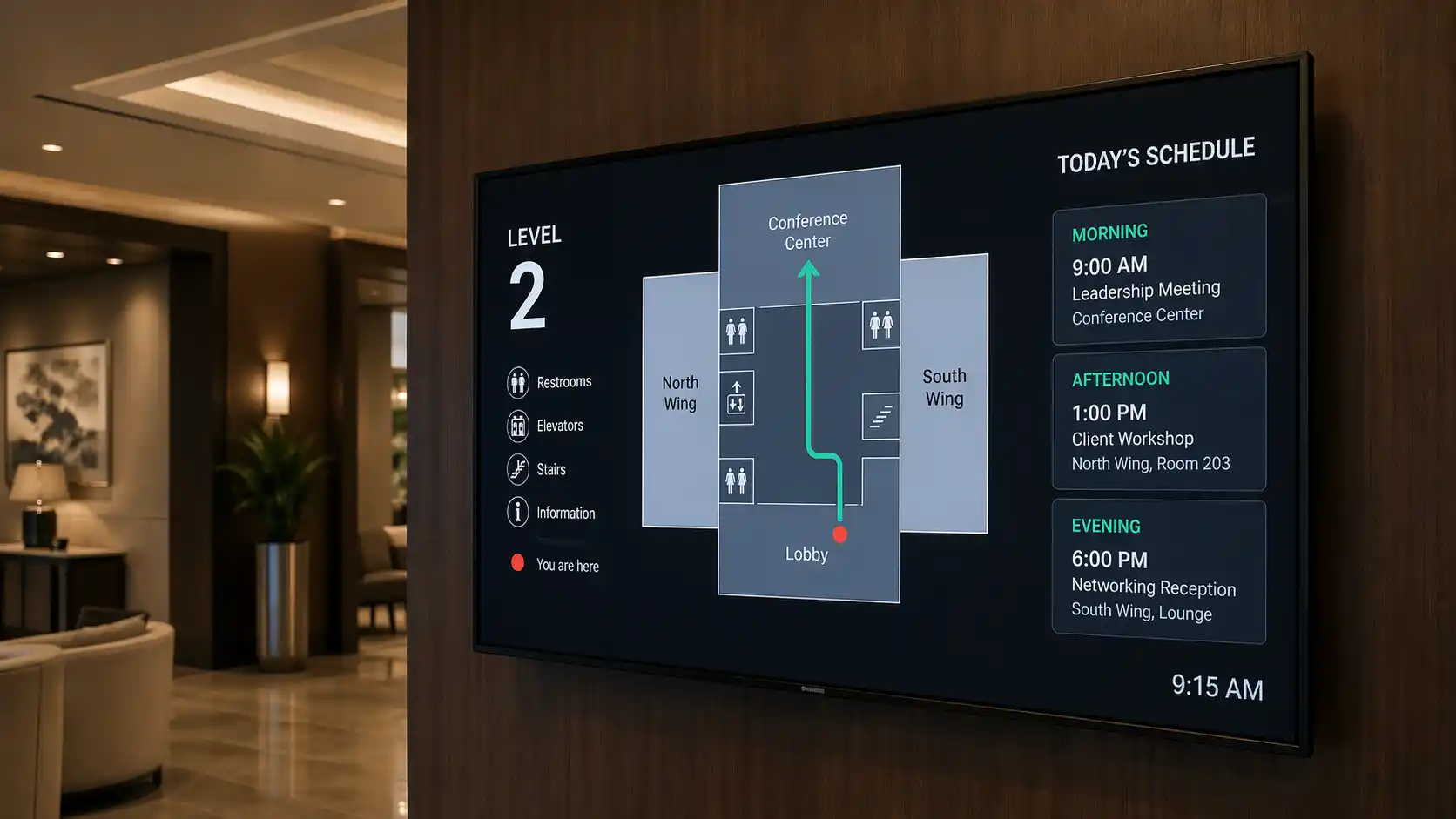
Kitcast is the display & CMS layer behind your maps, directories, and kiosks. Upload static floor plans, embed your wayfinding vendor's live map, or show directory zones — all from one dashboard.
Bring your own map. We publish it to every screen — in seconds.
No credit card required · Cancel anytime · Works on hardware you already own
★★★★½4.5 on Capterra · 35 verified reviews →Trusted by teams at
Definition
Wayfinding digital signage is a category of digital signage that displays maps, directories, directional arrows, and navigation content on TVs and screens to help visitors find their way inside a building or venue. It replaces printed maps and static signs with remotely-managed, schedulable digital displays.
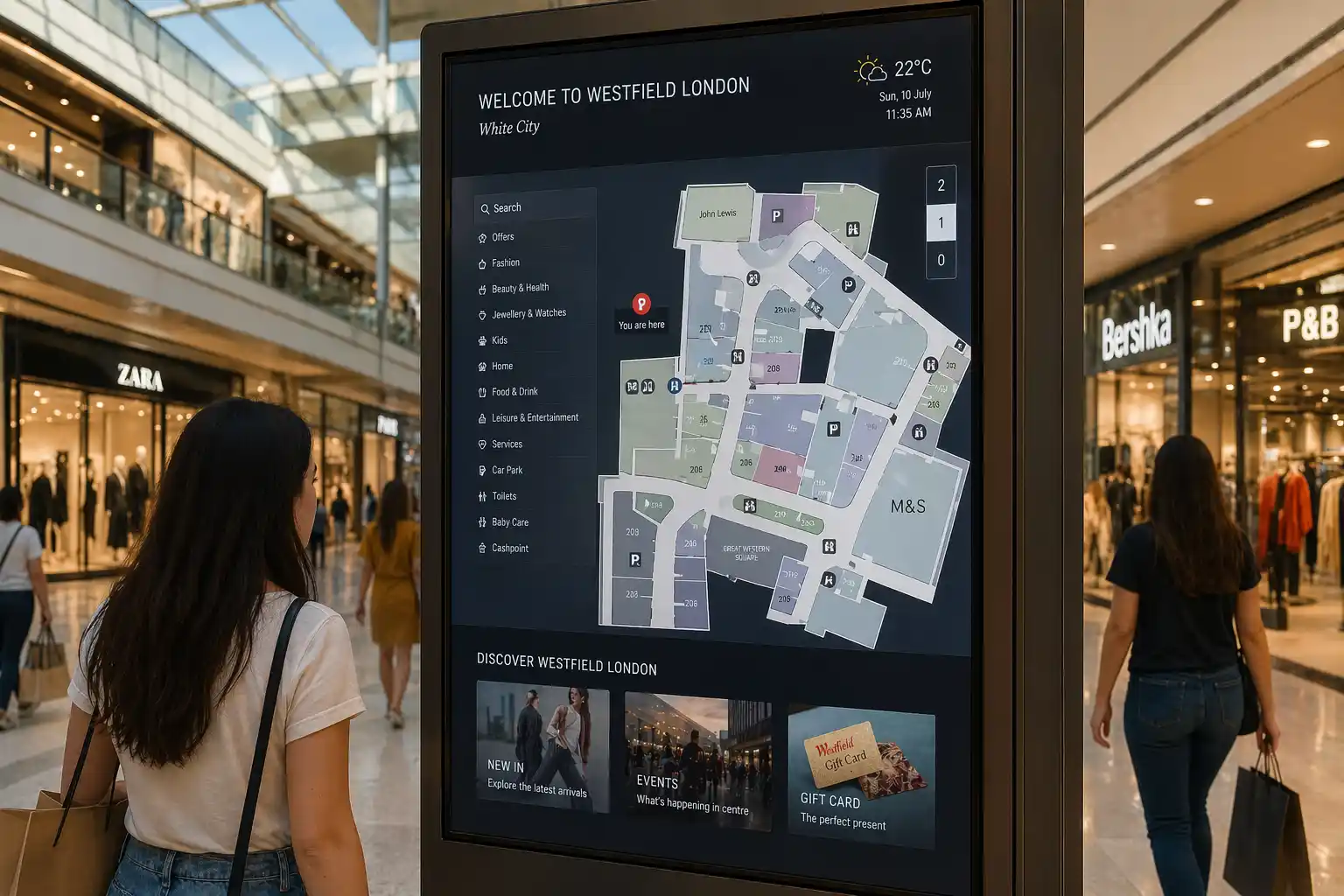
The category splits into three honest layers that buyers often conflate. Display-layer wayfinding — what Kitcast is — runs the screen and the CMS: it takes a floor-plan image, a directory template or a 3rd-party map URL and pushes it to every TV in the building, schedules the content, and keeps every screen in sync. Interactive wayfinding kiosks add touch hardware and an interactive map engine to the display — typically on iPads or dedicated touchscreens — for pan, zoom, search and route-preview. Indoor-positioning systems — vendors like 22Miles, Mappedin, Cartogram and CenTrak — add the engine that calculates turn-by-turn routes, tracks "you are here", and can hand routes off to a visitor's phone via QR or BLE.
You can run wayfinding with any one of the three layers, any two, or all three stacked. Many teams overbuild — a hospital lobby doesn't always need BLE indoor positioning, and a legible floor plan on a wall-mounted TV handles most of what the front desk used to answer. Kitcast is built to be the display & CMS layer for whichever combination fits your venue, and to stay out of the way of the wayfinding engine you already have (or don't need).
In one sentence
Wayfinding digital signage displays maps and directories on TVs and screens inside a building — remotely managed, schedulable, and kept in sync across every location from one dashboard.
Jump to
Why Kitcast
Kitcast is a digital signage software, a layer for your wayfinding content and your screens — the part that makes maps and directories actually show up, update, and stay consistent across every screen in your building or portfolio.
Deploy new floor plans to hundreds of screens in minutes, not hundreds of site visits. One upload in the CMS, every selected screen picks up the update over the network — across buildings, campuses or the whole portfolio.
One dashboard pushes the update; every screen picks it up over Wi-Fi. A room renumbering or department move that used to mean a print-and-laminate cycle ships in the same breath as any other content change.
Campus-wide or chain-wide floor plans stay on-brand and in-sync. Admin locks the master template (fonts, colors, layout); local building managers edit only their own directory rows and event overlays. Every change is audit-logged.
Apple TV in one lobby, Samsung Tizen in another, BrightSign in the parking garage — all from one account. Kitcast runs 9 native platforms, so you pick the player your IT team already manages, not the one a vendor forces on you.
Different floor plans morning vs. evening, weekday vs. weekend, normal vs. emergency. Schedule a convention-day overlay for Friday 7 AM, an evacuation takeover for fire-drill week, and let them fire themselves at the right minute.
Product truth
Kitcast is not a wayfinding engine — it's the signage layer for your wayfinding content. If you need route calculation or indoor positioning, plug in Mappedin, 22Miles, or Cartogram and Kitcast displays them.
Three modes
Mirrors the hero: static floor plans, browser-based 3rd-party wayfinding apps, or iPad kiosks. Mix modes per building and per screen.
Mode 1
Upload your floor plan as an image, add arrow overlays, schedule by daypart. Every screen in the building picks up the update. For many venues — hospitals, offices, schools, hotels, museums — static maps and directional graphics are the most practical and common starting point. No routing engine required, no custom install.
Best for: hospitals, offices, schools, hotels, museums, manufacturing
Works on: all 9 Kitcast platforms
Setup time: ~10 minutes
Mode 2
Already use Mappedin, 22Miles, Cartogram, or a custom wayfinding web app? Kitcast can display any web-based wayfinding URL as a fullscreen Web App Widget — routes, live updates, interactive maps, whatever your vendor ships. You bring the wayfinding engine; we bring the screens.
Best for: teams already invested in a wayfinding vendor
Works on: Apple TV, Fire TV, Android TV, Samsung, LG, BrightSign, Web Browser
Setup time: ~5 minutes (paste URL, save, push)
Mode 3
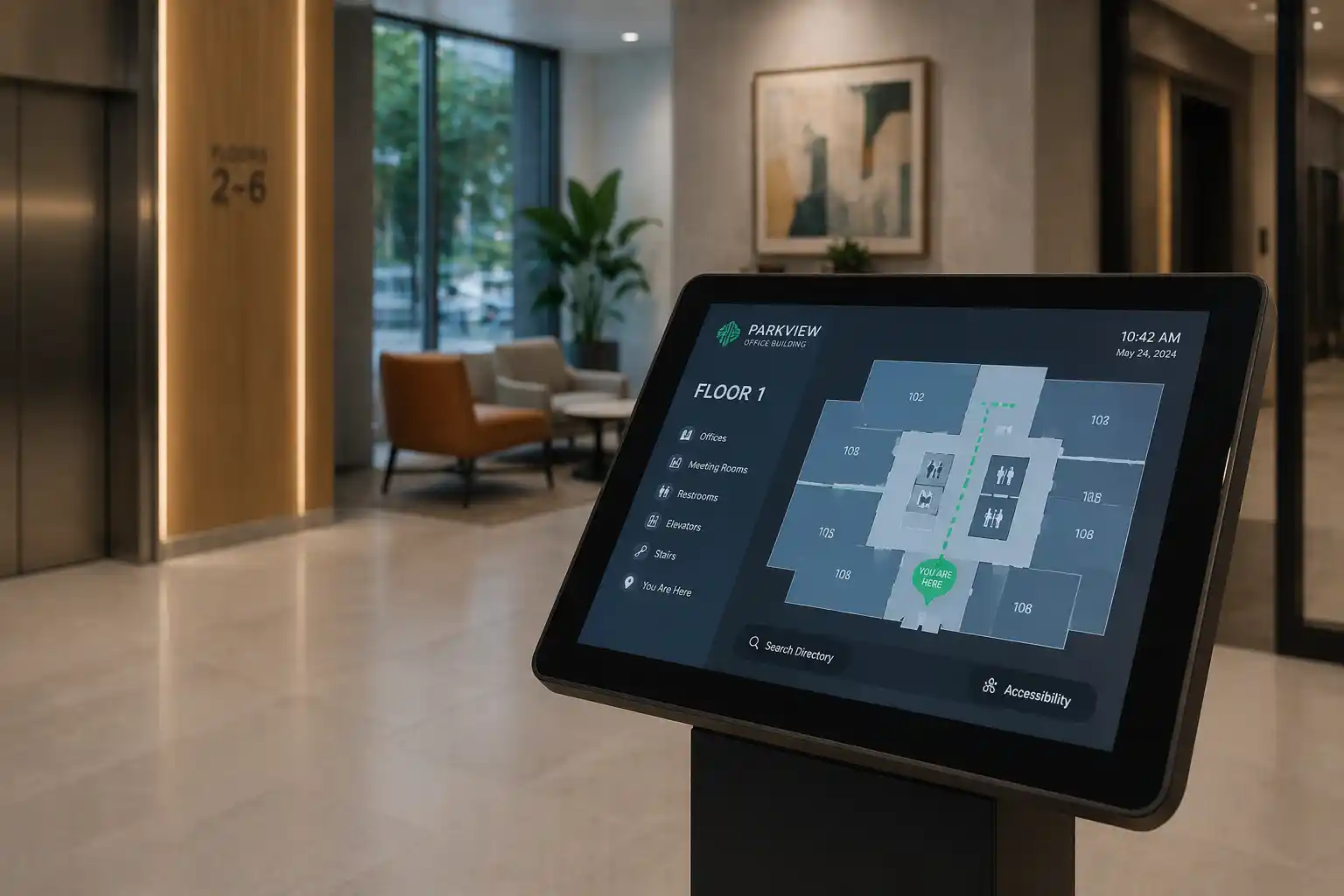
For lobby entrances, reception desks, and trade-show booths where a full TV is overkill, run Kitcast on an iPad in kiosk mode. Same Kitcast content — static floor plans or browser-based wayfinding apps — in a smaller, mountable form factor. Pairs naturally with iPad stands, wall brackets, and kiosk enclosures.
Best for: lobby/reception entry points, trade-show booths, guest experience centers
Works on: iPad (iOS)
Setup time: ~15 minutes (iPad + stand + kiosk mode)
Every wayfinding update — from a new wing opening to a one‑day re‑route — ships in the same 10‑second flow.
Pick one screen,a group,a location,or the whole portfolio. Group screens by building,floor,zone or entrance so the same update can target a single tower or the whole campus.
Drop a floor plan PNG,PDF,or any other format into the Kitcast dashboard.
Set weekday lobby hours vs. evenings vs. weekends. Dayparting is built in — different floor plans at different hours,event‑day overlays,and emergency‑only rotations.
Every screen picks up updates over Wi‑Fi within seconds. Offline players keep showing the last‑synced content and automatically sync when the network returns.
Apple TV — since day one
For wayfinding, platform coverage matters more than in most use cases — you're rarely running all screens on one OS. A hospital lobby may use Samsung Tizen while an airport gate uses BrightSign while a parking garage uses a Fire TV. Kitcast runs all of them from one dashboard.
Kitcast shipped on October 30, 2015 — the day the Apple TV App Store opened, as the first digital-signage app in the store. Over 10 years of native tvOS work carries to Fire TV, Android TV, Samsung Tizen, LG webOS and BrightSign — the platforms hospital IT, campus IT and corporate facilities teams already manage with their MDM.
Oct 30, 2015
First digital-signage app in the Apple TV App Store
9 platforms
Apple TV · Fire TV · Android TV · BrightSign · Samsung · LG · macOS · iOS · ChromeOS / Web
MDM-ready
Jamf Pro · Mosyle · Kandji · Apple DEP zero-touch
Apple TV 4K
Native tvOS since 2015. Jamf/Mosyle/Kandji friendly.
Amazon Fire TV
Budget-friendly. Stick 4K Max and Fire TV Cube.
Android TV / Google TV
Nvidia Shield, Chromecast, commercial boxes.
BrightSign
Commercial-grade for 24/7 hospital and transit venues.
Samsung Smart Signage
Built-in Tizen — no external box. Flush-mount installs.
LG webOS Signage
Same "no external box" benefit as Samsung.
macOS / Mac mini
Re-use an existing Mac mini behind a wall-mounted screen.
iPad / iOS
Small-footprint kiosk mode. Lobbies, reception desks, trade-show booths.
Web browser / ChromeOS
Any HDMI display with an internet-connected browser.
Venue types
Floor plans, directories and directional graphics look different in a hospital than in a mall. Six venues we see most often — with the industry page for each.
Patient and visitor floor plans, department directories, emergency alert overlay. Route a visitor from the main entrance to the right elevator bank, then pipe a code-blue takeover across every lobby screen when ER needs it.
Healthcare digital signage →
Gate directionals, arrivals and departures boards, live flight data via web widget. Re-route a whole terminal when a gate changes — push to every screen on that concourse in seconds, not a PA announcement and a marker.
Travel & transit digital signage →
Directory screens at every entrance, store-locator graphics, promotional swaps by daypart. A tenant moves suites — update the directory once, watch it roll to every screen before the shop opens Monday.
Retail digital signage →
Campus maps in residence halls, event-day re-routes for commencement, building-level directories in academic halls. One CMS for 40 buildings on 9 platforms — whatever IT standardized on per quad.
Education digital signage →
Conference floor plans per event, restaurant and amenity directories, event-day wayfinding at ballroom entrances. Change rooms up tomorrow for tomorrow's event — publish the updated floor plan from the duty manager's laptop.
Hospitality digital signage →
Floor plans for hoteling, meeting-room directories with live availability, visitor check-in at reception. Neighborhood moves, new team onboarding, all-hands overlays — without a rebuild and reprint.
Corporate digital signage →
Pricing
Three common setups — three very different price points. Pick the stack that matches what you actually need, not the brochure you were handed.
Wayfinding pricing splits into two categories that look similar on a sales deck but are an order of magnitude apart. Digital signage software like Kitcast is per-screen per-month — no install fee, no custom quote, cancel anytime. Specialist wayfinding software like 22Miles, Visix, iTouch or Cartogram is per-kiosk with a custom quote — usually $3,000–$15,000 per kiosk — because it ships a routing engine, touch hardware, indoor positioning, and pro-services install.
Kitcast costs roughly 100× less per screen than a specialist because it's a different product category: the display & CMS layer. If you need a routing engine on top of that, you layer one in — and the result is still a fraction of a full-stack specialist. Here's how the three real-world setups break down.
Kitcast running on your existing screens displays a static floor plan, a directory template, or directional graphics. Remotely managed, scheduled, and synced across every screen — no routing engine, no touch hardware, no specialist license. Use this when a printed lobby map would have been enough and you just need to update it from your laptop and push to every building in the estate.
Kitcast displays a Mappedin, 22Miles Web, or Cartogram web embed on every screen. You get pan/zoom/search/routing from the specialist, per-screen economics from Kitcast, and one dashboard to schedule and sync the whole estate. A vendor's web tier is typically a small fraction of their full kiosk bundle — often a few hundred dollars a month total, versus several thousand per kiosk.
22Miles, Visix, iTouch, or Cartogram as an all-in-one package: routing engine, touch-kiosk hardware, BLE indoor positioning, mobile handoff via QR or Bluetooth, pro-services install, and multi-year support. Pricing is per-kiosk and always custom-quoted because every venue is unique. Kitcast does not compete here — it complements it (see Scenario B).
Most venues start with Scenario A or B. Full-stack specialists (C) make sense when you genuinely need BLE indoor positioning or more than 100 interactive touch kiosks in one campus.
Category comparison
| Digital signage software (Kitcast) |
Full-stack specialist (22Miles · Visix · iTouch · Cartogram) |
|
|---|---|---|
| Starting price | $7 / screen / month | $3,000–$15,000 / kiosk¹ |
| What's included | Software, scheduling, 9 platforms, unlimited maps | Routing engine, touch kiosk hardware, BLE, install |
| Contract | Monthly, cancel anytime | Multi-year |
| Works with Mappedin / 22Miles web embeds | Yes (Web Widget) | They are the vendor |
| When it fits | 80% of venues, multi-screen rollouts | Dense venues needing BLE & turn-by-turn |
Pricing verified from public pages (Apr 2026). ¹ Full-stack kiosk range ($3,000–$15,000) based on Nicolson Associates 2026 industry benchmark, consistent with published vendor ranges and integrator quotes.
Volume pricing, SSO & API available on Business plan — details on the pricing page.
Accessibility
High contrast between character and background, sans-serif fonts, no glare or reflection on tactile signage, and a mounting height in the 48"–60" range. Full spec: ADA Chapter 7: Signs (U.S. Access Board) →
Screen-based signage is held to the same ADA color-contrast and font-size rules as print. Kitcast's canvas editor lets designers build wayfinding layouts to WCAG 2.1 AA color-contrast ratios and set sans-serif fonts at ≥24pt for wall-mount sizes. Brand palettes can be locked so local editors can't accidentally ship a low-contrast update.
Digital screens do not replace the tactile braille signage required by ADA § 703.3 and § 703.4 — room numbers, restroom identification, permanent-room signs. Tactile signs remain a separate compliance line-item alongside your digital wayfinding. Anyone telling you otherwise is selling you a lawsuit.
FAQ
Nine questions, answered exactly as the FAQPage schema sends them to Google and the AI engines.
Wayfinding digital signage is digital signage used to display maps, directories, directional arrows, and navigation content on TVs and screens inside buildings. It replaces printed maps with remotely-managed, schedulable digital displays — typically in hospitals, airports, malls, offices, and campuses.
No. Kitcast is the digital signage layer for wayfinding content — we display static floor plans, browser-based wayfinding apps (like Mappedin or 22Miles), or iPad touch kiosks. If you need route calculation or indoor positioning, plug in a wayfinding vendor and Kitcast displays it on your screens.
Not usually. Most real-world wayfinding is display-only: a clear floor plan on a wall-mounted TV with scheduled updates. Touch is useful for lobby kiosks — Kitcast runs native touch on iPad. Apple TV, Fire TV, Android TV, Samsung, LG, and BrightSign are display-only platforms.
Any TV with an Apple TV, Fire TV, Android TV dongle, BrightSign player, or native Samsung Tizen / LG webOS smart TV runs Kitcast. Mac mini, iPad, and Web Browser also work. Nine platforms total — same account, same CMS. Apple TV setup guide →
Yes. Kitcast's Web App Widget displays any browser-based wayfinding URL fullscreen. Paste the URL, save, push to screens. Your vendor handles route calculation; Kitcast handles the screens, deployment, and centralized management.
Under a minute in practice. Upload the new floor plan, click publish, and every screen on your account picks up the update over Wi-Fi within seconds. Dayparting and location groups let you schedule updates by time of day or venue. See how it works →
Kitcast starts at $7/screen/month — no per-kiosk install fee, no custom quote. Specialist wayfinding vendors (with built-in routing engines) start $3K–$15K per kiosk plus SaaS. The two aren't apples-to-apples: Kitcast is the screen layer, specialists are the engine. Full pricing →
Kitcast's canvas editor lets you build wayfinding layouts to WCAG 2.1 AA color-contrast and font-size thresholds — the same standard ADA uses for digital signs. Note: digital screens don't replace tactile braille signage required by ADA § 703.3 — tactile signs remain a separate compliance item alongside your digital wayfinding.
Yes. Most customers use TVs already in the building — Kitcast is hardware-agnostic. Add a $30 Apple TV, Fire TV Stick, or Android TV dongle to any HDMI-capable TV, install the Kitcast app, and pair it to your account.
Stand up a 5-screen pilot in an afternoon. Apple TV or Fire TV dongles, your floor plan, and Kitcast — from $7/screen/month.
No credit card · Cancel anytime · 14 days free