Digital bulletin board software

Digital Bulletin Board Software for Any TV

A digital bulletin board is a screen that replaces the cork board: announcements, calendars, news and alerts that you update from a browser instead of with pins and paper. Kitcast turns the TVs you already have into bulletin boards on Apple TV, Fire TV, Android TV, Samsung, LG or BrightSign, and updates every screen from one dashboard. Plans start at $7 per screen per month.

No credit card required · Cancel anytime · Works on hardware you already own

★★★★★4.7 on Capterra · 46 reviews
Updated October 2026
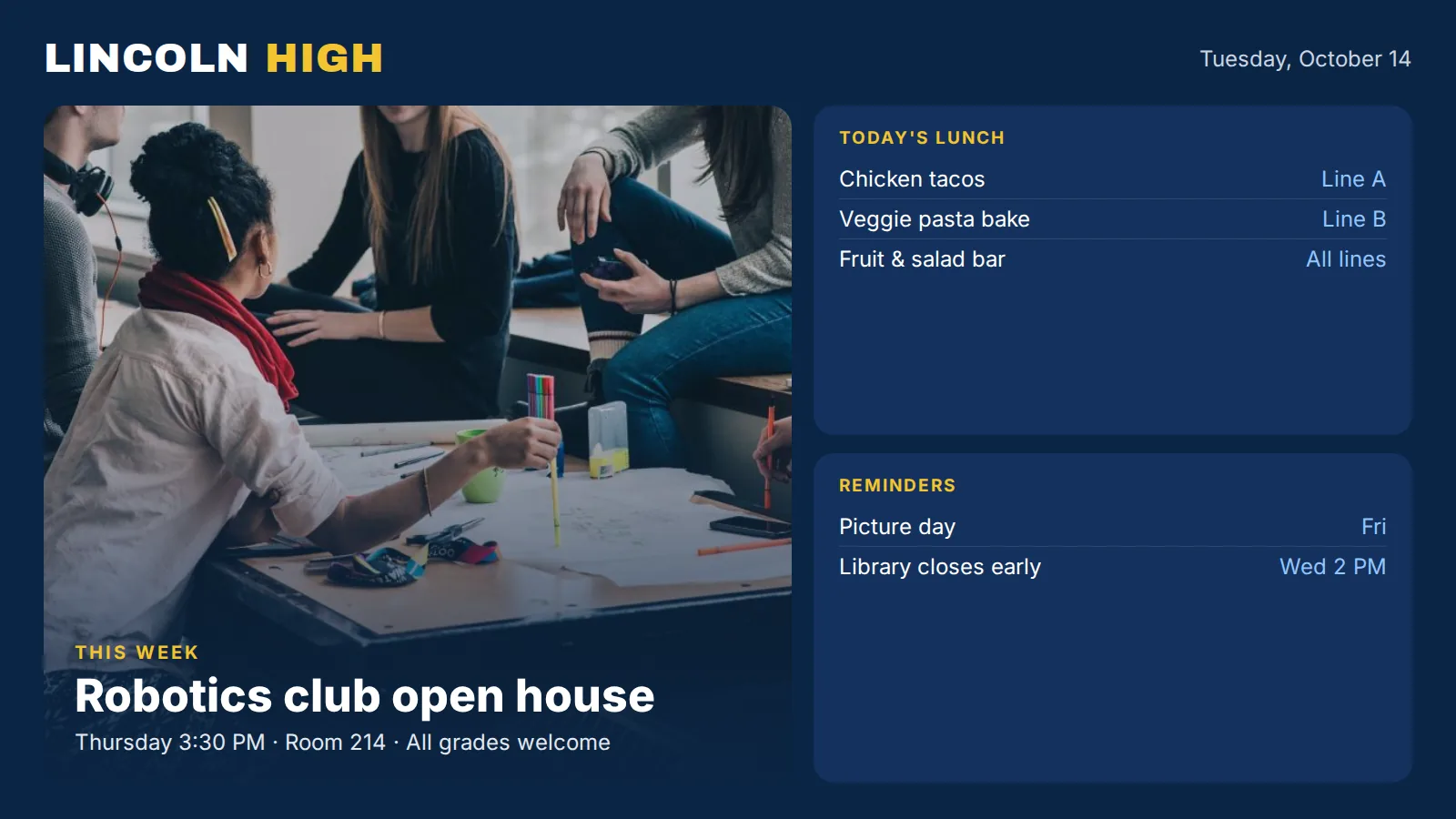
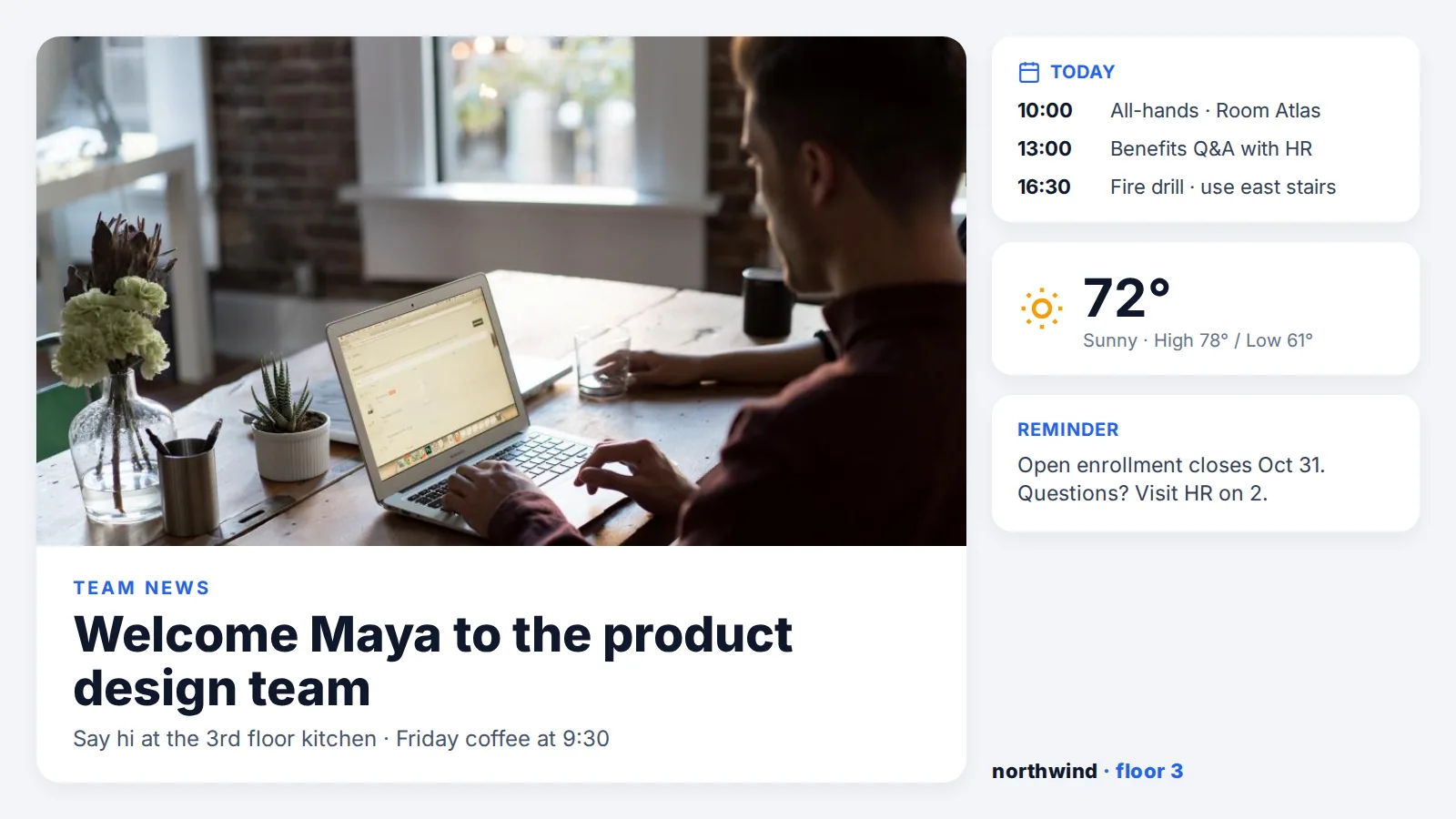
Office digital bulletin board on a TV with announcements, a team calendar and weatherSchool hallway digital notice board showing events, the lunch menu and club newsCommunity center digital bulletin board with a weekly events calendar and a volunteer QR code

Example screens: office notices, school hallway board, community events

In short

  • What it is: a TV or display that shows rotating notices, schedules and live information in an office, school, church, apartment lobby or gym, updated remotely.
  • What you can post: images, PDFs, slides and Canva designs, plus live apps for Google and Microsoft calendars, news, RSS, weather and clocks. Emergency alerts can take over every screen at once.
  • How it stays current: schedule each notice with start and end dates, group screens by building or floor, and let several people edit from one dashboard.
  • Hardware and price: any HDMI screen plus Apple TV, Fire TV, Android TV, BrightSign, Samsung or LG. From $7 per screen per month billed annually ($9 billed monthly), with a 14-day free trial.

Definition

What is a digital bulletin board?

A digital bulletin board, also called an electronic bulletin board, digital notice board or digital information board, is a screen that does the job of a cork board. Instead of printing and pinning flyers, someone posts notices in a web dashboard, and every screen shows them on a schedule. Old notices disappear on their own when their end date passes.

The setup has three parts: a screen (any TV with HDMI), a player (Apple TV, Fire TV, Android TV, BrightSign, or the app built into a Samsung or LG display) and software that stores the content and decides what plays where and when. Offices use them for HR and company news, schools for events and lunch menus, churches for service times, and apartment buildings for maintenance notices.

A digital bulletin board is one use of digital signage: the internal, informational kind that replaces a cork board, as opposed to menu boards, retail promotions or wayfinding. It is broadcast, not interactive. People read it as they walk past, which is why it works on an ordinary TV with no touch screen.

Content

What can you post on a digital bulletin board?

Anything you would pin to a board, plus information that changes during the day. Mix them in one playlist or split the screen into zones.

Notices and announcements

Upload images, video, PDFs and slides, design in the built-in templates or bring designs from Canva. Each notice gets its own start and end date.

Canva app →

Calendars and events

Show a Google or Microsoft calendar so meetings, classes and events update on screen when someone edits the calendar.

Google Calendar app →

News and RSS

Pull headlines from a news source or your own RSS feed, such as the company blog or the school newsletter.

RSS app →

Weather and clocks

Add local weather and world clocks in a corner zone so the board is useful even when no notice is new.

Weather app →

Emergency alerts

On the Pro plan, push a critical message that overrides every screen at once, including CAP alerts.

All features →

Web pages and documents

Show a PDF with the document viewer, or on Pro a live web page or Power BI and Tableau dashboard next to your notices.

Document viewer →

Setup

How do you set up a digital bulletin board?

Four steps. Adding more screens later is the same pairing step repeated.

Connect a player

Plug an Apple TV, Fire TV, Android TV box or BrightSign into the TV, or use a Samsung or LG display with the app built in. Install Kitcast and pair it with the on-screen code.

Add your notices

Upload flyers and documents, start from a template, or connect a calendar, news or weather app.

Set dates and zones

Give each notice a start and end date, choose how long it stays on screen, and pick a layout with one or several zones.

Publish to screens

Send the playlist to one screen, a floor or every building. Preview it first, then change it any time from a browser.

See how Kitcast works on each player.

Layouts

What should a digital bulletin board look like?

People glance at a bulletin board while walking past. One message per slide, large type and a date or a QR code for details work better than a full page of text.

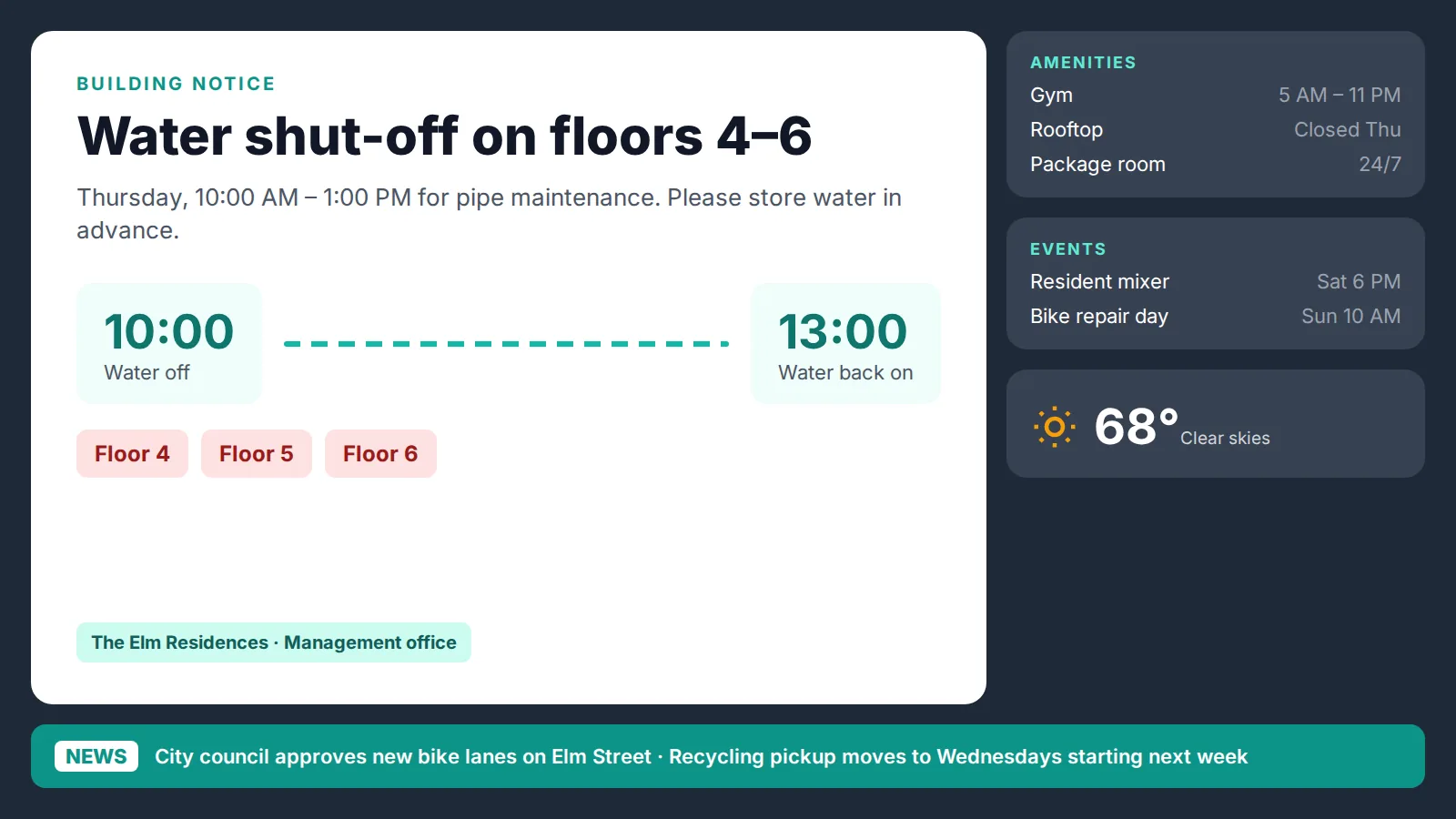
Apartment lobby digital notice board split into notices, calendar, weather and a news ticker

Multi-zone board

Notices in the main zone, with calendar, weather and a news ticker around them. Best for lobbies and break rooms where people stop for a moment.

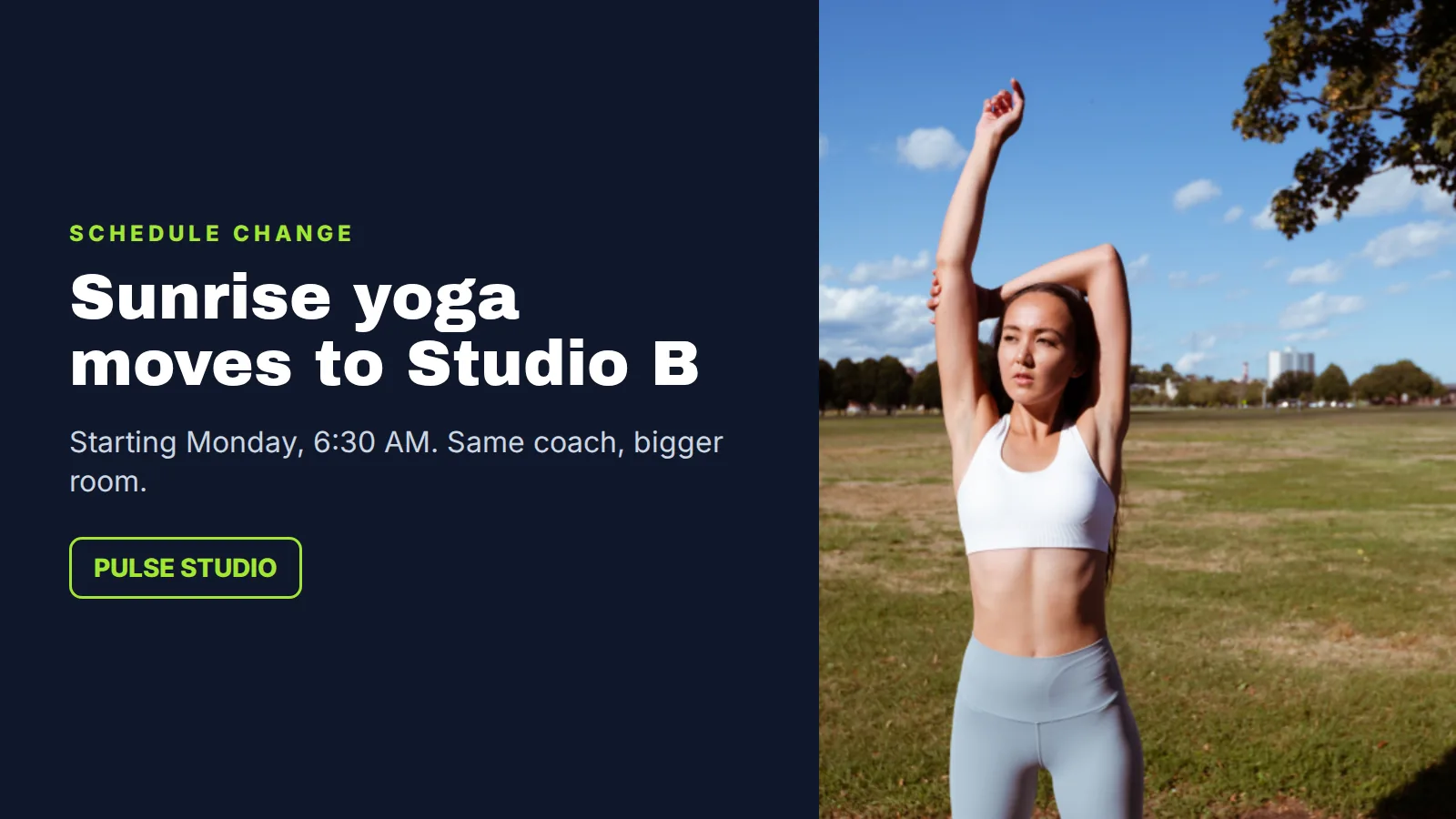
Full-screen announcement slide on a gym digital bulletin board about a schedule change

One notice per slide

A single announcement, full screen, read from across the room. Best for hallways, gyms and entrances where people walk past.

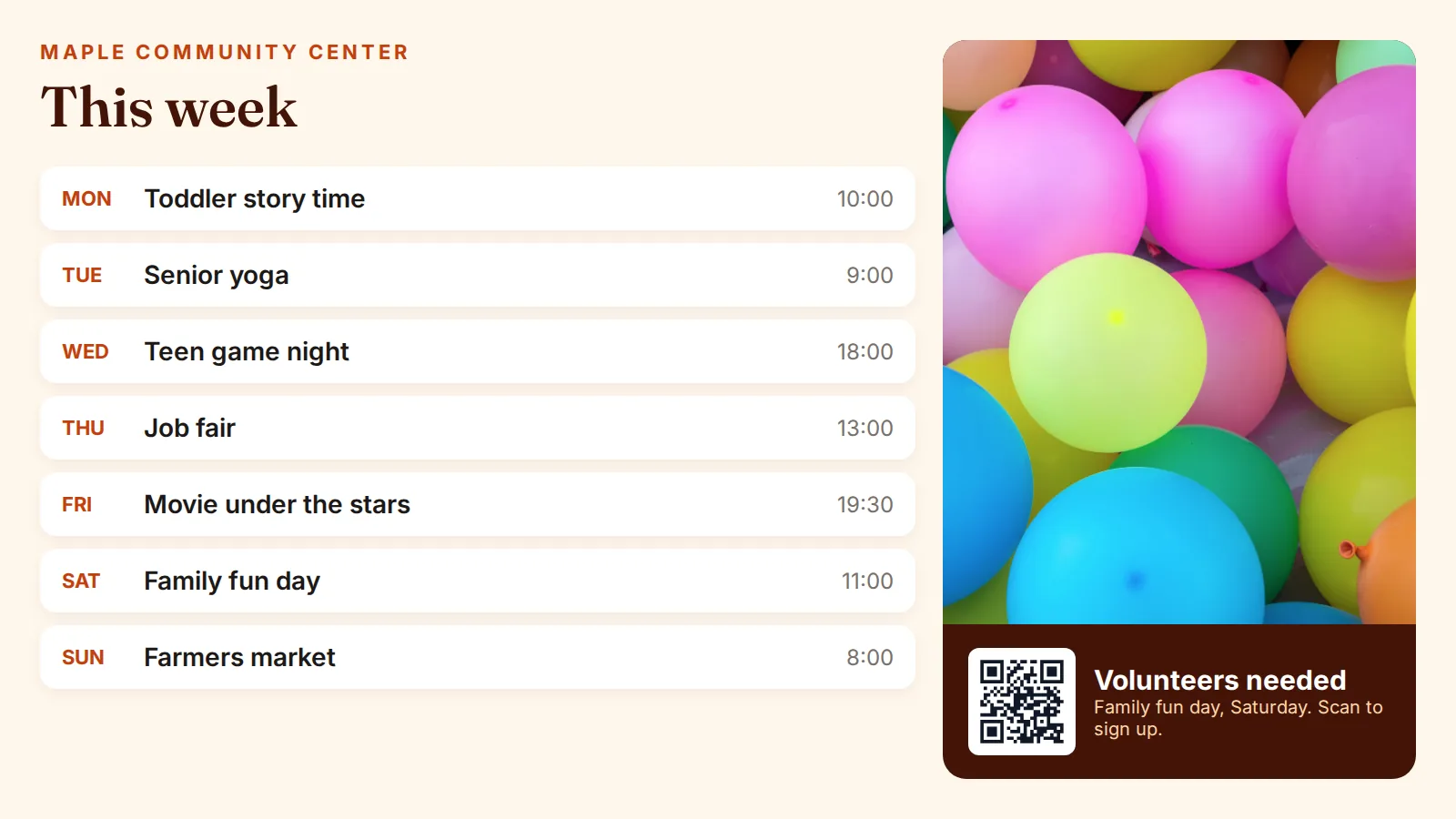
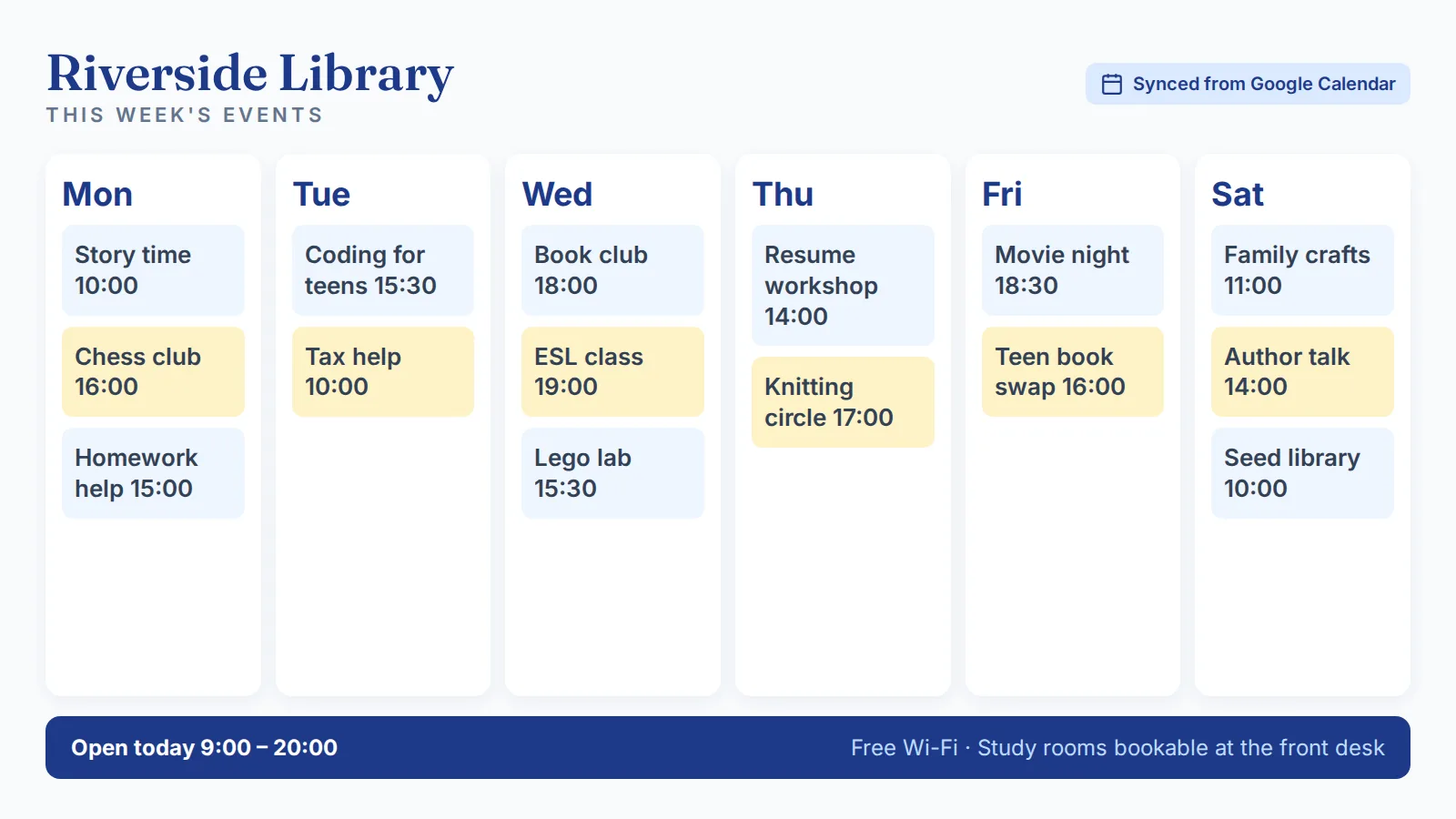
Weekly events calendar on a library digital bulletin board

Weekly calendar

This week's events from a shared calendar, updated when the calendar changes. Best for schools, libraries, churches and community centers.

Where it works

Where do digital bulletin boards work best?

Anywhere a cork board used to hang and the information changes more than once a month. Kitcast customers include Penn State, UPenn and Princeton in education, and Equinox, Cider Press Cafe and Every Nation Church in fitness, food and faith.

Offices & break rooms

Company news, HR reminders, birthdays, visitor welcomes and the day's meetings, on every floor at once.

Corporate communications →

Schools & campuses

Events, club news, lunch menus and schedule changes in hallways, cafeterias and student centers.

Education digital signage →

Churches

Service times, ministry announcements, volunteer sign-ups and the week's events in the lobby.

Church digital signage →

Apartment & condo lobbies

Maintenance notices, amenity hours, community events and package reminders for residents.

Real estate digital signage →

Gyms & studios

Class changes, member news and challenges, next to workout content and schedules.

Gym digital signage →

Public buildings

Office hours, public notices, meeting agendas and community events in city halls and libraries.

Government digital signage →

Compare

Cork board, LED message board or TV: which bulletin board do you need?

Searching for a digital bulletin board turns up three different things: scrolling LED signs, dedicated bulletin board devices, and software that runs on a regular TV. They suit different jobs.

Cork boardLED message boardTV + Kitcast
What it showsPaper flyersScrolling text, sometimes simple graphicsImages, video, PDFs, slides, calendars, news, weather
How you update itIn person, with pinsUsually a device-specific app or remoteAny browser, from anywhere
Several screens or buildingsEach board by handDepends on the modelOne dashboard; group screens by building or floor
Old noticesStay up until someone removes themStay until changedExpire on the end date you set
HardwareThe boardThe sign itselfAny HDMI TV plus a player, or a Samsung or LG smart display
Running costPrinting and timeVaries by vendorFrom $7 per screen per month, billed annually

Rule of thumb: one short message that must be readable outdoors in daylight is a job for an LED sign. A board with several notices, dates and pictures indoors is a job for a TV with bulletin board software. Comparing software vendors? See our digital signage software comparison.

Keeping it current

How do you keep a digital bulletin board up to date?

A digital board fails the same way a cork board does when nobody owns it. These settings keep it fresh with little effort.

Give every notice an end date

Set start and end dates when you post, so expired events and old menus disappear without anyone remembering to remove them.

Connect live sources

Calendars, RSS, news and weather update on their own, so the board changes even on days nobody posts.

Share the work

Every plan includes unlimited users, so HR, front desk and facilities, or a principal and each department, can post their own notices. Pro adds advanced roles and permissions to limit who can change which screens.

Plan by time of day

Show the lunch menu from 10 AM to 1 PM, after-school reminders from 2 to 4 PM and evening events after 5, all switching automatically. Use tags to send each notice only to the screens where it matters.

Hardware & pricing

What hardware and plan do you need for a digital bulletin board?

Any screen with an HDMI input plus a supported player, or a smart display with Kitcast built in. No proprietary hardware.

Apple TVAndroid TVAmazon Fire TVBrightSignSamsung TizenLG webOSmacOSiOS / iPadOSWeb player

Starter

$7 /screen/mo

Billed annually · $9 billed monthly

Playlists and scheduling, screen zones, templates, apps and integrations, offline playback, unlimited users and storage.

Pro

$10 /screen/mo

Billed annually · $14 billed monthly

Everything in Starter plus emergency and CAP alerts, web pages and dashboards, advanced roles, SSO (SAML), API, monitoring, MDM and audit logs.

Enterprise

Custom

For large rollouts

Assigned customer success manager, support SLAs, guided onboarding and custom terms.

Every plan starts with a 14-day free trial, no credit card required. Compare all plan features →

FAQ

Digital bulletin board questions

What is a digital bulletin board?

A digital bulletin board is a TV or display that replaces a cork board. Notices, calendars, news and alerts are posted from a web dashboard and shown on a schedule, so the board can be updated remotely and old notices expire on their own. It is also called an electronic bulletin board, digital notice board or digital information board.

How is a digital bulletin board different from digital signage?

A digital bulletin board is one use of digital signage: an internal, informational screen that replaces a cork board with notices, schedules and alerts. Digital signage is the wider category that also covers menu boards, retail promotions, wayfinding and video walls. The same Kitcast account can run all of them.

How do I make a digital bulletin board?

Connect a player such as an Apple TV, Fire TV, Android TV box or BrightSign to any TV, or use a Samsung or LG smart display. Install Kitcast, pair the screen with the on-screen code, add notices or calendar, news and weather apps to a playlist, and publish. Changes appear on the screen from any browser.

What can I show on a digital bulletin board?

Images, video, PDFs, slides and Canva designs, plus live apps for Google and Microsoft calendars, news, RSS feeds, weather and world clocks. On the Pro plan you can also show web pages and Power BI or Tableau dashboards and send emergency alerts to every screen.

Can one person update bulletin boards in several buildings?

Yes. All screens are managed from one cloud dashboard. Group screens by building, floor or location and publish a notice to one screen, one group or every screen at once.

Can several people post to the same board?

Yes. Every Kitcast plan includes unlimited users, so different teams can post their own notices. The Pro plan adds advanced roles and permissions to control who can change which screens.

Can I use a regular TV as a digital bulletin board?

Yes. Any TV with an HDMI input works with a small player such as an Apple TV, Amazon Fire TV or Android TV box, and Samsung and LG smart displays can run Kitcast without an extra box. Commercial displays rated for longer daily use are worth considering for boards that run all day.

What happens if the internet goes down?

Kitcast players cache content locally, so the bulletin board keeps showing what was last synced instead of going blank. When the connection returns, new content syncs automatically.

How much does a digital bulletin board cost?

Kitcast is priced per screen: Starter is $7 per screen per month billed annually or $9 billed monthly, and Pro is $10 billed annually or $14 billed monthly. The TV and player are separate. Every plan starts with a 14-day free trial without a credit card.

Is a digital bulletin board the same as an LED message board?

Not quite. LED message boards show scrolling text and work well outdoors in daylight. A TV-based digital bulletin board shows images, video, documents, calendars and live information, and suits indoor spaces like offices, schools, churches and lobbies.

Retire the cork board this week

Pair a TV, post your first notices and update every screen from one dashboard.

No credit card · Cancel anytime · 14 days free