
Digital menu board software
Digital Menu Board Software: Features, Pricing, Setup & FAQs (2026)
Kitcast is digital menu board software built for restaurants, QSRs, cafés and bars. Run menus on Apple TV, Fire TV, Android TV, Samsung, LG or BrightSign — with POS sync, offline playback, 500+ templates and transparent pricing from $7/screen/month. No proprietary hardware. Advanced controls like SSO, API, and SCIM are available without forcing every team into an enterprise sales cycle.
No credit card required · Cancel anytime · Works on hardware you already own
4.5 on Capterra · 35 verified reviews →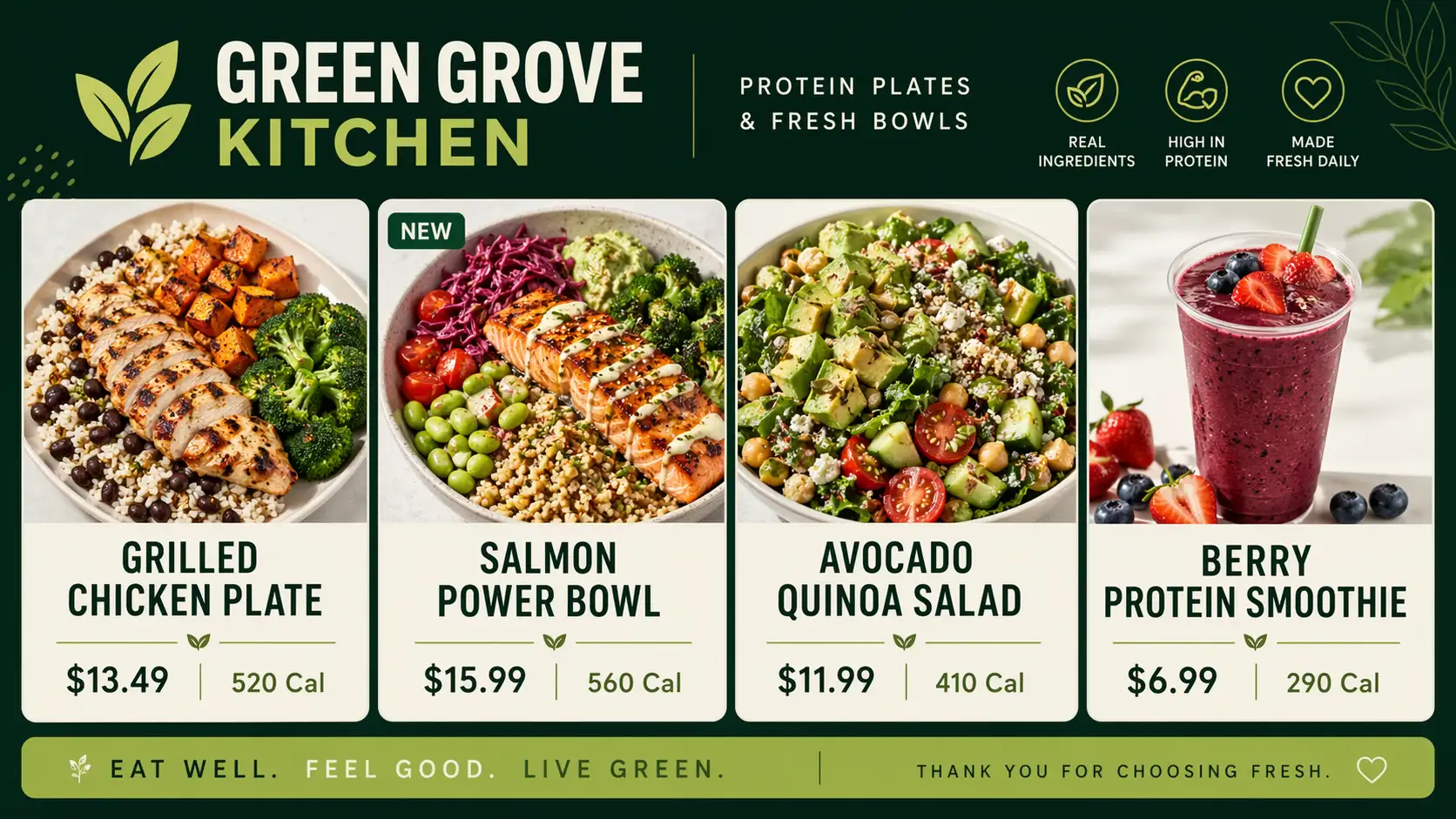

Trusted by teams at


Definition
What is digital menu board software?
Digital menu board software is a cloud application that turns a TV or commercial display into a programmable menu. It replaces printed menus and static backlit boards with content your team edits from a browser and pushes instantly to every screen — in one location or across an entire chain.
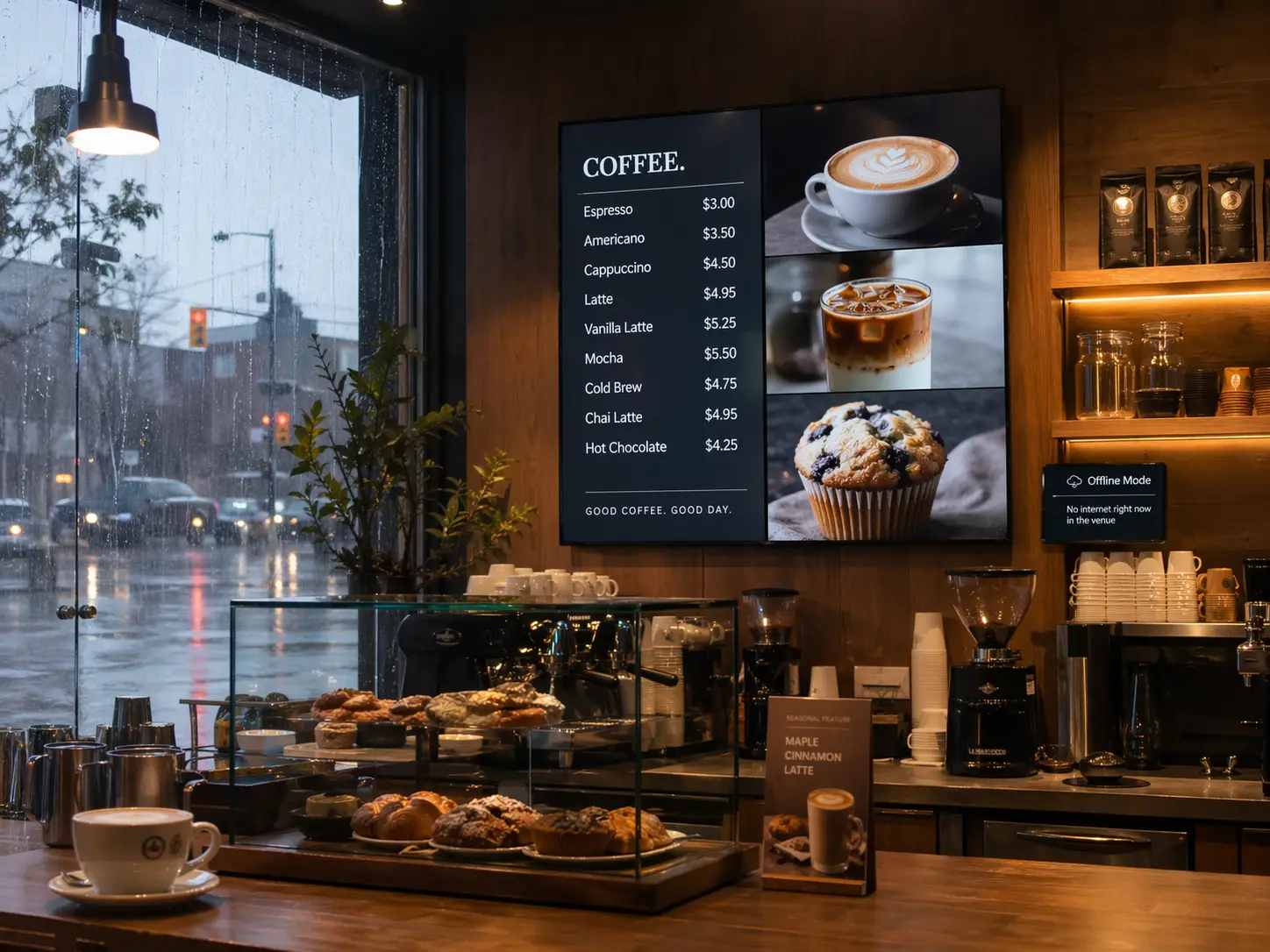
A complete system has four moving parts: a display (any HDMI-capable screen), a media player (Apple TV, Amazon Fire TV, Android TV, BrightSign, Samsung Smart Signage, LG webOS, or an existing Windows / macOS / iOS device), a cloud dashboard where your team builds and schedules content, and a network connection to sync changes. Platforms like Kitcast also cache content locally so the screen keeps playing if the internet drops.
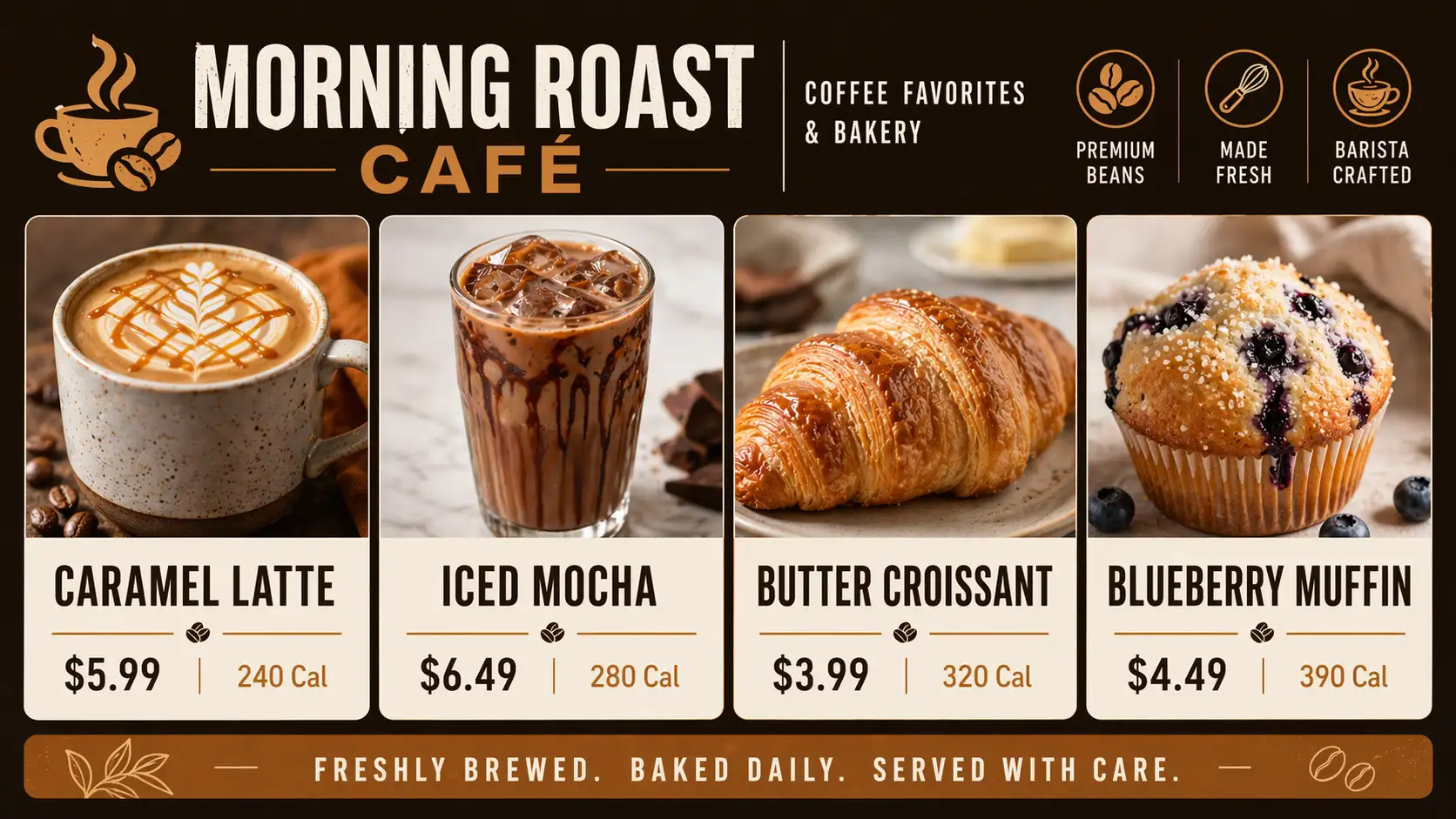
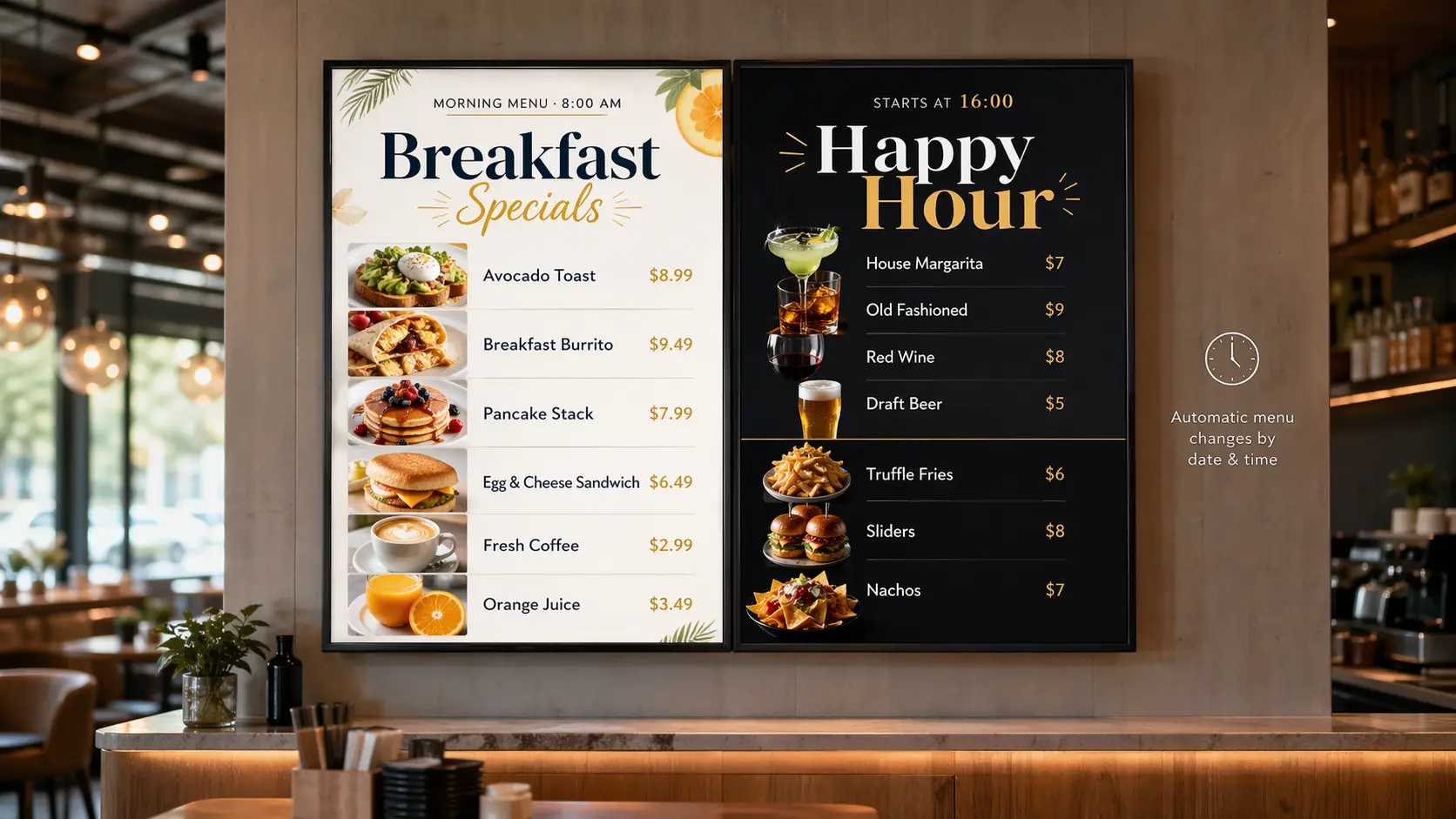
Teams use digital menu board software to change prices in seconds, run scheduled menus (breakfast, lunch, dinner, late-night), localize by region, enforce brand standards across franchises, sync out-of-stock items from your POS in real time, and meet FDA menu-labeling rules — all without reprinting a single sheet.
Menu boards are the single most concentrated use case in digital signage: 82% of fast-food and QSR screens display a digital menu board — the highest adoption of any industry — followed by gas stations (72%) and full-service restaurants (62%). See the full menu board usage statistics from the State of Digital Signage 2026 report.
In one sentence
Digital menu board software lets restaurants replace printed menus with TV-based menus they can update from a browser, mobile app or tablet, schedule by time of day, sync with their POS, and deploy across every location from one dashboard.
Jump to
Why teams switch to Kitcast
The 3 complaints we hear most — and what we did about them.
Talk to a multi-location operator for ten minutes about their current menu-board software and the same three frustrations come up every time. Kitcast was built to kill each one. Same product, same price — for IT and for the shift manager who just wants to change the avocado upcharge.
IT gets SSO (SAML), SCIM provisioning, audit logs, REST API and zero-touch MDM on Apple TV, Fire TV, Samsung, LG and BrightSign. Marketing, sales, shift managers and café owners get a browser dashboard where the least technical person in the room can publish a menu in minutes.
"Digital signage shouldn't be difficult. I needed something simple, yet efficient — because wasted steps mean wasted money."
— Kitcast restaurant customer
Pain #1 — solved
"Screens go dark without warning."
Kitcast fix: content is cached locally on every device — breakfast keeps playing when the router dies, and built-in health monitoring alerts you the second a screen actually drops offline. No more "it's been black since Tuesday" phone calls.
Pain #2 — solved
"The whole system depends on one person."
Kitcast fix: this is exactly what we built for. Any shift manager updates a price, swaps a layout or launches a promo in under two minutes — from a browser, phone or tablet. No agency, no developer, no hostage situation when the one tech-savvy hire quits.
Pain #3 — solved
"Pricing punishes us for growing."
Kitcast fix: transparent per-screen pricing designed to stay efficient as deployments scale. SSO, SCIM, audit logs and REST API are included at Pro ($10/screen) — no separate enterprise sales cycle required. See full pricing.
Feature deep-dive
Everything a restaurant needs
from menu-board software
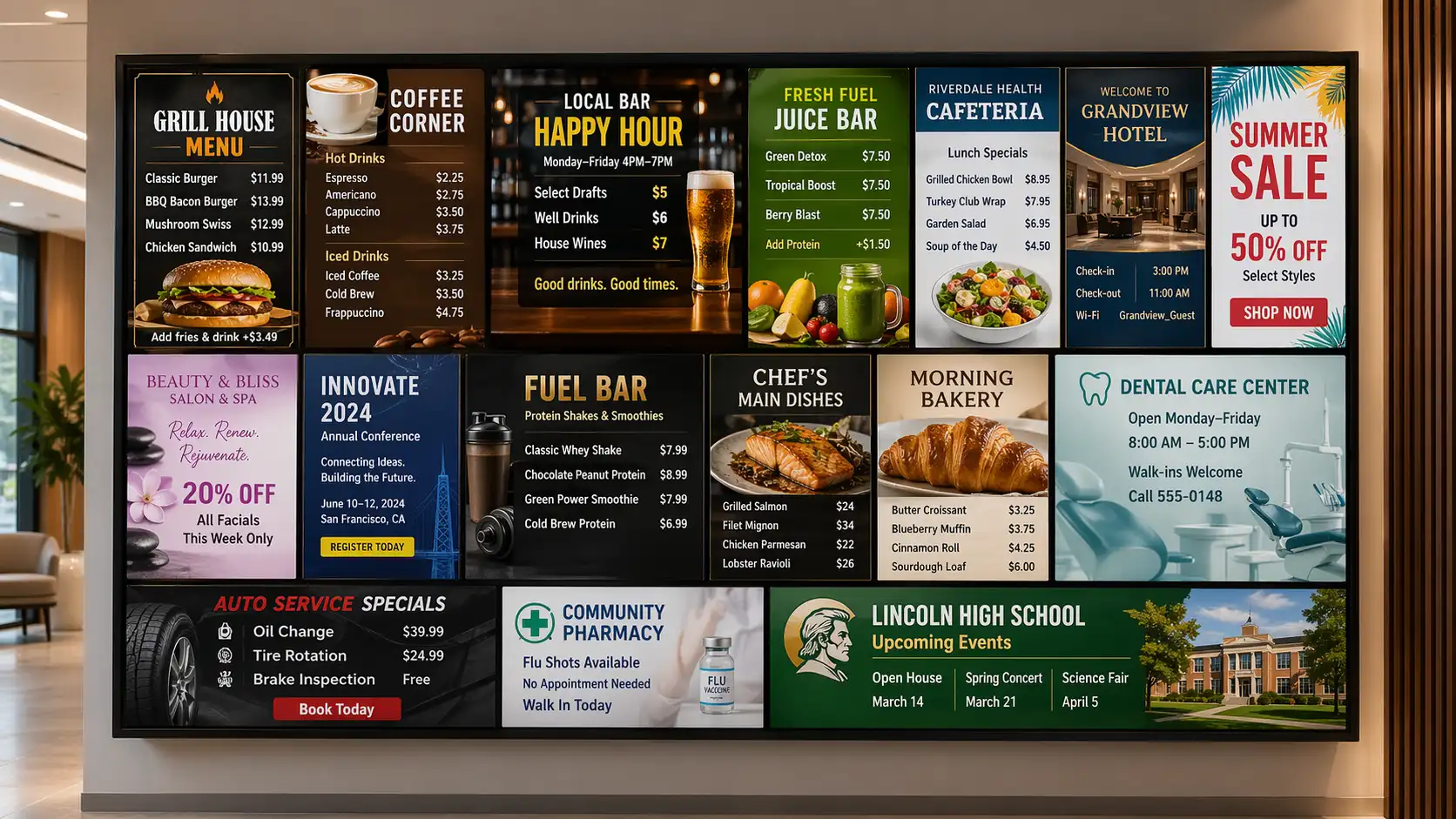
Scheduled menus, POS sync, offline cache, 500+ templates, multi-location groups, role-based permissions, brand governance, and real-time pricing — in one dashboard.



Setup
Launch your first menu board fast
Three steps — a paired player, a template and a publish click — and you're live. Rolling out across 50 locations takes a little longer, but the first screen moves quickly.
Connect your hardware to the screen
Apple TV, Amazon Fire TV, Android TV, BrightSign, Samsung Smart Signage, LG webOS — or an existing Mac, iPad, Windows PC. Any HDMI-capable screen works. Don't have hardware? Use the Kitcast web browser player.
Install Kitcast app & pair the screen
Download the Kitcast app from the App Store for your platform. A pairing code appears on-screen. Enter it in the Kitcast dashboard — the screen is linked to your account in one step.
Schedule, publish, done
Browse 500+ templates by venue type or upload your own content. The menu is live on every selected screen in seconds. Running screens at a venue or conference? Our digital signage for events page covers schedules, sponsor loops, and live announcements.
Apple TV — since day one
The first digital menu board app in the Apple TV App Store. Now across every major platform.
Kitcast shipped on October 30, 2015 — the day the Apple TV App Store opened. Over 10 years of native tvOS work means no browser wrappers, no experimental builds. The same native-first approach carries to Fire TV, Android TV, Samsung Tizen, LG webOS and BrightSign.
Oct 30, 2015
First digital-signage app in the Apple TV App Store — Kitcast launched with tvOS itself
10+ years
Native development on tvOS — no browser kiosk hacks, no third-party player lock-in
Every platform
Apple TV · Android TV · Fire TV · BrightSign · Samsung · LG · macOS · iOS · ChromeOS
Hardware & platforms
Runs on the hardware you already own
No proprietary media player. No hardware buy-in. Pick the platform that fits your IT stack — or mix platforms across locations.
Apple TV 4K
Native tvOS since 2015. Jamf Pro, Mosyle and Kandji MDM-friendly.
Most-deployed Kitcast platform
Amazon Fire TV
Budget-friendly. Fire TV Stick 4K Max and Fire TV Cube supported.
Android TV / Google TV
Open-ecosystem boxes from Nvidia Shield, Chromecast with Google TV, and commercial units.
BrightSign
Commercial-grade for 24/7 venues. HDMI sync, 4K60 decoding, RS-232 control.
Samsung Smart Signage
Built-in Tizen player — no external box, no extra HDMI cable. Cleaner installs.
LG webOS Signage
Same "no external box" benefit as Samsung.
Windows / macOS
Re-use an existing PC or Mac mini. Native macOS app and Windows build.
iOS / iPadOS
iPad as a counter-side menu board or drive-thru confirmation display. MDM-manageable.
Web browser player
Launch the Kitcast web browser player right on your computer and display content without additional hardware.
Don't see your platform? Kitcast also runs in-browser — any HDMI display with an internet-connected browser can show a Kitcast menu board.
POS integrations
Keep the POS as the source of truth
Prices, availability and sold-out items sync from your POS so the board never contradicts the till. Integrations are available for the major POS platforms, plus REST API support for custom workflows.
Square
Catalog and live prices pull straight from Square. Changes propagate to every menu board without a second edit.
Toast POS
Menu items, modifiers and category groupings sync from Toast. Built for full-service restaurants and multi-location groups.
Clover
Real-time price mirroring. When staff mark an item out-of-stock in Clover, the menu board dims or hides it automatically.
Lightspeed Restaurant
Category-first catalog sync. Good fit for bars, cafés and hospitality venues. Menu-style layouts also work beyond food service — hospitals use the same pattern for cafeteria and wayfinding screens; see our healthcare digital signage page.
Revel Systems
Menu, pricing, and modifier data flows into Kitcast; schedules on the board mirror schedules in Revel.
TouchBistro, Aloha, Micros & more
Kitcast ships a REST API and webhook endpoints — any POS or middleware (Olo, Chowly, Deliverect) can push catalog, pricing or out-of-stock events to the menu board.
Developer note
No public POS connector? Use the API.
The Kitcast REST API exposes screens, playlists, media, schedules, brand rules and price fields. Send a PATCH when your POS catalog changes and the menu updates server-side before the next refresh. Auth via API keys or OAuth 2.0 on Pro & Enterprise.
Pricing vs alternatives
What does digital menu board software cost in 2026?
Most digital menu board software is priced per screen, per month. Here's how the major platforms compare at their entry tier.
| Kitcast | Yodeck | OptiSigns | Rise Vision | ScreenCloud | |
|---|---|---|---|---|---|
| Entry price (per screen / month) | $7 | $8 | $9 | $10 | $20 |
| Native Apple TV app | ✓ Since 2015 | ✗ | ✗ | ✗ | ✗ |
| Offline playback | ✓ Full cache | ✓ | ✓ | ✓ | Limited |
| SSO / SCIM / API on sub-Enterprise tier | ✓ From $10/mo | Enterprise only | Higher tiers | Higher tiers | Enterprise only |
| Cross-platform (Apple TV, Fire TV, Samsung, LG, BrightSign…) | ✓ | ✓ | ✓ | ✓ | ✓ |
Based on publicly listed starter / entry plans as of April 2026. Feature availability may vary by plan tier and is reviewed quarterly.
Kitcast plan ladder
Three tiers, same core menu engine
Starter
$7/screen/mo
Menu editor, 500+ templates, offline playback, scheduled menus, wide device compatibility. Ideal for single locations and food trucks.
Pro — most popular
$10/screen/mo
Everything in Starter plus SSO (SAML), SCIM, REST API, audit logs, location groups, and priority support. Fits most multi-location teams.
Enterprise
Custom
Dedicated CSM, SLA, custom MDM workflows, white-glove onboarding, private roadmap requests. For chains past 500 screens or specific compliance needs.
Who it's for
Digital menu boards, fit to your venue
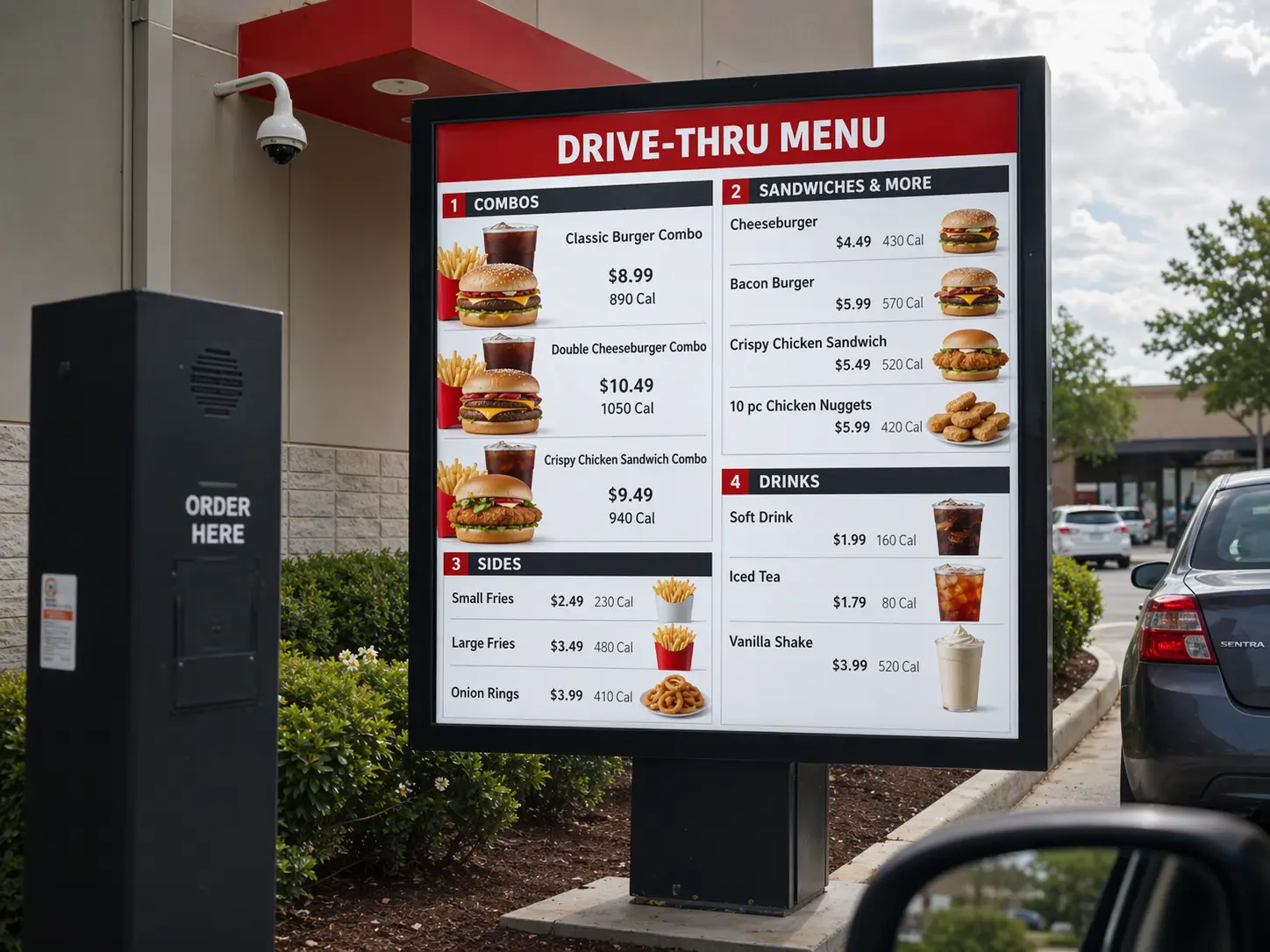
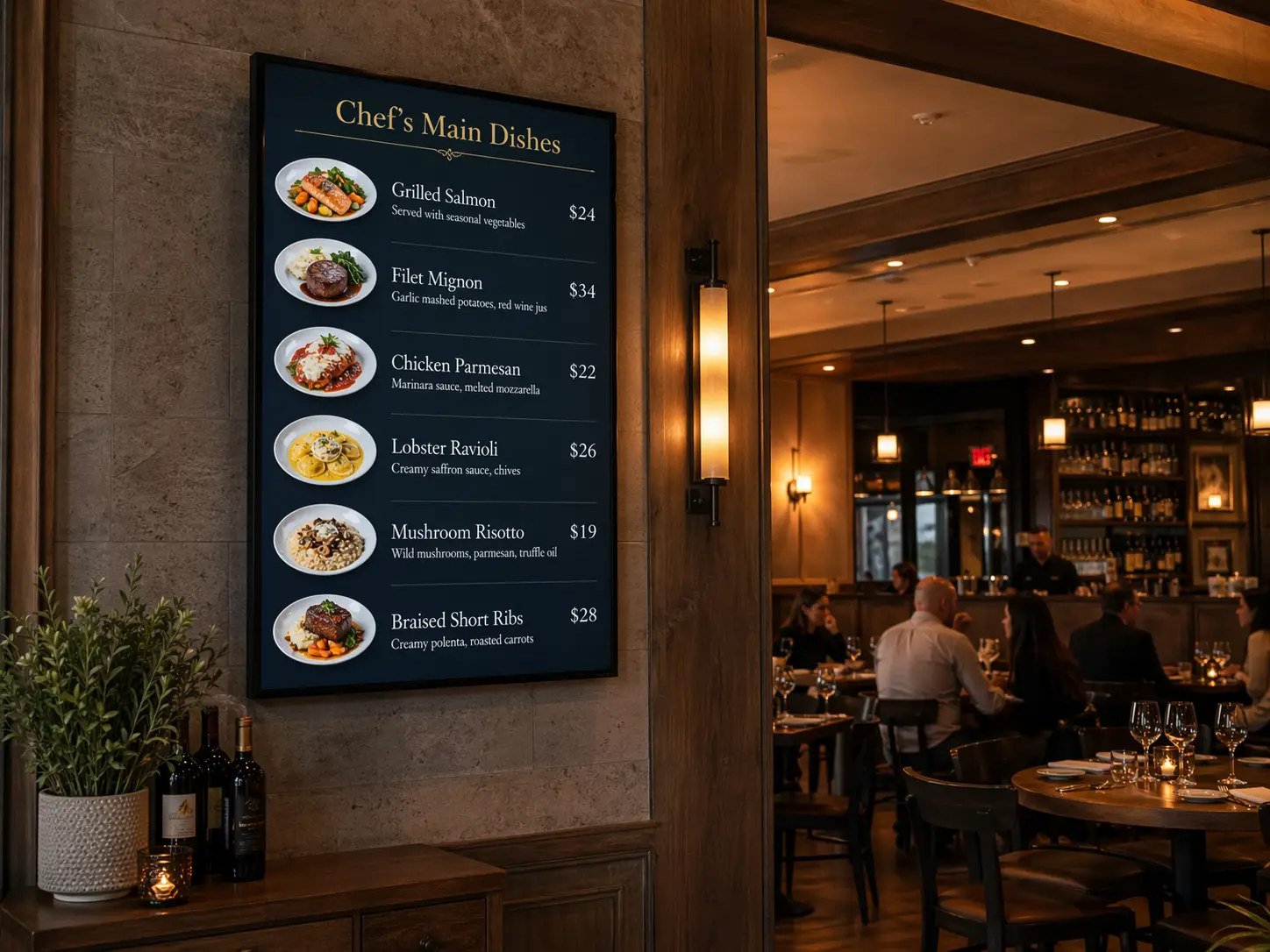
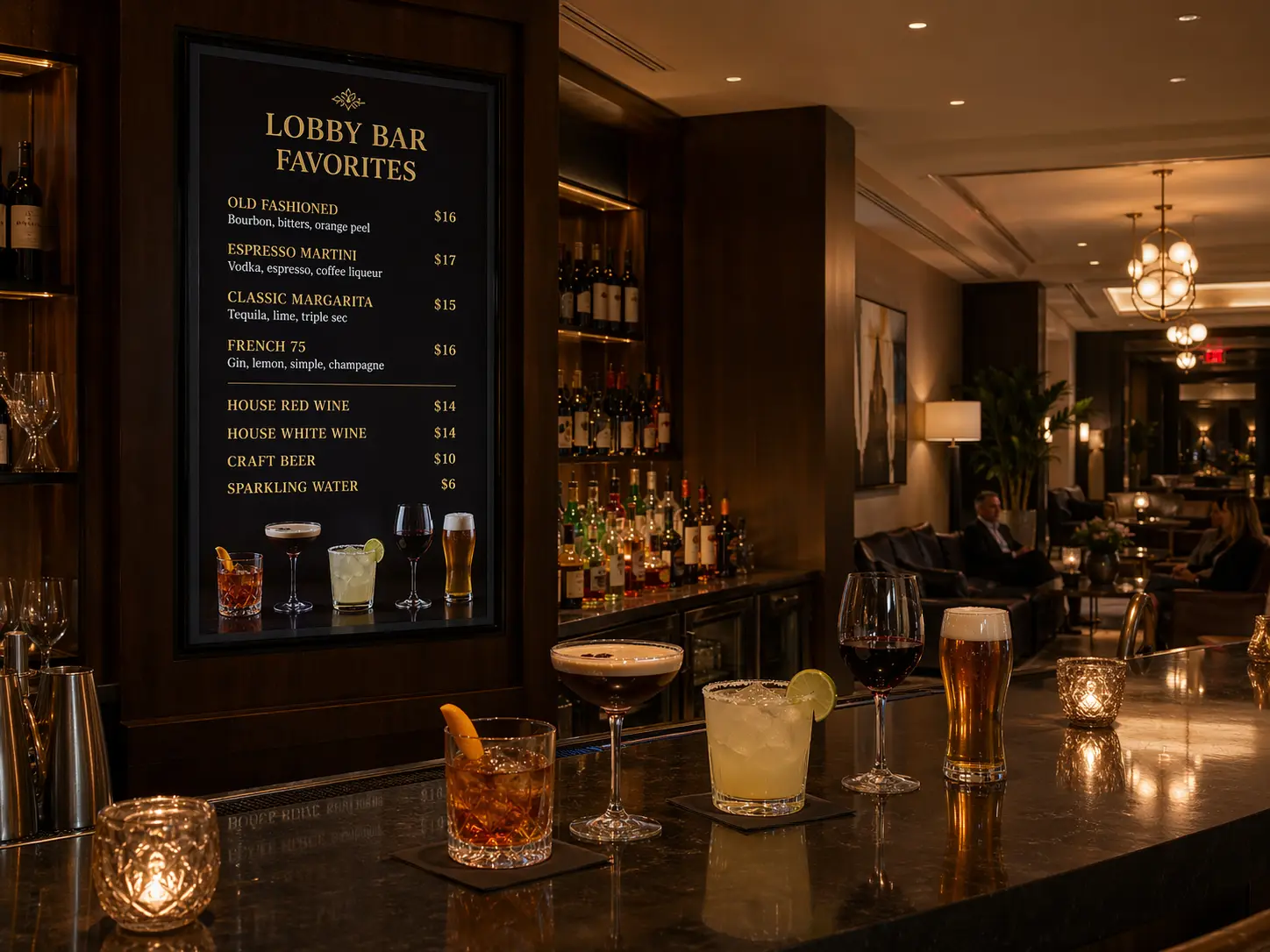
From drive-thru rigs to wine-list displays — Kitcast has the templates, schedules and POS integrations that match how your food-service venue operates.
Compliance
FDA menu-labeling & allergen display, handled in templates
Chains with 20+ U.S. locations are required by the FDA's menu-labeling rule (21 CFR §101.11) to display calorie counts on menu boards. Kitcast templates include calorie fields and toggleable allergen badges as first-class data — fill them in once per item and every screen inherits the value. State-level laws (California, NYC), EU Food Information to Consumers (FIC), and UK calorie labeling are supported through locale-based template layers. Every price and nutrition change writes to an immutable audit log on Pro & Enterprise — so when an inspector asks "when did you post the current calorie count?" you have a timestamp, not a guess.
What customers say
Teams who switched to Kitcast
"There were several other products, but none of them had the right combination of features that I needed. And Kitcast did."

Johan Everstijn
Owner, Cider Press Cafe
"Most signage solutions on the market are just way too complex to use and integrate. With Kitcast, our customers succeed in communicating with their audience in an efficient and appealing way."

Tobias Linder
CTO, Anykey
"The user interface is very well laid out, very well explained, and essentially easy to use. If I were to define Kitcast in three words I would use: simple, reliable, and elegant."

Chase Hentges
Creative Director
Outcomes
Where digital menu boards pay back
Four practical returns teams report after switching from printed or static backlit menus: promo velocity (specials launch the day the team decides to run them, not the week print shows up); pricing precision (shift-level, regional and dynamic pricing become viable when a central team can update every board without a truck roll); basket-size lift from motion-led upsell tiles timed to service windows; and labor reclaimed from the person who used to maintain, print, laminate and swap paper menus across locations.
On top of operational speed, the revenue side is where digital menu boards earn their keep. Independent research puts real numbers on it: a Forrester Total Economic Impact analysis of digital menu board deployments reported a 2.5% lift in average order value, a 2% increase in promotional-item conversion, 9.1% more traffic and 5.75% shorter wait times. McDonald's has reported a 3–5% increase in average ticket across U.S. stores after its digital rollout, and Networld Media Group's Digital Menu Boards and ROI study found a comparable 3–5% industry-wide uplift. The mechanism is consistent — dynamic layouts put high-margin items in the eye's natural hot spots, daypart scheduling shows the right menu at the right hour, and motion-led merchandising holds attention in a way printed boards physically can't.
Behind the counter, the second payoff is team speed. Less time fighting printing vendors, fewer "the screen is frozen" calls to IT, and a dashboard simple enough that any shift manager — not just the tech lead — updates a price or launches a promo in two minutes. A menu-board platform should make the team move faster, not slower.
Sources: Forrester Total Economic Impact research on digital menu board deployments; Networld Media Group Digital Menu Boards and ROI study; McDonald's publicly reported operator metrics, 2022–2024. Figures vary by deployment, content strategy and location mix.
Pricing
From $7 per screen, per month
No setup fees. No long-term contracts. No credit card for the free trial. SSO, API, and SCIM included at Pro — not locked behind Enterprise.
FAQ
Common questions about digital menu board software
What is digital menu board software?
Digital menu board software is a cloud application that runs a TV-based menu. It includes a browser dashboard for editing menus, a player app on a media device (Apple TV, Fire TV, Android TV, BrightSign, Samsung, LG, Windows, macOS, iOS, ChromeOS), and sync logic that pushes updates to every screen in seconds. Kitcast starts at $7/screen/month.
How much does digital menu board software cost?
Kitcast starts at $7/screen/month on Starter and $10 on Pro (SSO, API, SCIM, audit logs included). Comparable 2026 platforms: Yodeck $8, OptiSigns $9, Rise Vision $10, ScreenCloud $20. Hardware is separate.
How do I set up a digital menu board?
Three steps: (1) connect your hardware to the screen — Apple TV, Fire TV, Android TV, Samsung, LG, BrightSign, or an existing Mac / iPad / Windows PC (no hardware? use the Kitcast web browser player); (2) install the Kitcast app and enter the pairing code shown on-screen in the Kitcast dashboard; (3) browse 500+ templates by venue type or upload your own content, schedule, and publish. Most teams can get their first screen live quickly using a template and a paired player.
What hardware do I need for a digital menu board?
Any HDMI-capable screen plus a media player. Kitcast runs on Apple TV 4K, Amazon Fire TV (Stick 4K Max or Cube), Android TV, BrightSign, Samsung Smart Signage (Tizen), LG webOS Signage, Windows, macOS, iOS and ChromeOS. No proprietary Kitcast hardware.
Does Kitcast work without internet?
Yes. Content, menus and schedules are cached locally on every player. If the internet drops, screens keep playing the last-synced menu indefinitely. Updates sync automatically when connectivity returns.
Can the menu board sync with my POS?
Yes. Integrations available for Square, Toast, Clover, Lightspeed Restaurant and Revel Systems, plus REST API support for custom POS workflows (TouchBistro, Aloha, Micros) or middleware like Olo, Chowly and Deliverect — any of which can push catalog, pricing and out-of-stock events. Unavailable items dim or hide automatically.
Can I change prices remotely across many locations?
Yes. Edit prices in the dashboard, pick location groups or screens, publish — the change reaches selected screens almost instantly under normal network conditions. Location groups let you run regional updates without touching other stores.
How do scheduled menus work on a digital menu board?
You define time windows tied to specific menus — e.g., breakfast Mon–Fri 06:00–10:30, lunch 10:30–15:00, dinner 15:00–22:00. Screens switch automatically at each transition. You can overlay promotional windows (happy hour 16:00–19:00) on top of the primary rotation.
Does Kitcast meet FDA menu-labeling requirements?
Kitcast templates include calorie fields as first-class data and support toggleable allergen badges, letting chains with 20+ U.S. locations meet FDA rule 21 CFR §101.11. State and international variants — NYC, California, EU FIC, UK — are supported through locale-based layers. Every change writes to an immutable audit log on Pro and Enterprise.
What's the difference between Apple TV, BrightSign, Samsung and Fire TV for menu boards?
Apple TV 4K is a strong fit for teams that want a polished player with mature MDM support (Jamf, Mosyle, Kandji), 4K60 playback and ~10 years of tvOS maturity. BrightSign is commercial-grade with HDMI sync and RS-232 — common in QSR drive-thru rigs. Samsung Smart Signage and LG webOS have the player built in. Fire TV has the lowest upfront cost. Kitcast runs on all four natively.
Can local managers edit their own local menus?
Yes, with role-based permissions. The Admin role owns the brand template (fonts, colors, layout, core items). Local managers get scoped edit access — typically local prices, specials and out-of-stock toggles. Every change is audit-logged.
How long is the free trial and do I need a credit card?
14 days, no credit card required. Full access to all features during the trial. No automatic billing when the trial ends; you choose to subscribe.
What about enterprise deployment — SSO, SCIM, API?
SSO (SAML 2.0), SCIM provisioning, REST API with OAuth 2.0 and audit logs are all included in Kitcast Pro at $10/screen/month. No separate Enterprise contract required. Enterprise plans add dedicated CSMs, SLAs, custom MDM workflows and white-glove onboarding.
Ready to ship your menus
Swap printed menus for software that updates in seconds
14 days free, no credit card. Works on Apple TV, Fire TV, Android TV, Samsung, LG, BrightSign and devices you probably already have in the stockroom.
No credit card · Cancel anytime · 14 days free