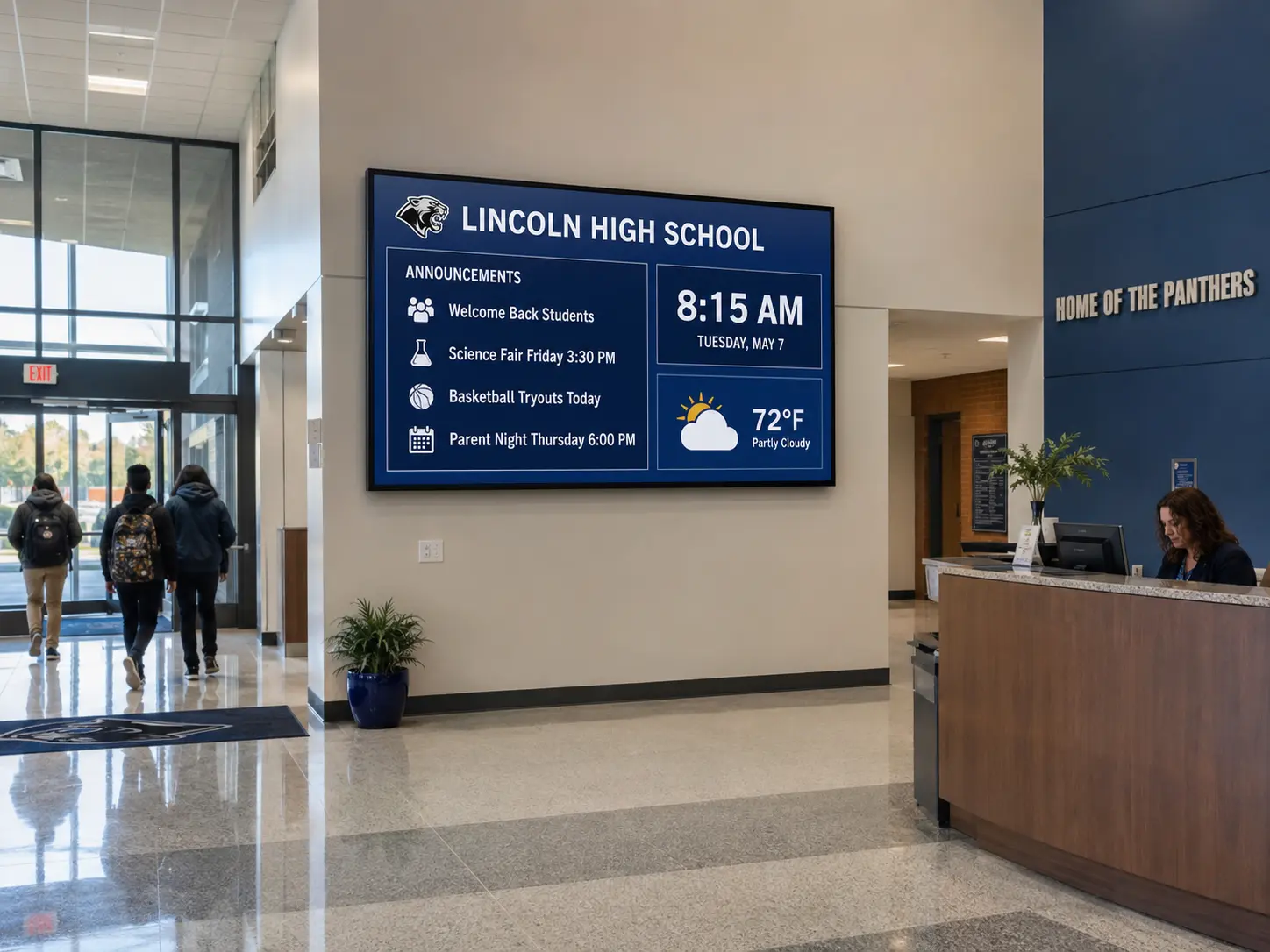
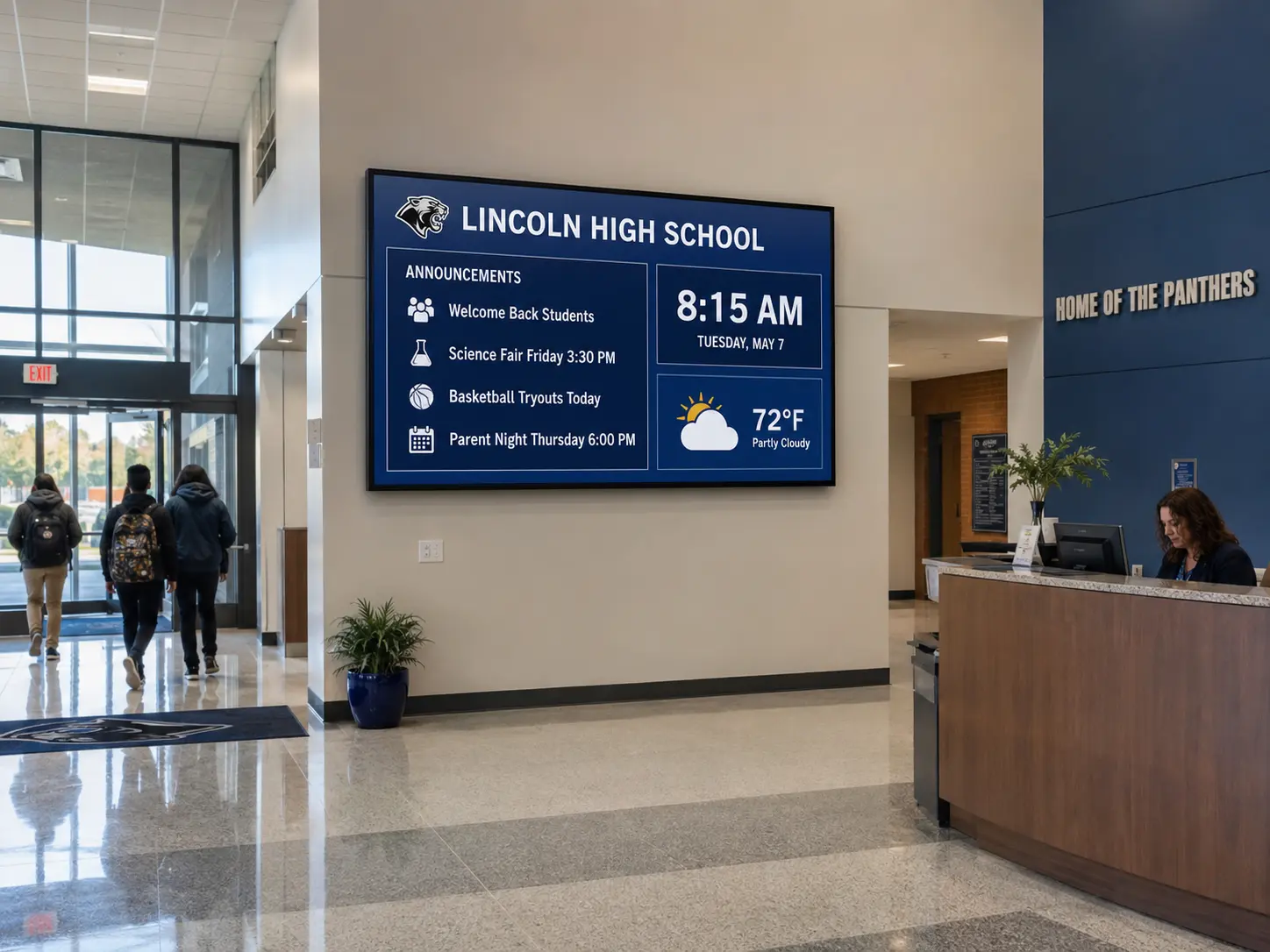
School screens have a problem that the fleet data makes very plain. According to the State of Digital Signage 2026 report, education is the slowest-refreshed vertical measured: median content age is 49.3 days – three times the all-industry median of 16.8 days. Nobody on staff has hours to babysit hallway screens, so the content that stays current is the content that updates itself: 94% of education screens show weather and 74% show a live calendar. The right software for a school or district, then, is the one that automates the most (calendars, bell schedules, alerts) and demands the least from the front office.
We compared the market on the criteria that matter for K-12 districts and university campuses: emergency alerting, hardware you already own, multi-building control, and honest pricing.
Disclosure: Kitcast makes digital signage software. This comparison uses published pricing and features verified in July 2026 – including where competitors beat us.
Comparison Table: Education Digital Signage Software at a Glance
| Software | Best for | Emergency alerts | Apple TV | Starting price (annual) |
|---|---|---|---|---|
| Kitcast | Districts & campuses on Apple TV, emergency alerting | Yes, CAP override (InformaCast, Alertus) | Yes, native | $7/screen/mo |
| Rise Vision | K-12 templates & school calendars | Yes (Advanced tier, ~$13) | Limited | ~$10-11/screen/mo |
| Yodeck | A single school on a budget | Varies by plan | No | $8/screen/mo (free 1st screen) |
| OptiSigns | Mixed donated/consumer hardware | Varies by plan | Yes | $9/screen/mo |
| ScreenCloud | University internal comms | Varies by plan | No | $20/screen/mo + VAT |
| NoviSign | Template-heavy announcement boards | Varies by plan | No | $18/screen/mo |
Pricing verified July 2026; plans change – confirm current rates with each vendor.
What should education digital signage software do?
A school's digital signage screens are a digital bulletin board that has to work on the worst day. The data shows what education screens actually run: weather on 94% of them (second only to gas stations), media and imagery on 82%, live calendars on 74% – near the top of all industries – and templated announcements on 62% (State of Digital Signage 2026, content scan of 10,000+ screens). This comes down to four main objectives.
- Self-updating content: calendar and weather widgets keep screens current when no human does – see the digital calendar statistics for how widespread this is.
- Emergency alerting: a growing number of U.S. states are moving toward legislation requiring visual alert systems, so the ability to override every screen instantly – ideally speaking CAP, the protocol your existing alerting stack uses – is shifting from nice-to-have to requirement.
- Department-level access: athletics updates the gym screens, the cafeteria updates menus, the front office runs the lobby, and none of them should be able to touch the others'.
- Offline reliability: school networks are filtered, throttled, and occasionally down, and a screen that goes black in a hallway stays black until someone notices.
1. Kitcast
Best for: Districts and campuses standardizing on Apple TV, and any school where emergency alerting drives the purchase.
Kitcast runs natively on nine platforms – Apple TV, Android TV, Fire TV, BrightSign, Samsung Tizen, LG webOS, macOS, iOS, and any web browser. That first one matters in education: thousands of districts already have Apple TVs in classrooms for AirPlay, managed through Jamf Pro, Mosyle, or Kandji – and Kitcast (which shipped the first digital signage app on the Apple TV App Store, in October 2015) deploys to those same boxes zero-touch through the same MDM. For safety, the Override feature interrupts all screens with emergency alerts via the CAP protocol and works with Singlewire InformaCast and Alertus, plugging into the alerting systems many districts already run.
With Kitcast, you’re getting multi-building and district-level management, role-based access for departments, 500+ templates including calendars and schedule boards, offline playback on every plan, EDU pricing with volume discounts, and Purchase Orders accepted. It’s used by 10,000+ teams including Penn State, the University of Pennsylvania, Coker University, and Calgary Catholic School District.
Honest weakness: no free tier – pricing starts at $7/screen/month (Pro at $10 adds SSO, SCIM, REST API, and audit logs).
2. Rise Vision
Best for: K-12 schools that want education-first templates and school-calendar integrations out of the box.
Rise Vision is the most education-native competitor on this list – the product was built K-12-first, and it shows in the 750+ templates oriented around announcements, schedules, and school calendars. Offline playback is included on the Basic plan (~$10-11/screen/month, quote-based), and review scores are strong: 4.7 on G2 (937 reviews) and 4.6 on Capterra (118). If your evaluation starts and ends with "made for schools," Rise Vision belongs on the shortlist.
Honest weakness: the education features that drive the purchase – emergency alerts and calendar integrations – sit on the higher Advanced tier (~$13/screen), and Apple TV integration is limited, with no screen-sharing. Pricing is quote-based rather than published self-serve.
3. Yodeck
Best for: A single school on a tight budget.
Yodeck's free-forever single-screen plan is the cheapest way to put one lobby screen to work, and paid plans start at $8/screen/month with a free Raspberry Pi player included on annual billing – an appealing combination for a school squeezing a signage line item out of nothing. Templates number 800+, and review scores are high (4.7 on G2, 4.8 on Capterra). For the full pricing and feature comparison, see our Yodeck alternative breakdown.
Honest weakness: advanced scheduling – the feature a bell-schedule workflow leans on – sits on the $12 Premium tier, multi-site workspaces for districts sit on the $16 Enterprise tier, and there's no Apple TV support at all.
4. OptiSigns
Best for: Schools running mixed or donated consumer hardware.
OptiSigns starts at $9/screen/month and supports a broad range of consumer devices, which suits schools whose screen fleet grew by accretion – a donated TV here, a spare stick player there. Its G2 rating is 4.7 across 3,267 reviews (seller-reported aggregate). Before committing, check the full OptiSigns alternative comparison on pricing and device support.
Honest weakness: enterprise plans carry a 25-screen minimum at $45/screen – a structure aimed well above a typical school deployment.
5. ScreenCloud
Best for: Universities treating signage as an internal communications platform.
ScreenCloud positions for enterprise communications – dashboards, departmental permissions, and a large app library (80+ integrations). For a university comms office pushing content across administrative buildings the way a corporation pushes it across offices, it's a credible fit. G2 rating is 4.7 across 454 reviews (seller-reported aggregate).
Honest weakness: at $20/screen/month plus VAT, it costs two to three times more than most competitors here, with no free tier and no Apple TV or Raspberry Pi support listed – a hard sell against K-12 budgets.
6. NoviSign
Best for: Template-heavy announcement and event boards.
NoviSign offers 500+ templates with drag-and-drop layouts that suit hallway announcement boards, and platform support spans Android, Samsung Tizen, LG webOS, Windows, ChromeOS, BrightSign, and Amazon devices. Its Capterra rating is 4.9 (118 reviews). Offline playback is included on the Business plan.
Honest weakness: the most expensive entry point of the SMB group after ScreenCloud, at $18/screen/month (Business Plus at $26), and no Apple TV app.
How schools actually use their screens
Three patterns stand out in the education digital signage statistics (Kitcast Report, education n=3,790 workspaces).
- Automation is doing the work humans don't: with a median content age of 49.3 days – the slowest of 12 verticals measured – the screens that stay useful are the ones running self-updating widgets. That's why calendars appear on 74% of education screens and weather on 94%. Buy for automation, not for a CMS someone will heroically update every Friday.
- Device health needs watching: 78.4% of education devices checked in over the last 90 days, which means roughly one screen in five in the vertical has gone quiet – remote monitoring and offline caching are worth their line on the requirements sheet.
- Deployments start small: the typical education workspace runs a single screen (mean 3.6), so software that's affordable at one screen but structured for district scale fits the actual growth path. Full data in the State of Digital Signage 2026. One more survey note: 51.3% of education operators use or plan to use AI for signage content within a year (n=117) – close to the all-industry rate, so schools are not the laggards here that the content-age number might suggest.
How much does school digital signage cost?
Across the industry, the most common software budget is $11–20 per screen per month (survey of 515 operators, State of Digital Signage 2026). On this list, entry pricing runs from a free single screen (Yodeck) through $7–9/screen (Kitcast, Yodeck, OptiSigns) to $18–20+ (NoviSign, ScreenCloud). Education-specific levers matter as much as list price: ask about EDU pricing and volume discounts, and confirm the vendor accepts Purchase Orders – Kitcast does both. Hardware is separate: an Apple TV runs about $199 (or $0 if your district already deployed them for AirPlay), a Fire TV Stick around $35, and existing hallway TVs with an HDMI port will work. See the full digital signage cost breakdown.
FAQ
What is the best digital signage software for schools?
For most K-12 districts and campuses, Kitcast – native Apple TV support with zero-touch Jamf/Mosyle/Kandji deployment, CAP-based emergency alert override, district-level management, and EDU pricing from $7/screen/month. Rise Vision is the strongest education-first alternative; Yodeck is the budget pick for a single screen.
What do schools display on digital signage?
Institutional, self-updating content: weather (94% of education screens), media (82%), live calendars (74%), templated announcements (62%), and date/time (56%), according to the State of Digital Signage 2026 content scan.
Can digital signage be used for school emergency alerts?
Yes – platforms with an alert override can interrupt all screens instantly. Kitcast's Override uses the CAP protocol and works with Singlewire InformaCast and Alertus; Rise Vision offers emergency alerts on its Advanced tier. With states trending toward visual-alert legislation, confirm this capability before buying.
Can schools reuse the Apple TVs they already have?
Often yes. Districts that deployed Apple TVs for classroom AirPlay and manage them via Jamf Pro, Mosyle, or Kandji can push a signage app like Kitcast to the same devices zero-touch – no new hardware purchase.
How often do schools update their digital signage?
Education is the slowest vertical measured: median content age is 49.3 days, three times the all-industry median of 16.8 days. Self-updating content – calendars, weather, scheduled templates – is what keeps school screens current.
How much does digital signage cost for a school?
Software: roughly $7–20 per screen per month across this list, and most operators industry-wide budget $11–20. Hardware: about $35 per Fire TV Stick or $199 per Apple TV (pricing checked July 2026) – or nothing, if screens and players are already deployed. Ask vendors about EDU pricing and PO acceptance.
What types of digital signage content are most engaging to students?
Students engage most with visually dynamic, relevant, and timely information. Key content includes real-time transit schedules, campus news and event feeds (especially with QR codes for quick saving), dining hall menus, social media walls featuring student life, and interactive campus maps.
How can digital displays improve campus safety and emergencies?
Digital signage integrates with emergency notification systems to instantly broadcast alerts – like severe weather warnings or active shooter protocols – across all campus screens simultaneously. They override regular content to provide clear, immediate instructions, evacuation routes, and safe zones, so instructions reach everyone at once.
Getting started
The fastest route: pick the screens with the most foot traffic (main entrance, cafeteria, gym lobby), reuse the Apple TVs or hallway TVs you already have, and load a calendar-plus-announcements template that updates itself. See how Kitcast works for education.
Internal Communications Digital Signage: Strategy, Content Ideas & Examples (2026)
6 Best Digital Signage Software for Education in 2026 (Compared)