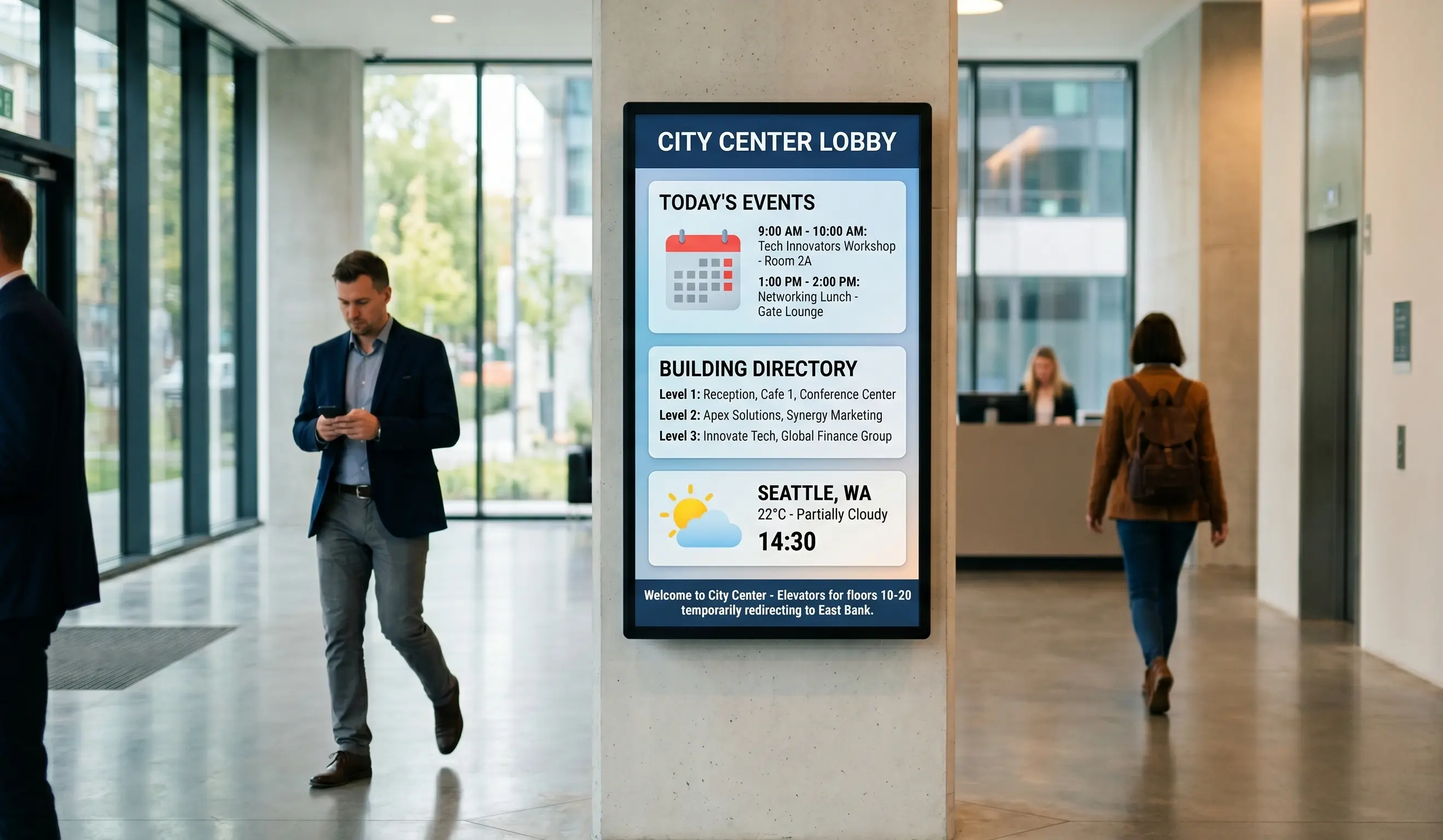
A lobby is the first impression your building makes, and a blank or static sign wastes it. Lobby digital signage replaces printed welcome boards, paper visitor logs, and dated wayfinding maps with screens you update from anywhere. The same display can greet a named visitor at 9 a.m., show a safety notice at noon, and run a brand reel during an evening event. This guide explains how welcome screens, visitor check-in, and brand display actually work in lobbies across offices, hotels, clinics, and retail, what hardware and lobby TV display software you need, and what it costs. Kitcast has run signage on Apple TV since 2015 and now powers screens for Disney, The New York Times, UPenn, and 10,000+ teams, so the examples below come from real deployments, not theory.
What is lobby digital signage?
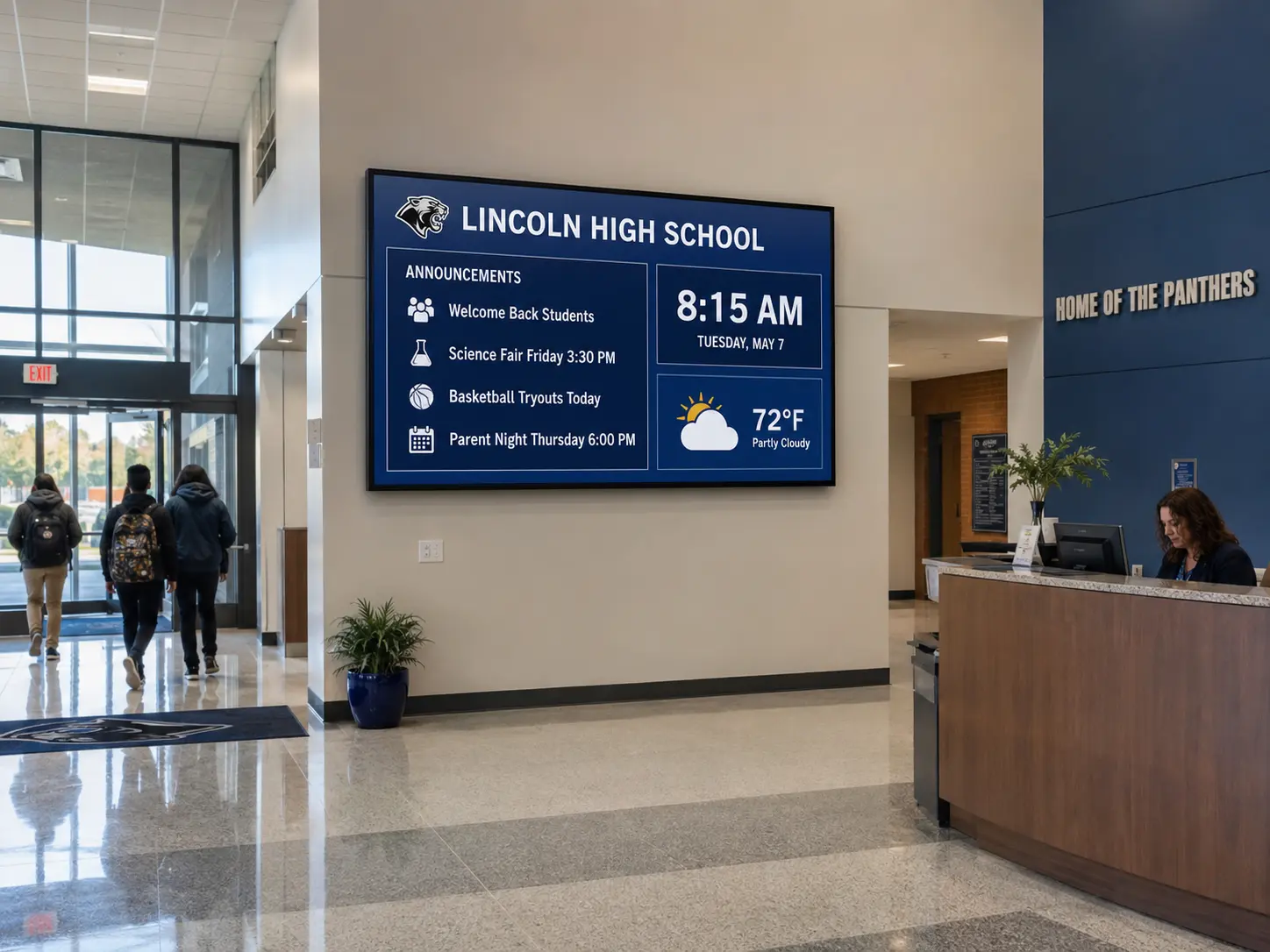
Lobby digital signage is a network of screens placed at a building's entrance, reception desk, or waiting area, controlled by cloud software instead of manual file swaps. One display can rotate through several jobs: a welcome message, the day's meeting schedule, a wayfinding map, company news, and a brand video. You build the content once in a web dashboard, assign it to a screen or a group of screens, and push updates instantly to one location or every site you operate.
The term covers more than a single screen type. A corporate lobby might run a large welcome wall plus a small reception kiosk. A hotel lobby pairs guest greetings with event listings and local recommendations. A clinic uses lobby and reception screens to show wait times and health information, which overlaps with waiting room signage content. Retail entrances lean on brand display and promotions. Churches comparing lobby-screen platforms can start with our church-specific comparison. Our digital signage for churches page covers that lobby-screen decision in detail.
What ties these together is the job: orient the visitor and reinforce the brand in the first ten seconds. Static signs cannot do that, because they cannot react to the time of day, the named guest arriving, or the event happening that afternoon. Digital signage can, and it does so without reprinting anything. Pair lobby screens with digital wayfinding and the entrance becomes a self-service orientation point rather than a question waiting for the front desk.
How do digital welcome screens work in a lobby?
A lobby welcome screen is the dynamic replacement for a printed "Welcome" board. At its simplest, it loops a branded greeting and the company logo. At its most useful, it greets specific visitors by name at the moment they are scheduled to arrive.
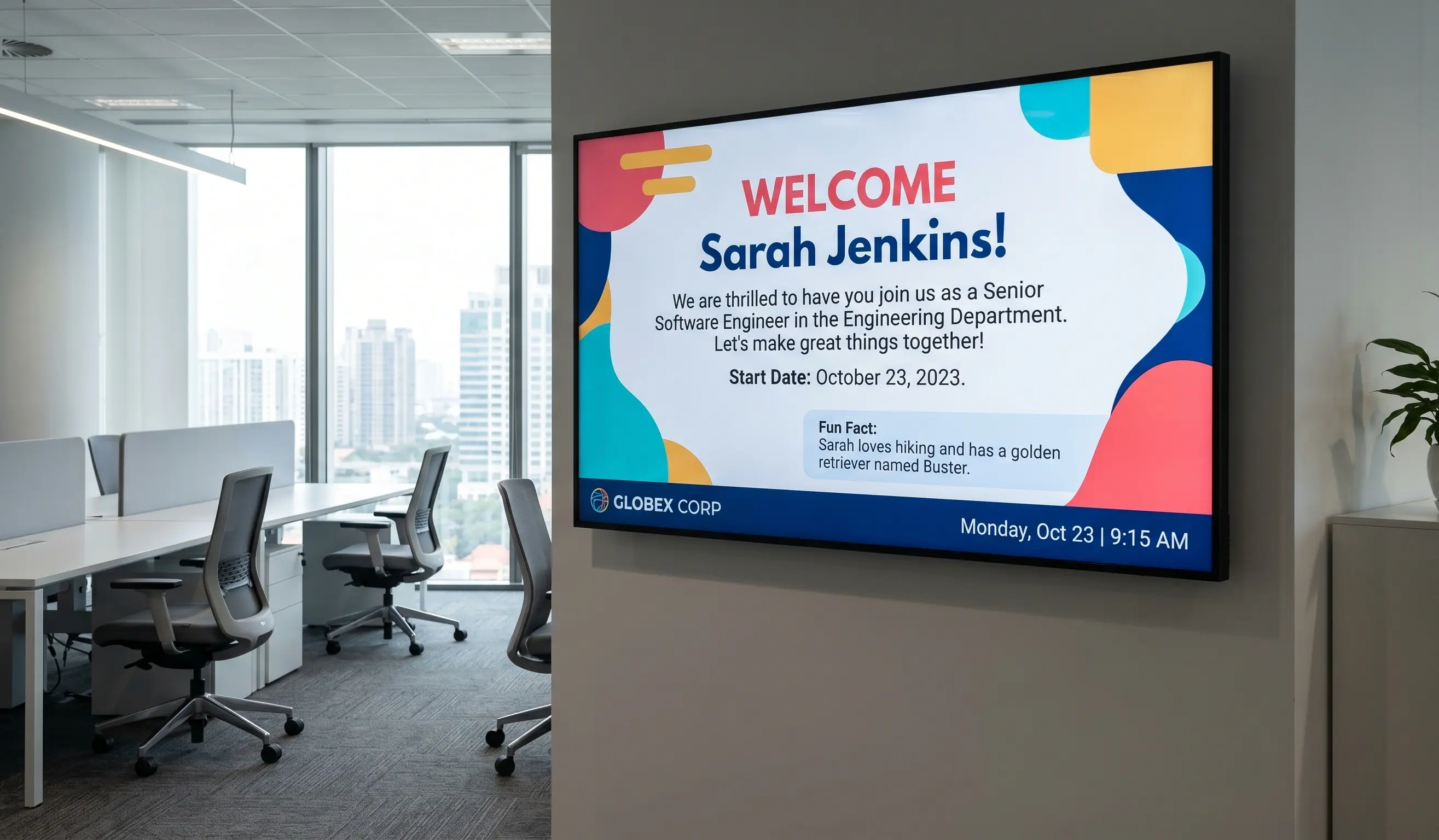
Here is the mechanism. You connect the screen's content to a calendar or visitor list, then build a template that pulls the guest name, the host, and the meeting room into a layout. When a 10 a.m. interview is booked, the screen shows "Welcome, Maria Lopez. James is expecting you in Room 4." Kitcast's Lobby Greeter feature does exactly this, swapping a static sign for a personalized greeting tied to the day's schedule. The visitor feels expected, and the receptionist answers fewer "where do I go" questions.
Welcome screens rarely run alone. Most teams use content zoning so one display handles multiple messages at once: the main zone shows the greeting, a sidebar shows meeting room status, and a bottom ticker scrolls company news or weather. This is standard in corporate communications displays, where the lobby doubles as an employee touchpoint. In hospitality, the same approach greets guests by name and surfaces event details, which we cover in depth in our hotel lobby digital signage guide. For the broader broadcast-channel playbook beyond the lobby, see our internal communications digital signage guide.
Scheduling matters as much as design. You can set the welcome screen to show building hours before 9 a.m., switch to visitor greetings during business hours, and run an after-hours brand loop in the evening. None of that requires anyone to touch the screen. You set the rules once, and the playlist follows the clock.
How does lobby signage handle visitor check-in?
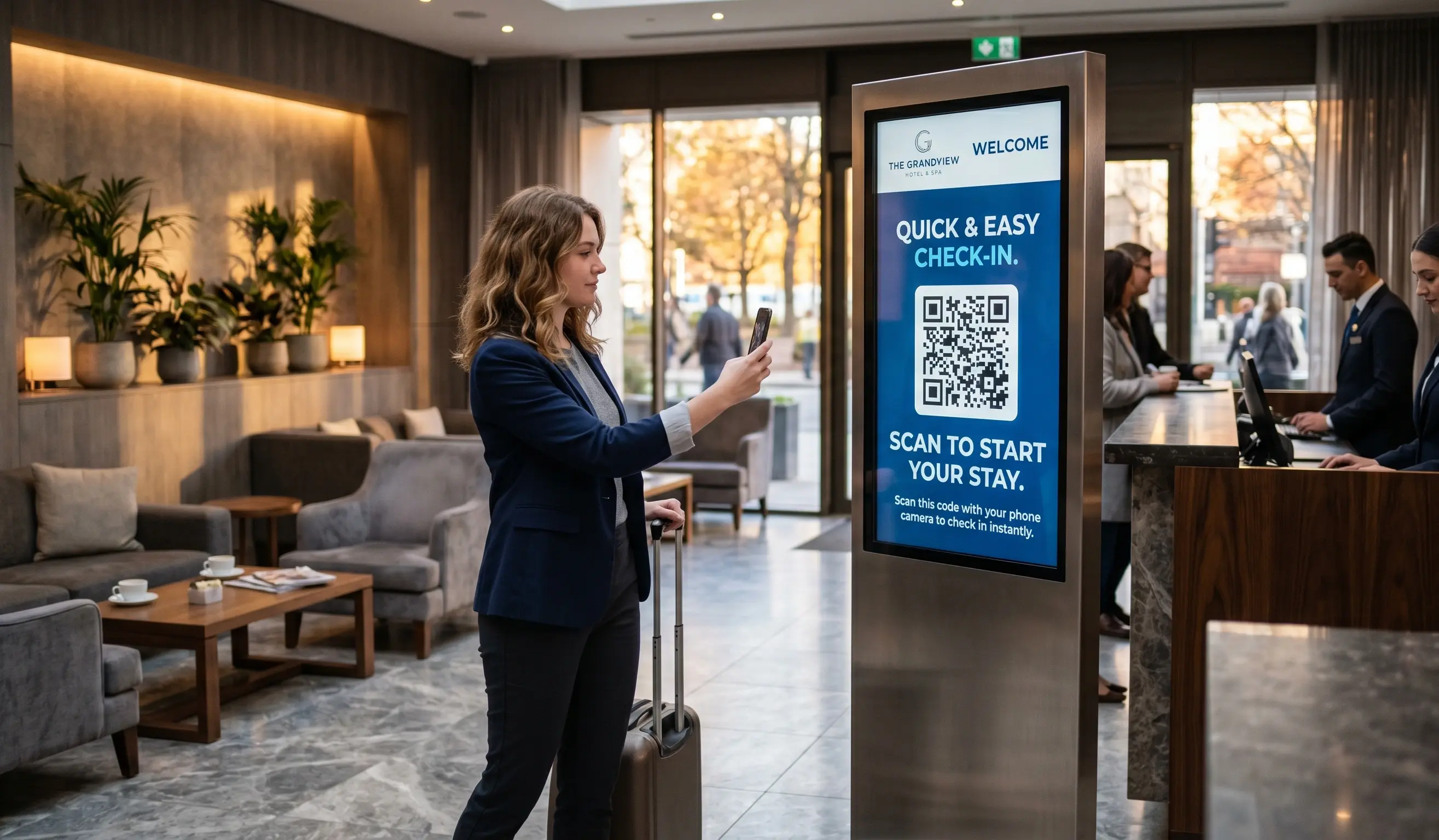
Visitor check-in is where lobby digital signage stops being decoration and starts saving staff time. There are two common patterns, and most buildings use both.
The first is QR-driven self check-in. A visitor check-in display shows a QR code that opens a form on the visitor's own phone. They enter their name, the host, and the reason for the visit, and the system can notify the host automatically and issue a digital badge. Because the visitor uses their phone, you avoid shared kiosks and keep the lobby line moving. Hotels use the same QR pattern for mobile check-in, letting guests skip the counter queue, an approach detailed in our hospitality digital signage resources.
The second is a dedicated check-in kiosk. Here the lobby screen runs a touch interface, often on an Apple TV with a compatible kiosk app or a touchscreen panel, that walks the visitor through arrival, host notification, and printing a badge. This suits high-security sites and healthcare reception areas that need an audit trail of who entered and when.
Both patterns rely on a digital information board nearby to reduce confusion: directions to the elevator, Wi-Fi credentials, safety briefings, and floor maps. When check-in and wayfinding sit on the same screen or adjacent screens, visitors self-serve and reception staff handle exceptions instead of every arrival.
The practical payoff is measurable. Front-desk teams field fewer routine questions, hosts get pinged the moment a guest arrives, and your visitor records move from a paper book to a searchable log. For multi-site operators, you manage every lobby's check-in content from one dashboard rather than emailing files to each location.
How can lobby screens strengthen brand display?
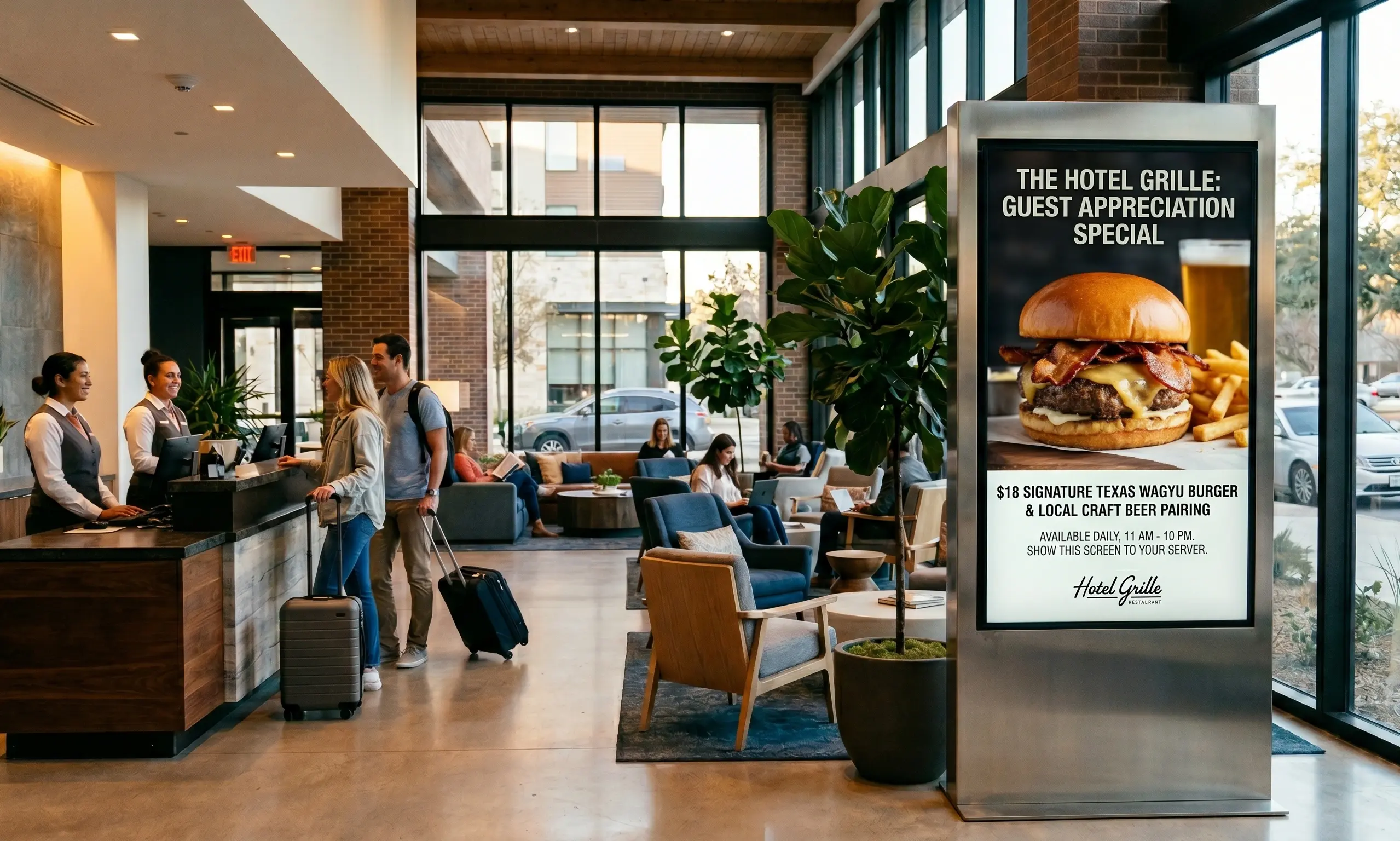
Brand display is the third job of a lobby screen, and it runs in the gaps between greetings and check-in prompts. Every idle second on a lobby display is owned media you already paid for, so the question is what to put there.
Strong lobby brand content is short, silent-friendly, and high-resolution. Think a 15-second brand film on loop, customer logos, awards and certifications, product highlights, and live social proof. A social media wall pulls approved posts from Instagram, X, or LinkedIn and displays user-generated content in real time, which keeps the feed fresh without manual updates and signals that real people engage with your brand.
Design discipline is what separates brand display from clutter. Use your actual brand fonts and colors, keep text large enough to read from across the lobby, and avoid cramming four messages into one frame. If you need to show more, rotate through a playlist or split the screen into zones rather than shrinking everything. Motion should be purposeful, since fast flashing content reads as an ad and gets ignored.
Brand display also carries commercial weight in retail and hospitality lobbies. Screens promote membership programs, push limited offers, and drive traffic to a website or app through a QR code. The same display that welcomes a guest in the morning can run a promotion at lunch and a brand reel during an evening event. Because the content lives in the cloud, your marketing team updates it centrally and every lobby reflects the current campaign the moment it goes live, with no reprinting and no shipping of new signs.
What hardware and software run lobby digital signage?
Lobby digital signage needs three things: a screen, a media player, and lobby TV display software to control it. The screen is usually a commercial display you already own or a standard TV. The player and the software are where the real choices happen. For a 10-platform comparison of corporate signage software side-by-side, see our corporate digital signage software roundup.
On the player side, the common options are Apple TV 4K, a BrightSign player such as the HD224, Fire TV, or a built-in system on a Samsung Tizen or LG webOS smart display. Apple TV 4K is the most popular pick for lobbies because it is cheap, silent, and reliable, and it handles 4K brand video without strain. BrightSign players suit always-on commercial installs and complex multi-zone layouts. For a single welcome screen, a smart TV running the app natively keeps the hardware count to zero.
The software ties it together. Kitcast runs across Apple TV, Android, Fire TV, BrightSign, LG webOS, Samsung Tizen, ChromeOS, macOS, and iOS, so you can mix hardware across lobbies and manage everything from one dashboard. That matters for multi-site operators who inherit different screens at different locations. You build content with templates, schedule it by time and location, split screens into zones, and connect digital wayfinding and live data widgets without writing code.
Setup is genuinely fast on Apple TV: plug it in, download the app, pair the screen to your account, and assign a playlist. A lobby can be live in minutes rather than days. For larger rollouts, you provision screens in bulk and apply content groups so a new office lobby inherits the right welcome screen, check-in prompt, and brand loop automatically.
How much does lobby digital signage cost?
Lobby digital signage cost has two parts: the software subscription and the hardware. The software is the predictable, recurring line, and it is priced per screen.
Kitcast pricing starts at $7 per screen per month on the Starter plan and $10 per screen per month on Pro. Pro adds enterprise controls that matter for larger lobbies and multi-site deployments: single sign-on (SSO), SCIM user provisioning, and an audit log. For a single reception screen, Starter is usually enough. For a corporate campus with dozens of lobby and floor screens managed by an IT team, Pro's access controls pay for themselves. You can confirm current tiers on the pricing page.
Hardware is a one-time cost. An Apple TV 4K is an inexpensive, widely available player, a BrightSign HD224 costs more but suits always-on commercial use, and a smart TV with the app built in needs no separate player at all. The screen itself ranges from a consumer TV to a commercial-grade display rated for long daily run times, which is the better choice for a lobby that runs sixteen hours a day.
A realistic single-lobby budget looks like one commercial display, one Apple TV 4K, and one $7 software seat, then your content time. Scaling to ten lobbies multiplies the player and seat cost but not the management effort, because everything runs from one dashboard. Compared with reprinting signs, shipping them between sites, and staffing a front desk to answer routine questions, the recurring software cost is small and the time savings are immediate.
Frequently Asked Questions
What is lobby digital signage?
Lobby digital signage is a network of screens at a building's entrance, reception, or waiting area, controlled by cloud software. One display can show a welcome message, meeting schedule, wayfinding map, and brand video, and you update it from a web dashboard instead of swapping files manually.
What is the difference between a lobby welcome screen and a digital information board?
A welcome screen focuses on greeting visitors, often by name, and reinforcing the brand. A digital information board is broader and shows practical details like directions, Wi-Fi credentials, building hours, and safety notices. Many lobbies combine both on one screen using content zones.
How does visitor check-in work on a lobby screen?
Two patterns are common. A QR code on the screen opens a check-in form on the visitor's phone, notifies the host, and issues a digital badge. Alternatively, a touch kiosk walks the visitor through arrival, host notification, and badge printing. High-security and healthcare sites often prefer the kiosk for its audit trail.
What hardware do I need for lobby digital signage?
You need a screen, a media player, and signage software. Common players are Apple TV 4K, BrightSign HD224, and Fire TV. Samsung Tizen and LG webOS smart displays can run the software natively, removing the need for a separate player.
Can I run lobby signage on Apple TV?
Yes. Apple TV 4K is the most popular lobby player because it is inexpensive, silent, and handles 4K brand video. With Kitcast you plug it in, download the app, pair the screen, and assign a playlist, and the lobby can be live in minutes.
How much does lobby digital signage software cost?
Kitcast software starts at $7 per screen per month on the Starter plan and $10 per screen per month on Pro. Pro adds SSO, SCIM provisioning, and an audit log. Hardware such as a media player and display is a separate one-time cost.
Can one screen show a welcome message and check-in at the same time?
Yes, using content zoning. The main zone can show a greeting, a sidebar can show meeting room status or a check-in QR code, and a ticker can scroll news. This lets a single lobby display handle several jobs without crowding the layout.
How do I personalize lobby welcome screens by visitor name?
Connect the screen to a calendar or visitor list and build a template that pulls the guest name, host, and room into the layout. When a meeting is booked, the screen greets that visitor by name at their scheduled time. Kitcast's Lobby Greeter feature does this automatically.
Can I manage lobby screens across multiple locations?
Yes. Cloud-based software like Kitcast manages every lobby from one dashboard, so you push a campaign or welcome update to one site or all sites at once. It runs across Apple TV, Android, Fire TV, BrightSign, LG webOS, Samsung Tizen, ChromeOS, macOS, and iOS, so mixed hardware is not a problem.
Is lobby digital signage worth it for a small business?
For most front desks, yes. A single screen, an Apple TV, and a $7 software seat replace reprinted signs and answer routine visitor questions automatically. The recurring cost is low, and staff spend less time on directions and check-in.
Conclusion
Lobby digital signage turns your entrance from a static sign into a working surface that greets visitors by name, handles check-in, points people where to go, and keeps your brand on screen all day. The setup is simple: a display, a player like Apple TV 4K or a BrightSign HD224, and software you manage from one dashboard. The recurring cost is small, the management scales across sites, and the visitor experience improves from the first ten seconds.
If you are ready to put a welcome screen, visitor check-in, and brand display on one screen, Start a free Kitcast trial or compare plans on the pricing page to see whether Starter at $7 or Pro at $10 per screen fits your lobby.
Internal Communications Digital Signage: Strategy, Content Ideas & Examples (2026)
6 Best Digital Signage Software for Education in 2026 (Compared)