
Corporate communication in 2026 is visual, always-on, and physical. The right corporate digital signage software turns office TVs into a live channel for KPIs, company news, recognition, and visitor welcomes. We tested the market on the things that actually matter for offices: security, ease of use, hardware flexibility, and price. Here are the ten platforms worth your shortlist, with a comparison table first so you can decide fast.
Comparison Table: Corporate Digital Signage Software at a Glance
SoftwareBest forSecurityEase of useStarting priceKitcastCorporate comms, lobbies, multi-siteHighVery HighFrom $7/screen/moYodeckBudget / single screenMediumHighFree 1-screen planScreenCloudMixed hardware fleetsMediumHighPaid tiersOptiSignsCheap consumer hardwareMediumHighPaid tiersRise VisionBulletin-board style commsMediumMediumPaid tiersTelemetryTVData dashboards & video wallsHighMediumPaid tiersAppspaceWorkplace experience suiteHighLow (complex)Enterprise quoteSpectrioManaged, done-for-you contentHighMediumEnterprise quoteNoviSignCustom free-form layoutsMediumMediumPaid tiersSkykitGoogle / ChromeOS shopsMediumMediumPaid tiers
Security and ease-of-use ratings reflect how each platform fits a typical corporate IT environment. Pricing beyond Kitcast varies by plan and screen count. Confirm current rates with each vendor before you buy.
What is corporate digital signage software?
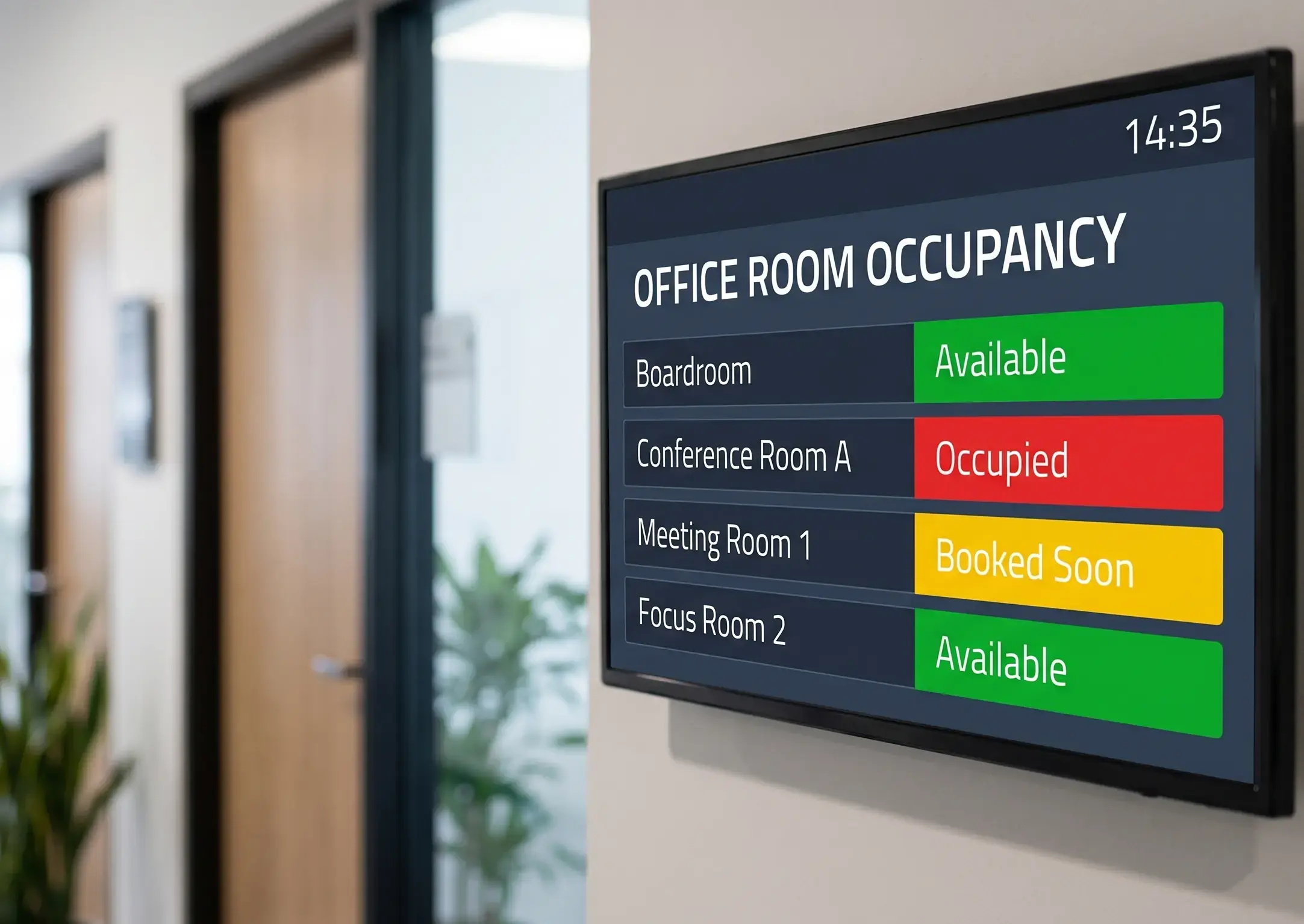
Corporate digital signage software is the cloud platform that runs the screens placed throughout an office (lobbies, break rooms, hallways, and meeting areas) and pushes content to all of them from one dashboard. Unlike retail signage, which sells products to customers, corporate signage "sells" company culture and information to employees. It turns static walls into a live channel for company news, real-time KPI dashboards, employee recognition, new-hire welcomes, and meeting-room availability. For hotel and guest-facing deployments, see the hotel-specific version of this comparison. For guest-facing rather than back-of-house screens, our hotel digital signage page covers lobby, concierge, and event boards.
The software is the brain, not the screen. You pair a media player, most often an Apple TV 4K, with a commercial display, install the app, and control everything from the cloud. From there you build playlists, schedule them by time and location, and update every screen across every office at once. For the deeper internal-comms playbook (content mix, channel comparison, and measurement), see our internal communications digital signage guide, which is the dedicated companion to this software roundup.
1. Kitcast
Best for: Enterprise corporate communications, lobby video walls, and security-conscious teams.
Kitcast takes the top spot because it balances premium power with rare ease of use. Where other platforms feel like IT tools, Kitcast feels like a modern creative app, so anyone, from HR managers to office assistants, can get professional content on screens in minutes. It has run on Apple TV since launching the first native tvOS signage app in October 2015, and today powers screens for Disney, The New York Times, McLaren, UPenn, and more than 10,000 teams. For a focused hardware head-to-head on the most common office choices, see our apple tv vs fire stick comparison.
The biggest 2026 advantage is hardware flexibility. Kitcast runs natively on Apple TV, Android, Fire TV, BrightSign, LG webOS, Samsung Tizen, ChromeOS, macOS, and iOS (nine device types), all from one dashboard at the same price. That means affordable hardware for break rooms and high-security Apple devices for executive boardrooms, with no separate dashboards to manage. Enterprise controls like SSO, SCIM provisioning, and an audit log come on the Pro plan, and MDM integration keeps IT in control across dozens of sites.
Key Features:
Pros:
Cons:
2. Yodeck
Best for: Small businesses and budget-friendly setups.
Yodeck is a cloud-based solution popular for its affordability and reliability, natively designed around Raspberry Pi hardware. That makes it a low-cost way to get screens running if you are comfortable with basic hardware setup. Its standout offer is a "free for one screen" plan, which is a great way for a startup with a single lobby TV to start without a contract. The drag-and-drop interface makes scheduling easy, though it can feel a bit technical compared with more design-focused platforms.
Key Features:
Pros:
Cons:
3. ScreenCloud
Best for: Mixed hardware environments.
ScreenCloud is known for being "hardware agnostic," running on almost any operating system, including Android, ChromeOS, Windows, and Fire TV. If your office has a mix of old screens, new smart TVs, and assorted media players, ScreenCloud can hold it together. It also offers a robust app store that connects to tools like Microsoft Teams, Slack, and Google Slides, which makes it a good fit for teams pulling content from many sources. The trade-off is that relying on many third-party apps can make designs look inconsistent across screens.
Key Features:
Pros:
Cons:
4. OptiSigns
Best for: Basic functional signage on consumer hardware.
OptiSigns focuses on getting content onto screens cheaply and is well known for supporting the Amazon Fire TV Stick, which you can buy off the shelf at any electronics store. That makes it accessible for companies that want low-cost hardware fast. The software is functional but lacks the polish of premium competitors (templates can feel dated), so it suits a break-room menu or a simple slideshow more than a flagship lobby. It has also added AI features to detect audience demographics via a camera.
Key Features:
Pros:
Cons:
5. Rise Vision
Best for: Education and traditional bulletin boards.
Rise Vision has been an industry staple for years, dominating the education sector while serving plenty of corporations that want "bulletin board" style communications. If your goal is to replace a physical corkboard with a digital one, it does exactly that. Its strength is a massive template library, with a pre-made slide for nearly any occasion. The downside is that many designs look scholastic, which may clash with a sleek corporate aesthetic, and it feels less modern than the top contenders.
Key Features:
Pros:
Cons:
6. TelemetryTV
Best for: Data visualization and dashboards.
If your goal is turning office TVs into live data dashboards, TelemetryTV is the specialist. It is built for power users who want to broadcast live metrics, connecting deeply with PowerBI, Tableau, or custom APIs, and is common in sales departments and IT network operations centers. The learning curve is steeper because it is more technical, but the control over data refreshing and caching is superior to most general-purpose tools. It also supports video walls, stitching multiple screens into one giant data display.
Key Features:
Pros:
Cons:
7. Appspace
Best for: Workplace-management integration.
Appspace is a "workplace experience" platform, not just signage. It handles room booking, visitor management, employee apps, and intranet publishing in one system, which appeals to global enterprises that want to unify every digital touchpoint in the office. If you are a Fortune 500 company looking for one vendor to handle everything about the physical office, it is a standard choice. But if you just want screens on the wall, Appspace is likely too expensive and complex, often requiring a dedicated administrator.
Key Features:
Pros:
Cons:
8. Spectrio
Best for: Managed, done-for-you content and multi-location brands.
Spectrio is a customer-engagement platform that bundles digital signage with professionally produced content and managed services, having absorbed the Enplug signage platform in 2021. That makes it a strong fit for corporations that want their screens handled for them rather than a DIY tool. Its in-house creative team supplies a content library tuned to specific verticals, while the Enplug-based platform adds enterprise security, automation, and content-approval workflows so staff can contribute without breaking brand standards. The trade-off is that the wider suite, which also spans on-hold marketing, in-store music, and Wi-Fi marketing, is more than a team that only needs wall screens may want to buy.
Key Features:
Pros:
Cons:
9. NoviSign
Best for: Custom creative layouts.
NoviSign is known for its free-form editor. Where most software forces a grid or slide format, NoviSign lets you drag widgets anywhere, pixel by pixel, so you can layer text over video, add scrolling tickers, and place widgets in corners. That freedom is a double-edged sword: without a designer it is easy to create cluttered screens. It also supports IoT connections like RFID readers that can trigger specific content when someone walks by with a badge.
Key Features:
Pros:
Cons:
10. Skykit
Best for: Google ecosystem users.
If your company runs entirely on Google Workspace and ChromeOS devices, Skykit is a natural fit. Built to leverage the Chrome ecosystem, it integrates seamlessly with Google Drive and Google Slides and scales well in the cloud. The catch is that it relies on you being invested in Google hardware like Chromeboxes, so if you are a Microsoft or Apple shop, it likely is not for you. It is a solid, reliable choice for organizations already managing a fleet of Chrome devices.
Key Features:
Pros:
Cons:
How does digital signage support corporate communications?
Digital signage reaches employees in the in-between moments (grabbing coffee, waiting for a meeting, walking through the lobby) that email and Slack never touch. It is a push channel in a shared space, so the message is simply there with nothing to open, which is why it reaches deskless and hybrid staff that a work inbox misses. Studies estimate roughly 80% of the global workforce is deskless, so for many companies a screen is the only channel that reaches everyone during a shift.
In practice, corporate comms teams use signage for company news, performance dashboards, employee recognition, new-hire welcomes, event calendars, and instant emergency alerts. The goal is not to replace email or chat but to add the one channel they leave open and repeat your most important messages everywhere. Because this is a deep topic in its own right, we keep the full content mix, channel-by-channel comparison, and measurement framework in our dedicated digital signage for corporate communications guide. Start there if internal comms is your primary use case.
What's the best setup for a corporate lobby video wall in 2026?
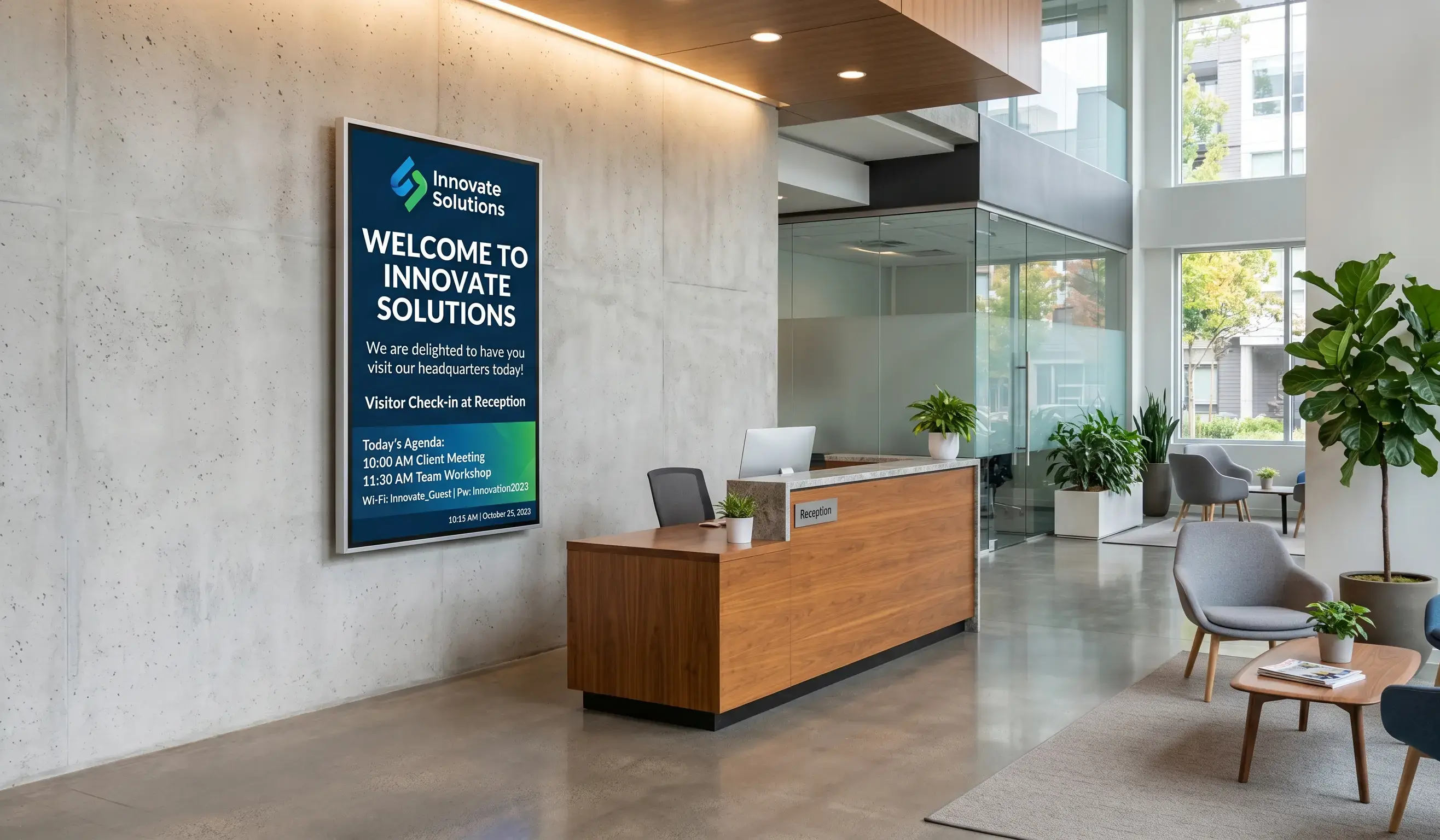
For a corporate lobby video wall, the best setup pairs Kitcast's multi-zone layouts with a player sized to the wall: an Apple TV 4K for a single large display, or a Mac mini when you need to drive several synced panels or live dashboards. Multi-zone lets one wall greet a named visitor in the center, show meeting-room status in a sidebar, and scroll company news along the bottom, all on a schedule that changes through the day without anyone touching it.
A lobby wall does three jobs at once: it welcomes visitors, reinforces the brand in the first ten seconds, and doubles as an employee touchpoint. Kitcast's Lobby Greeter feature pulls a guest's name, host, and room from a calendar and greets them by name at their scheduled arrival, while idle time runs a brand reel or social-media wall. For the complete walkthrough of welcome screens, visitor check-in, and hardware sizing, see our lobby digital signage guide.
How do you choose corporate digital signage software?
Choosing comes down to four questions. First, security: does it support SSO, SCIM, audit logs, and MDM so IT can manage screens like any other endpoint? Apple TV on tvOS is generally the most lockable option, which is why security-conscious offices default to it. Second, hardware flexibility: can the platform run on devices you already own, or does it lock you into one operating system? A device-agnostic tool like Kitcast lets you mix Apple TV, Android, and BrightSign without separate dashboards or re-licensing.
Third, ease of use: can a non-technical comms or HR person build and schedule content without a designer or admin? Platforms built as "workplace suites" trade simplicity for breadth and often need a dedicated administrator. Fourth, scale and price: confirm per-screen pricing, centralized multi-site control, and role assignment before you commit. For a hardware-specific decision (Apple TV vs. Fire TV vs. BrightSign vs. Mac mini), see our digital signage hardware comparison.
How much does corporate digital signage software cost?
Kitcast software costs $7 per screen per month on the Starter plan and $10 per screen per month on Pro, which adds SSO, SCIM, and audit logs, with a 14-day free trial and no credit card required. On top of software, budget for hardware: an Apple TV 4K is an inexpensive, widely available player, and a commercial display is a one-time cost. Pricing for the other platforms on this list varies by plan and screen count. Yodeck offers a free single-screen tier, while enterprise suites like Appspace are quoted per deployment. Confirm current rates with each vendor before you buy, and weigh the recurring software fee against the print, design, and IT time signage saves.
Frequently Asked Questions
What hardware do you need for corporate digital signage?
You need a media player and a screen. Kitcast runs on Apple TV, Android, Fire TV, BrightSign, LG webOS, Samsung Tizen, ChromeOS, macOS, and iOS, so you can use hardware you may already own. Apple TV 4K is the most common choice for offices because it is reliable and inexpensive.
Is Apple TV good for corporate digital signage?
Yes. Apple TV 4K is the most-deployed signage player among Kitcast customers because tvOS is easy to lock down through Apple Business Manager and MDM tools like Jamf and Mosyle. Its A15 chip and 4 GB of RAM handle reliable daily playback, making it the default for security-conscious offices.
How is corporate digital signage different from email and Slack?
Email and Slack are pull channels that wait for someone to open them, and neither reliably reaches staff without a work inbox. Digital signage is a push channel in a shared physical space, so the message is always in view with nothing to open, which is why it reaches deskless and hybrid workers.
Does corporate digital signage reach deskless and hybrid workers?
Yes, and that is its main advantage. Studies estimate around 80% of the global workforce is deskless, so email never reaches them during a shift. A screen in a break room, hallway, or factory floor is often the only company channel that connects with these employees in real time. For the plant-floor version — andon boards, safety metrics, shift communications — see our digital signage for manufacturing page.
Can you send emergency alerts through corporate digital signage?
Yes. Emergency alerts override scheduled content instantly across every screen, so you can broadcast a safety or weather message to the whole building in seconds. This is one of the strongest reasons to run signage in workplaces with deskless staff who may not see an email or app notification in time.
Is there free corporate digital signage software?
Yes, with limits. Yodeck offers a free plan for a single screen, which suits a startup with one lobby TV. Most teams that scale past a few screens move to a paid platform like Kitcast at $7 per screen per month for centralized control, security, and support.
How fast can you set up corporate digital signage?
On Apple TV it takes minutes per screen. You plug in the player, download the Kitcast app, pair the screen to your account, and assign a playlist. For larger rollouts, you provision screens in bulk so a new office inherits the right content automatically.
Can one platform manage corporate screens across multiple locations?
Yes. Cloud software like Kitcast manages every screen from one dashboard, so you push an update to one site or all sites at once. Because it runs across nine device types, mixed hardware across different offices is not a problem.
Conclusion
Choosing corporate digital signage software comes down to your priorities. If you want a premium, secure, and flexible solution that runs on Apple, Android, and nine device types from one dashboard, Kitcast is the clear winner. If you need heavy data dashboards, look at TelemetryTV; if you have one screen and a tight budget, Yodeck is a safe bet. Whatever you choose, prioritize security, ease of use, and the ability to scale across locations.
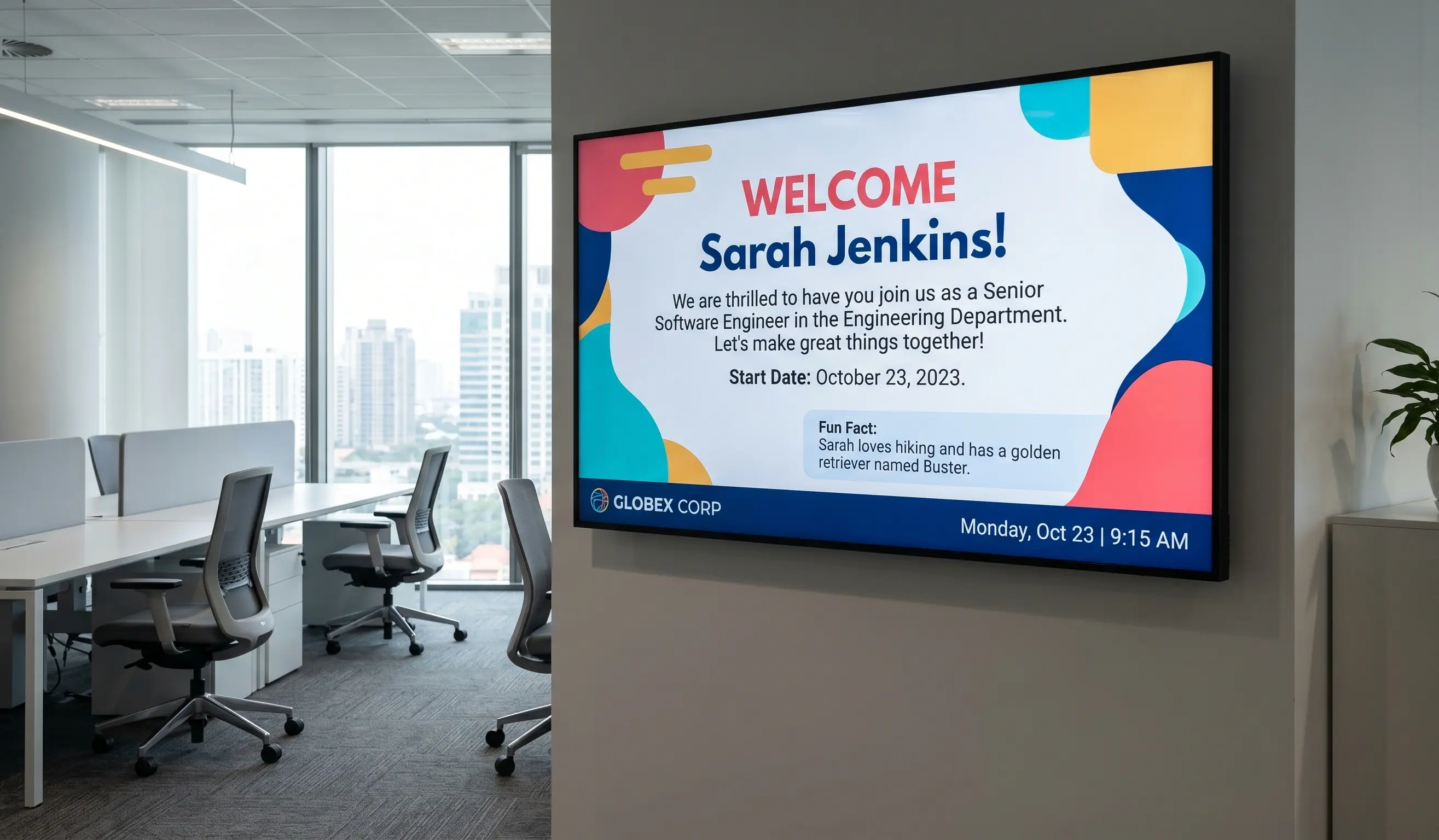
Internal Communications Digital Signage: Strategy, Content Ideas & Examples (2026)
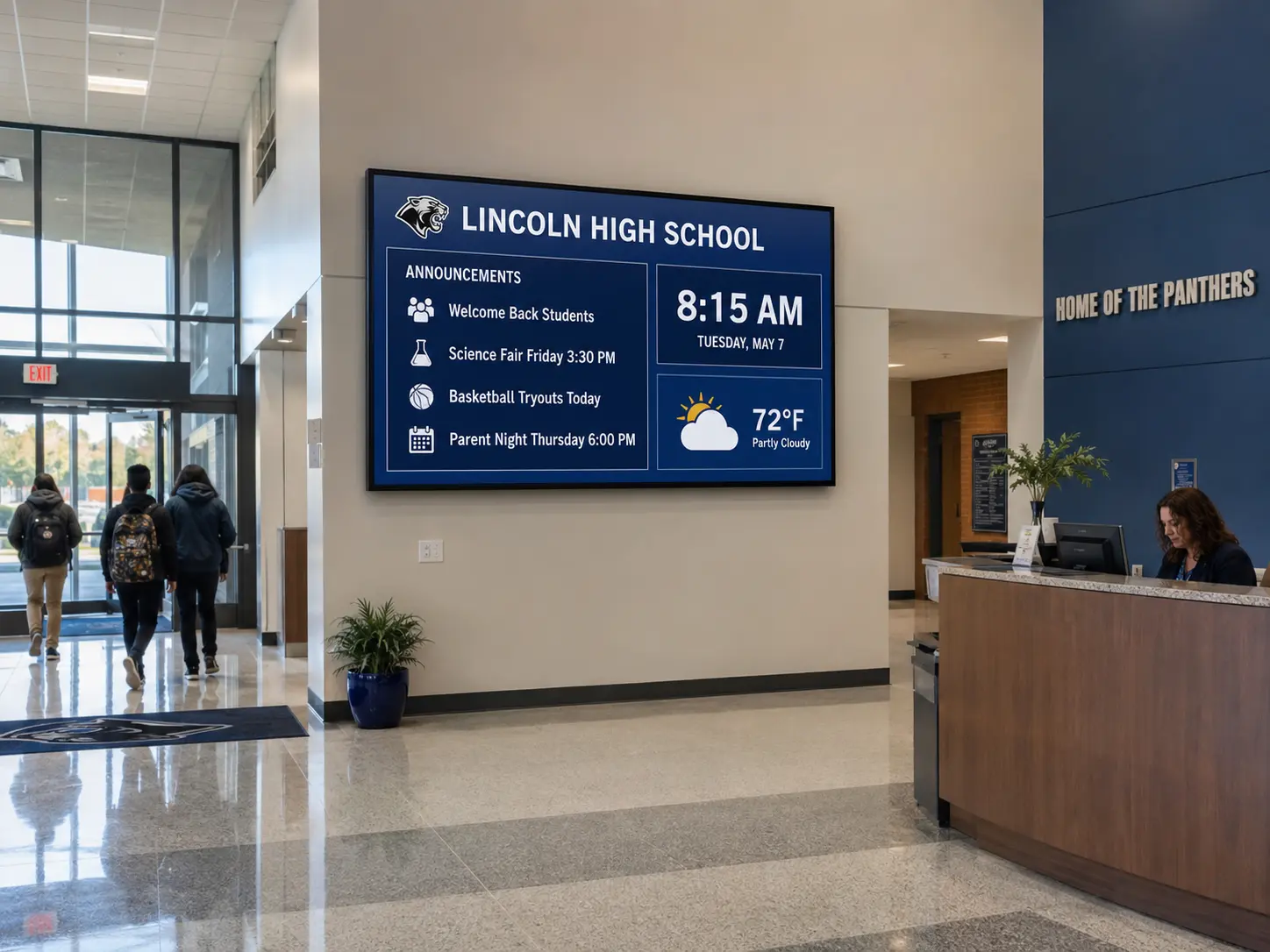
6 Best Digital Signage Software for Education in 2026 (Compared)