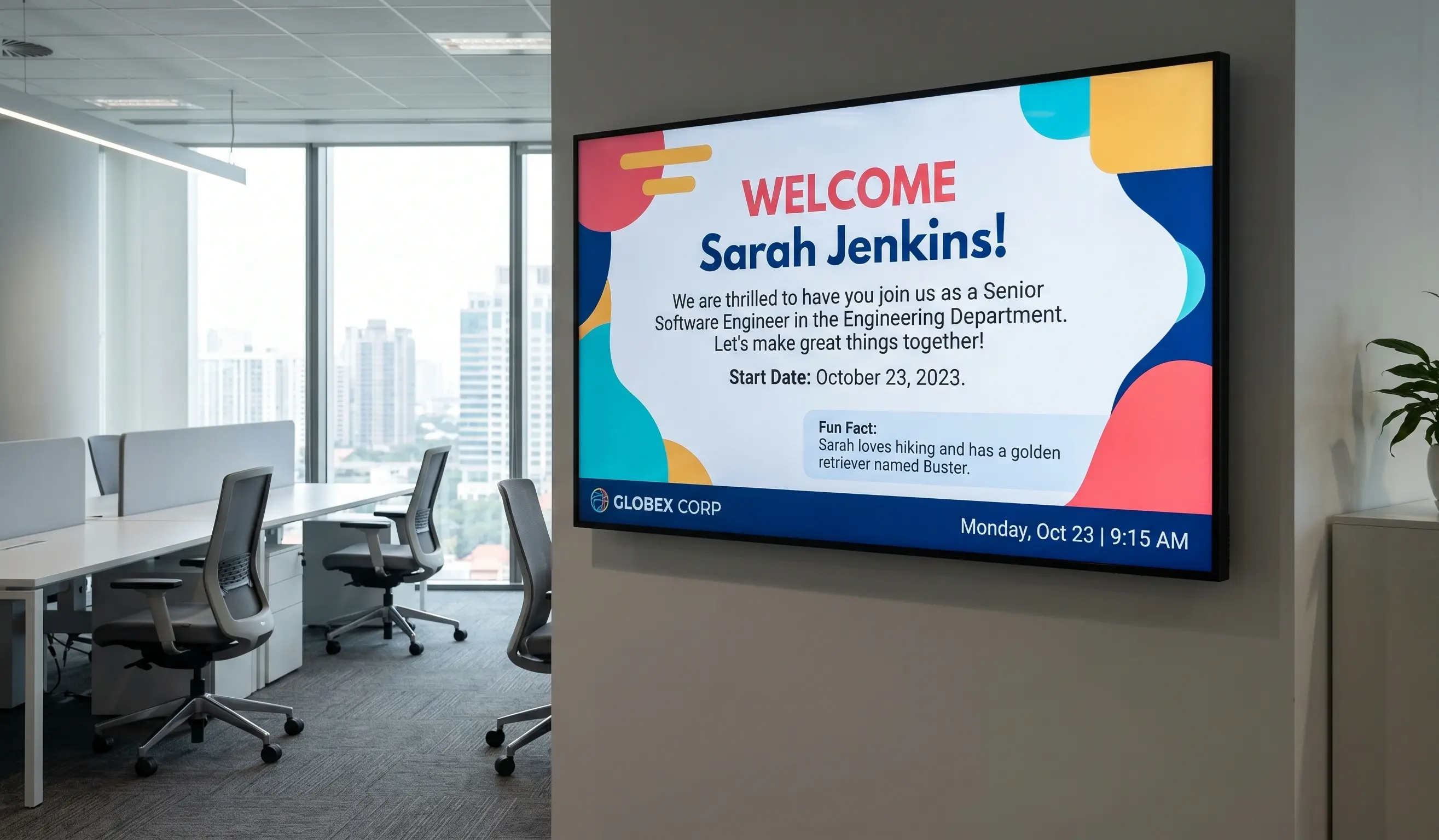
Most company updates die in the inbox. The average office worker gets well over 100 emails a day, and a large share of frontline staff have no work inbox at all. Internal communications digital signage fixes that by putting your message on screens people already walk past: lobbies, break rooms, hallways, and factory floors. Done right, it turns passive wall space into a live channel for news, performance data, recognition, and safety alerts. This guide covers what to display, how signage compares to email and intranet, how to set it up on hardware you may already own, and how to measure whether it works. It is written for internal comms, HR, and IT teams who want a channel that actually reaches everyone.
What is internal communications digital signage?
Internal communications digital signage is the practice of using screens inside a workplace to share information with employees instead of relying only on email, posters, or intranet pages. It runs on a digital signage software platform that pushes content to TVs and displays from a single cloud dashboard, so a comms or HR team can update every screen across every office at once.
The category sits inside the broader corporate communications stack, but it solves a specific problem: getting a message in front of people who are not at a desk and not checking email. A factory worker, a nurse, a warehouse picker, or a retail associate rarely opens the company newsletter. They do walk past a screen in the break room a dozen times a shift.
A typical setup pairs a media player, often an Apple TV 4K or a small Android device, with a commercial display, then connects it to a platform like Kitcast. From there you build playlists of company news, dashboards, recognition slides, and event calendars, and schedule them to rotate automatically. Multi-zone layouts let one screen show several things at once: a news ticker along the bottom, a KPI panel on the side, and a welcome message in the center.
The result is a channel that is always on, hard to ignore, and fully under the comms team's control. Unlike email, there is nothing to open. Unlike a printed poster, it updates in seconds and never goes stale on the wall.
Why does internal communications digital signage matter in 2026?
Because the workforce moved, and email did not follow it. Studies estimate that roughly 80% of the global workforce is deskless, meaning email and intranet simply never reach most people during their shift. Hybrid work made the problem worse for office teams too: when half the building is remote on any given day, the on-site channel has to carry more weight.
Digital signage answers three pressures at once. First, it cuts through inbox fatigue. When a message lives on a screen in a shared space, read rates are not gated by whether someone opens an email. Second, it reaches the deskless majority that no other digital channel touches. Third, it is faster and cheaper to update than print, which matters when policies, schedules, and safety notices change weekly.
There is an engagement payoff as well. Research on workplace communication consistently links employees who feel well informed with higher reported productivity and lower turnover. Recognition is a big part of that. A name on a screen in the lobby carries more weight than a line buried in a newsletter.
Companies like Disney, The New York Times, and McLaren already run Kitcast across offices and shared spaces for exactly these reasons. If you are still planning your program, our office digital signage ideas guide is a useful next read. The point is simple: in 2026, a single-channel comms strategy built on email leaves most of your people in the dark.
What should you display on internal communication screens?
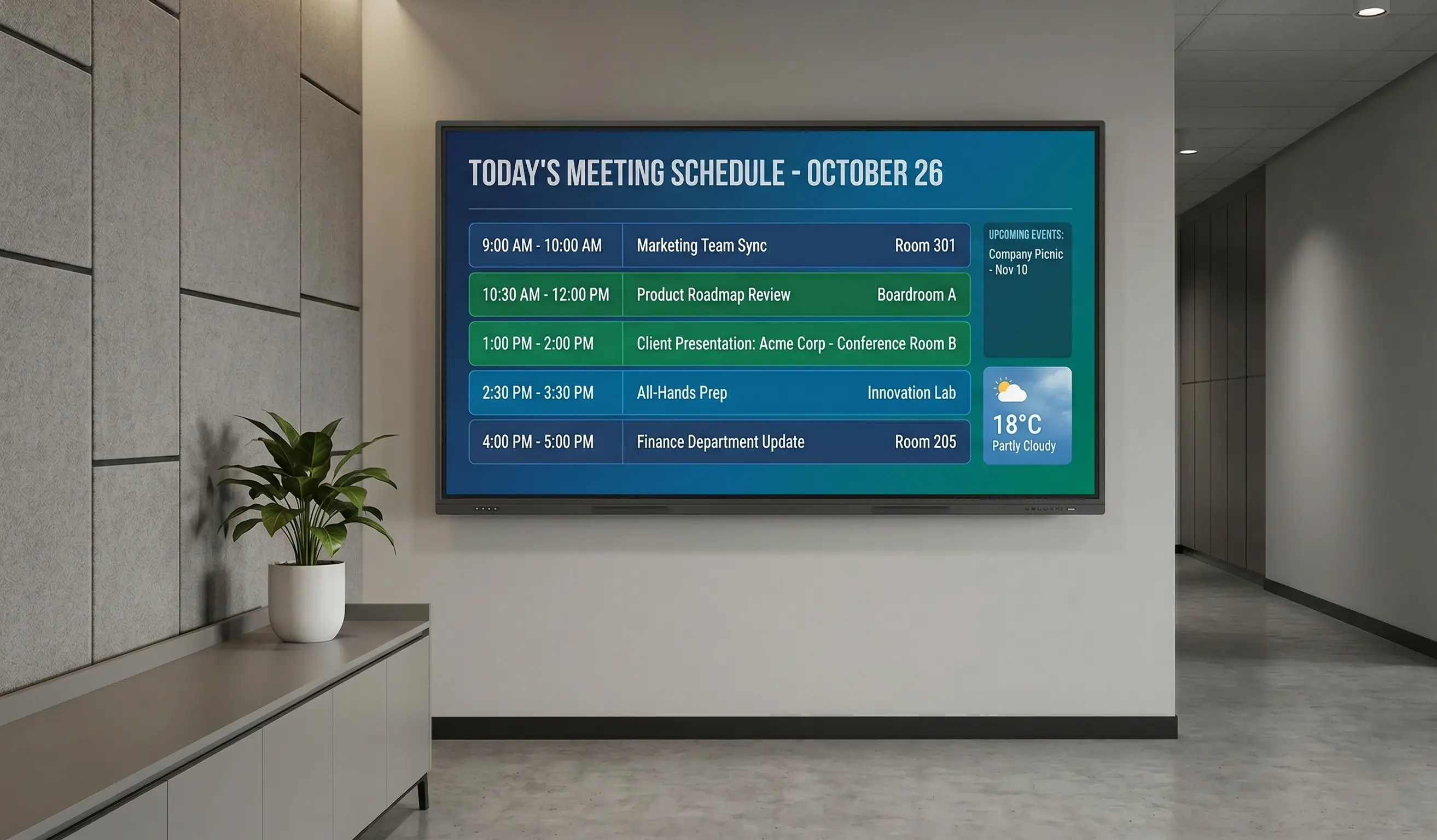
Start with content that is timely, visual, and useful to someone glancing at a screen for three seconds. The strongest internal comms programs rotate a mix of the following:
- Company news and announcements. Product launches, leadership updates, policy changes, and milestones. This is your headline channel.
- Performance dashboards and KPIs. Live sales figures, production targets, support metrics, and project status pulled onto digital display boards so teams see how their work adds up.
- Employee recognition. Employee of the month, work anniversaries, new certifications, and team wins. Recognition content drives the most engagement of anything on the screen.
- New hire welcomes. A photo and a short bio on a lobby screen makes day one feel intentional and helps the team put names to faces.
- Training and onboarding. Upcoming sessions, certification deadlines, and quick how-to clips.
- Event calendars. All-hands meetings, town halls, deadlines, and social events.
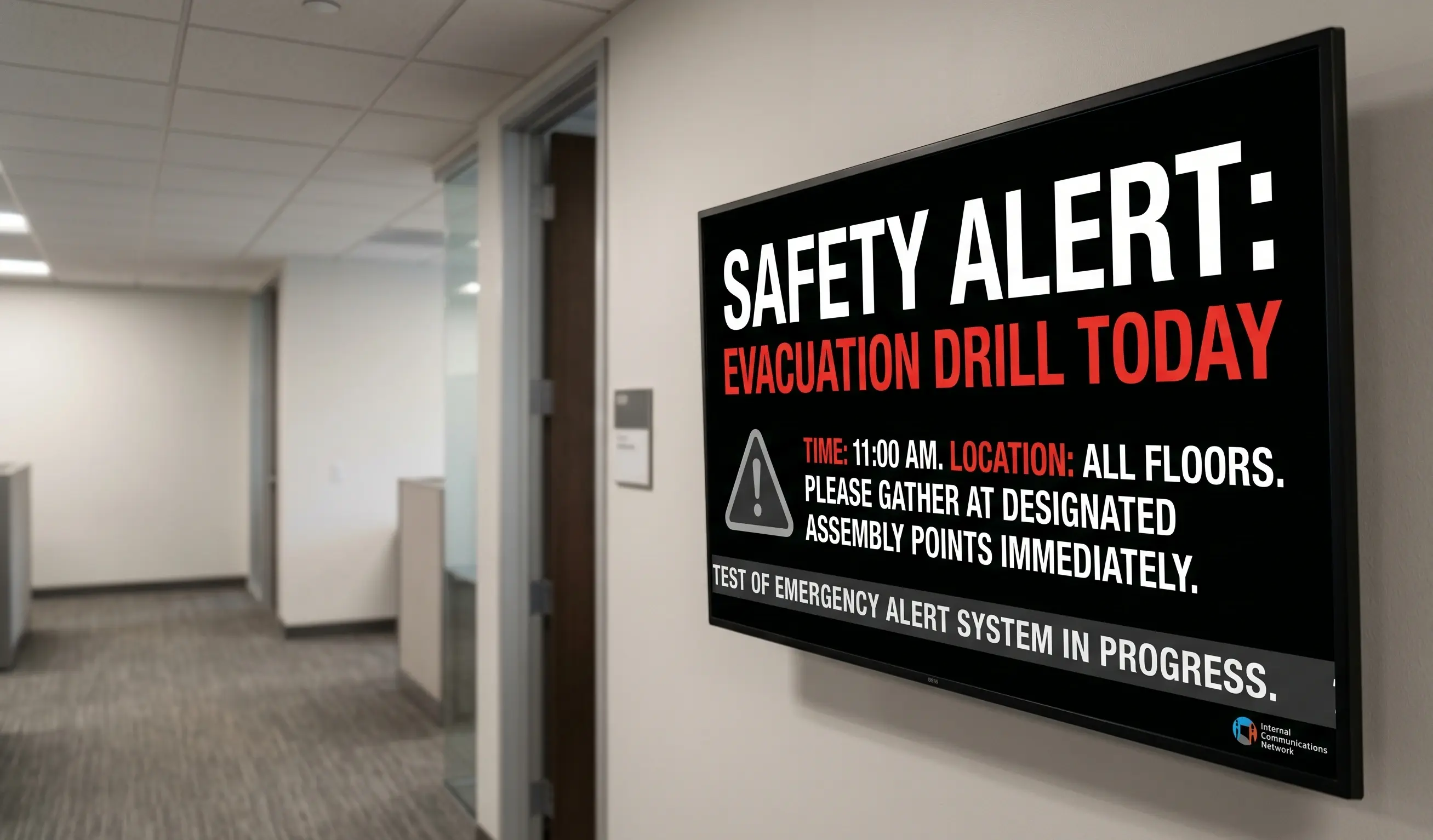
- Safety and emergency alerts. Critical messages that override scheduled content instantly.
- Culture and social content. Live social media feeds on a social media wall, photos from team events, mission and values, and user-generated posts.
Mix formats so the screen never feels static: short video, motion graphics, data widgets, and clean text slides. A practical rule is the 70/20/10 split, with roughly 70% useful operational content, 20% culture and recognition, and 10% fun. For a broader set of formats by use case, see our digital signage examples library. Whatever the mix, keep each slide to one idea and design for a passing glance, not a seated reader.
How is digital signage different from email, intranet, and Slack?
Each channel does a job, and signage covers the gap the others leave open. Email and Slack are pull channels: the message waits until someone chooses to open it. An intranet is worse for reach, since employees have to navigate to it on purpose. Digital signage is a push channel in a shared physical space, so the message is simply there, in view, with nothing to open.
| Channel | Reaches deskless staff | Real-time | Requires action to see | Best for |
|---|---|---|---|---|
| No | Slow | Yes (open it) | Detailed, individual messages | |
| Intranet | No | Medium | Yes (navigate to it) | Reference and documents |
| Slack / Teams | Partly | Fast | Yes (check the app) | Team chat and quick threads |
| Digital signage | Yes | Instant | No | Broadcast to everyone in a space |
The takeaway is not to replace email or chat. It is to add the one channel that reaches people those tools miss and to repeat your most important messages across all of them. Signage is where you put the message everyone needs to see, whether or not they ever open an app. It also lightens the inbox, since routine updates like menus, schedules, and reminders move to the wall instead of clogging email.
How do you set up internal communications digital signage?
You can have a screen live in under ten minutes per display. The setup has four parts: hardware, software, content, and scheduling.
Hardware. Pick a media player and a commercial screen. Kitcast runs natively on Apple TV, and also on Android, Fire TV, BrightSign, LG WebOS, Samsung Tizen, ChromeOS, macOS, and iOS, so you can standardize on what you already own. Apple TV 4K is the most popular choice for offices because it is reliable and cheap. See the full setup on our how it works page.
Software. Install the app, pair the screen to your account, and you control it from the cloud. Build content in the drag-and-drop editor with multi-zone layouts, templates, and live data widgets for calendars, dashboards, and social feeds. No design team required. For a 10-platform comparison tuned to corporate offices and lobbies, see our corporate digital signage software roundup.
Scheduling and control. Set playlists to rotate by day, time, or location, and use emergency alerts to override everything when needed. For larger rollouts, MDM integration and role assignment let IT add screens automatically and give each team control of its own displays. Those controls, plus SSO, SCIM, and audit logs on the Pro plan, are what make enterprise digital signage manageable across dozens of sites.
Pricing is straightforward: Starter is $7 per screen per month and Pro is $10 per screen per month. There are no separate license fees for the apps. For teams comparing tools, our roundup of the best corporate digital signage software breaks down the options. The honest reality is that the hardest part is not the tech, it is committing someone to keep the content fresh.
How do you measure the impact of internal comms signage?
Treat it like any other channel and track outcomes, not just uptime. The clearest signals fall into three buckets.
First, reach and recall. Run a short pulse survey before and after launch asking whether employees saw a specific announcement. A jump in unaided recall is the most direct proof the channel works, especially among deskless staff who never see email.
Second, operational outcomes tied to the content you run. If you display safety reminders, track incident rates. If you show KPI dashboards on the floor, watch whether the target metric moves. If you promote a town hall on screens, compare attendance to events promoted by email only. These before-and-after comparisons turn a soft channel into a measurable one.
Third, cost and efficiency. Add up the printing you eliminate, the design hours saved with templates, and the IT time saved through centralized cloud control. Many teams find signage pays for itself on print reduction alone at $7 per screen per month.
Set a baseline in the first 30 days, review monthly, and prune content that nobody acts on. The screens that fail are the ones that go stale, so build a simple content calendar and assign an owner. Measurement is what keeps the program funded, because it turns "the screens look nice" into evidence that leadership can see.
Frequently Asked Questions
What is internal communications digital signage?
Internal communications digital signage is the use of screens inside a workplace to share company news, KPIs, recognition, and alerts with employees. It runs on cloud software that pushes content to displays from one dashboard, reaching deskless and hybrid staff that email and intranet miss.
What should you display on internal communication screens?
Display company news, performance dashboards, employee recognition, new hire welcomes, training reminders, event calendars, safety alerts, and culture or social content. The best mix is roughly 70% operational information, 20% recognition and culture, and 10% fun, with one idea per slide designed for a quick glance.
How is digital signage different from email and intranet?
Email and intranet are pull channels that wait for someone to open or visit them, and neither reaches staff without a work inbox. Digital signage is a push channel in a shared space, so the message is always in view with nothing to open, which is why it reaches deskless workers.
How much does internal communications digital signage cost?
Kitcast software costs $7 per screen per month on the Starter plan and $10 per screen per month on the Pro plan, which adds SSO, SCIM, and audit logs. On top of software, budget for a media player like an Apple TV and a commercial display. Many teams recover the cost through reduced printing.
What hardware do you need for internal comms signage?
You need a media player and a screen. Kitcast runs on Apple TV, Android, Fire TV, BrightSign, LG WebOS, Samsung Tizen, ChromeOS, macOS, and iOS, so you can use hardware you may already own. Apple TV 4K is the most common choice for offices because it is reliable and inexpensive.
Does digital signage reach deskless and hybrid workers?
Yes, and that is its main advantage. Studies estimate around 80% of the global workforce is deskless, so email never reaches them during a shift. A screen in a break room, hallway, or factory floor is often the only company channel that connects with these employees in real time.
What is the best digital signage software for internal communications?
The best platform is easy to update, supports your hardware, scales across locations, and offers enterprise controls like SSO and role assignment. Kitcast covers nine device types and is used by teams at Disney, The New York Times, and McLaren. Compare options in our corporate digital signage software guide.
How do you keep internal signage content fresh?
Assign a content owner, build a simple monthly calendar, and use scheduling to rotate playlists automatically. Pull in live data widgets for calendars, dashboards, and social feeds so some content updates itself. Prune anything employees stop acting on. Stale screens are the top reason internal signage programs fail.
Can you send emergency alerts through digital signage?
Yes. Emergency alerts override scheduled content instantly across every screen, so you can broadcast critical safety or weather information to the whole building in seconds. This is one of the strongest reasons to run signage in workplaces with deskless staff who may not see an email or app notification in time.
Conclusion
Internal communications digital signage is the one channel that reaches every employee, including the deskless and hybrid staff that email leaves behind. Get the content mix right, run it on hardware you already own, and measure recall and outcomes, and a wall of screens becomes your most reliable broadcast channel. Kitcast makes it simple to launch, starting at $7 per screen per month with native apps across nine devices. See pricing — Kitcast Starter is $7/screen/month with a 14-day free trial, no credit card.
Internal Communications Digital Signage: Strategy, Content Ideas & Examples (2026)
6 Best Digital Signage Software for Education in 2026 (Compared)