
Twitter (X) Feed Integration for Digital Signage
Give your digital signage a power move by adding Twitter (X) to your screen content. Enhance your digital displays with the social network where trends start and conversations naturally grow. Highlight Trending Topics and User-Generated Content with Twitter (X) Feed Integration.
Sign up in under a minute.
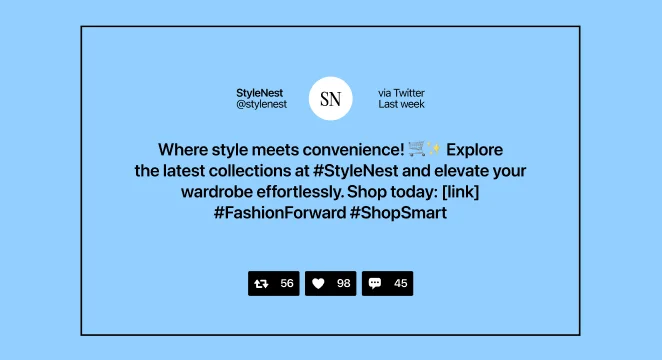
How to Use the Twitter (X) Feed Integration on Digital Signage
Click on “Twitter (X) Feed” in the integration menu after entering the Kitcast dashboard.
Connect your Twitter (X) account(s) with Kitcast following the prompts.
Set up the timing, choose tags, prioritize content, and adjust the like count display.
Display the Twitter (X) Feed integration across your screen network.

Key Features of the Twitter (X) Feed Integration

Real-Time Content Sync
Pull in live, up-to-the-minute tweets straight to your displays.

Hassle-Free Integration
Set it and forget it. With Kitcast’s Twitter (X) Feed widget, there’s no need for manual updates.

Flexible Display Options
Customize your Twitter (X) feed display to match your preferences.

Hashtag Highlighting
Spot a hashtag that’s buzzing? Add specific hashtags and feature them prominently on screens.

All-Screen Content Delivery
Regardless of the screen number, show Twitter (X) content synchronously across all of them.

One-Stop Widget Management
Make changes to the widget from anywhere thanks to the software’s cloud-based nature.
Get Your Digital Signage Social Media-Powered across Any Industry

.webp)
.webp)
Explore Other Widgets


Frequently Asked Questions
The Kitcast Twitter (X) Feed widget integrates live social media content directly into your digital signage.
It’s straightforward. Connect your Twitter (X) account to Kitcast, customize the content display, and the widget will update your signage automatically with live posts.
You can connect up to three Twitter (X) accounts.