
Instagram Business Feed Integration for Digital Signage
Bridge online and offline engagement with the Instagram Business Feed integration. If you’ve already invested in Instagram content, get more coverage by placing it on digital signage. Extend Your Best Content Beyond the Phone Screen with the Instagram Business Feed Integration.
Sign up in under a minute.

Steps to Set Up the Instagram Business Feed Integration on Screens
Log in to your Kitcast account, go to the apps area, and choose “Instagram Business Feed”.
Link the necessary Instagram account with Kitcast by following the prompts.
Add time specifications and hashtags, show/hide like count, select the content priority, and slide view.
Send the setup integration to the necessary playlists and screen groups.

Instagram Business Feed Integration: A Closer Look at Features

Real-Time Instagram Integration
With the widget, linking your Instagram account to your digital signage system is quick and seamless.

Automatic Updates
Every time you post on Instagram, Kitcast automatically refreshes your digital signage with your latest content.

Simple, Intuitive Platform
Kitcast’s user-friendly interface makes it easy for users to set up and manage Instagram feeds on digital signage.

Combine with Other Widgets
Maximize your digital signage potential by integrating Instagram with other widgets like news, weather, or calendars.

Centralized Management for Screen Network
Whether you’re managing one screen or an entire network of displays, control everything from one central hub.

Widget Duration Scheduling
With the scheduling feature, set specific time windows for when your Instagram feed widget is active on displays.
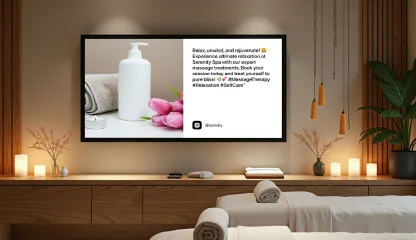
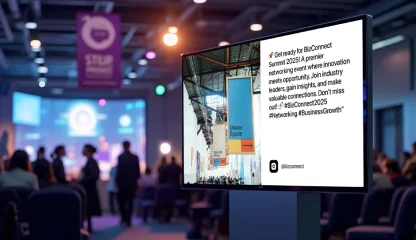
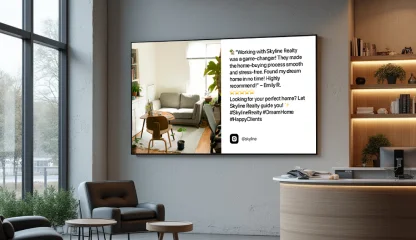
Leverage the Instagram Business Feed Integration across Different Sectors
Explore Other Widgets

%20Feed.png)

Frequently Asked Questions
You can connect up to three Instagram business accounts and display posts from them on your screens.
You can set how long the widget stays up, pick hashtags to pull photos from, choose whether to show the newest or top posts first, and toggle post like counts on or off.
It can be either a photowall or a single post view.