
World Clock App for Digital Signage
Whether you’re running an international office, a hotel chain, or a multinational retail brand, keeping your team or customers in sync with time across various regions is essential. And that’s exactly where the World Clock app shows its value. Make Time Work for You with the World Clock App!
Sign up in under a minute.
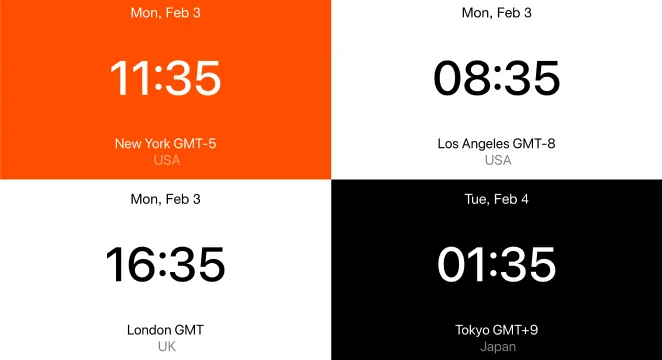
How to Use the World Clock App on Digital Signage
Open the Kitcast dashboard and click the “World Clock” tab in the apps area.
Add the location (up to 6 locations), so you can display the clock in different time zones.
Set up the app display period.
Get the app displayed on screens. Add it to the necessary playlists and screen groups.

Powerful Features for Keeping Time in Sync

Multiple Time Zones
Show up to 6 different locations-time zones. From New York to Tokyo, all on one screen.

Easy Setup & Management
Time flies while setting up the widget! Only a few clicks and it’s added to digital signage.

Seamless Digital Signage Integration
Works flawlessly with your other content and widgets placed on screens.

Scheduled Displays
Need certain clocks to appear at specific times? Set it and forget it.

Sleek, Minimalist Design
No clutter. Just clean, professional, easy-to-read time displays.

Future-Proof & Auto-Updating
No manual tweaks are needed. Kitcast keeps the widget running smoothly.
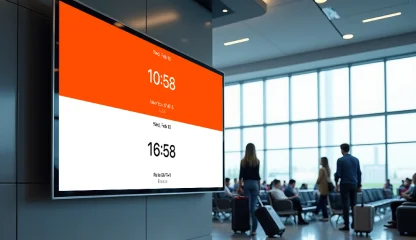
Perfect for Any Industry - Wherever Global Time Matters
.webp)
.webp)
Explore Other Widgets


Frequently Asked Questions
The Kitcast World Clock widget is a digital signage feature that displays real-time clocks for multiple time zones, making it easier to keep track of time across different regions.
Yes, you can! The zoning feature makes this possible by allowing you to dedicate specific areas of your screen to different widgets. For example, you can set one zone to display world clocks in various time zones, while another zone shows weather updates.
Yes, you can schedule the display times of the widget, ensuring it appears only when needed, such as during specific hours of the day.