
Tasty Integration for Digital Signage
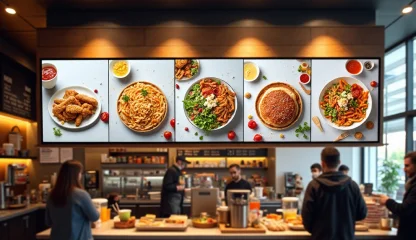
Easily add engaging Tasty’s cooking videos to your digital signage screens with Kitcast’s integration. Show bite-sized and easy-to-digest content that engrosses attention and fills any space with a comforting atmosphere. Align Your Signage Content to What’s Hot with the Tasty Integration!
Sign up in under a minute.

How to Use the Tasty Integration on Kitcast Digital Signage
Go to the apps section on the Kitcast dashboard and choose “Tasty”.
Select tags for recipes (you can add up to 5 tags).
Set the time for the integration and recipes to be displayed and adjust playback settings.
Use the integration for the necessary playlists and groups of screens.

Effortlessly Show 10,000 Recipes with These Integration Features

3-Step Integration
Display an extensive library of recipes with several clicks with quick and easy integration.

Playback Fine-Tuning
Set the duration for how long the videos play on screens in a user-friendly time picker control.

Tags for Recipes
Display recipes based on specific tags (add up to 5 tags).

Cloud-Based Accessibility
Access your Kitcast account and manage or update the widget from any location and device.

Screen Zoning
Divide a screen into zones and complement the Tasty widget with additional content.

Automated Scalability
Need more screens for the widget? Deploy any number of displays automatically.
Easy-to-Follow Cooking Content for Any Screen
.webp)

Explore Other Widgets


Frequently Asked Questions
The Tasty widget allows Kitcast digital signage users to easily display engaging food-related content, including recipes, cooking tips, and food inspiration directly on screens.
The Tasty widget enriches your content by providing visually appealing and easy-to-follow food recipes, perfect for businesses in the food, hospitality, or health & wellness sectors.
Yes, the Tasty widget provides real-time updates, so your content remains fresh.